7 best plant design software for planting plans (2026)
Planting plans need the right tool for the job. We compared seven options, from CAD suites that count every shrub into a plant schedule to AI tools that show planting ideas on a photo of your own yard, with verified 2026 pricing for each.
Plant design software covers two very different jobs, and picking the wrong kind wastes money fast. On one side sit CAD tools that professionals use to draw planting plans: scaled drawings with plant symbols, labels, and a schedule that counts every tree, shrub, and groundcover for ordering and pricing. On the other side sit visual tools that help you decide what a planting should look like in the first place, before any drawing exists.
This guide compares seven tools across that whole range, with verified 2026 pricing, the features that matter for planting work, and honest pros and cons for each. If you produce documented planting plans for clients, start at the top of the list. If you want to see what a new bed could look like against your own house before you buy a single plant, the middle of the list is where you belong. And if you're comparing whole-garden design suites rather than planting-focused tools, that's a separate category we cover elsewhere; this post stays on plants.
Best plant design software: a quick overview
- Vectorworks Landmark: Best overall for professional planting plans: a full BIM and CAD environment with a plant database, smart plant objects, and worksheet-driven plant schedules.
- Land F/X (Planting F/X): Best for AutoCAD users: a plugin with a 26,000-plant database that places smart plant blocks and generates plant schedules with automatic quantities.
- DynaSCAPE: Best for presentation-grade planting plans: CAD drafting with a hand-drawn look that clients understand and sign off on.
- OutdoorBrite: Best for visualizing planting ideas on a photo of your own yard: AI concepts with climate-aware plant choices, for deciding what beds should look like before you buy plants.
- GrowVeg Garden Planner: Best for edible planting layouts: browser-based bed planning with spacing, crop rotation, and planting lists for vegetables.
- SketchUp Pro: Best for 3D modeling planting and hardscape together: general-purpose 3D with free plant models and scatter extensions.
- Garden Puzzle: Best budget pick: simple drag-and-drop plant placement on a photo-based scene for a few dollars a month.
| Tool name | Key strength | Pricing | Platforms |
|---|---|---|---|
| Vectorworks Landmark | Full BIM planting plans with database-driven plant schedules | From $1,530/year (or $153/month); free trial | Windows, Mac |
| Land F/X (Planting F/X) | AutoCAD plugin with automatic plant schedules and error checking | $695/year; requires AutoCAD or F/X CAD; 15-day trial | Windows (AutoCAD, Civil 3D, F/X CAD) |
| DynaSCAPE | Hand-drawn-style CAD planting plans clients can read | Design from $1,599/year; bundles to $2,199/year; free trial | Windows; web-based Creator on Mac/PC |
| OutdoorBrite | AI planting concepts on a photo of your real yard | From $29/month (paid only, no free tier) | Web, mobile-friendly |
| GrowVeg Garden Planner | Vegetable bed layouts with spacing and crop rotation | $35/year recurring; 7-day free trial | Web, mobile |
| SketchUp Pro | 3D modeling with plant libraries and LayOut sheets | Pro $399/year; Go $129/year; 7-day trial | Windows, Mac, web, iPad |
| Garden Puzzle | Cheap drag-and-drop plant scenes on your photo | Standard $19/6 months; Premium $29/6 months | Web, desktop app, iOS (Premium) |
1. Vectorworks Landmark, best overall for professional planting plans
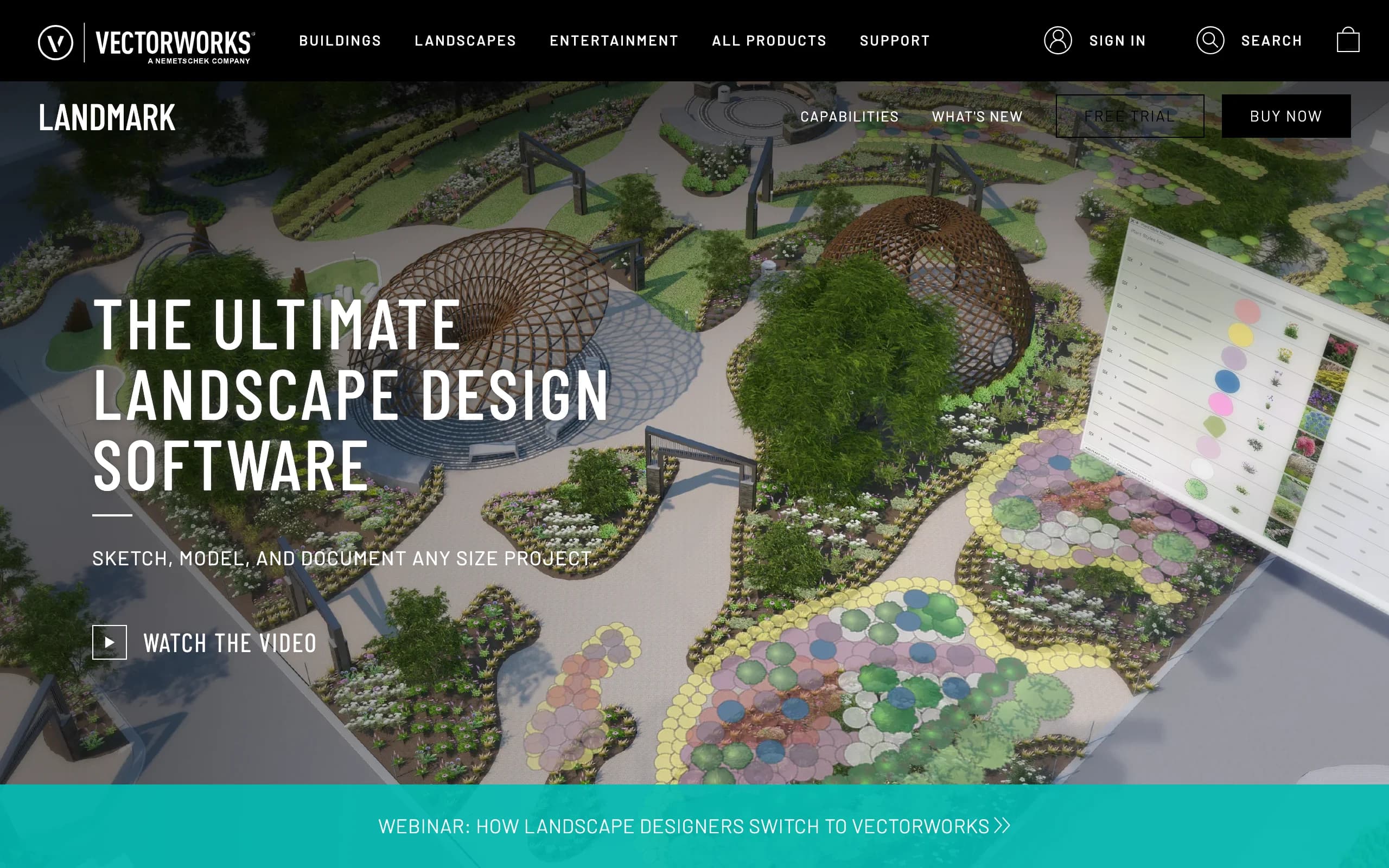
Vectorworks Landmark is the landscape-specific edition of Vectorworks, a full CAD and BIM platform. For planting work, that means smart plant objects rather than dumb symbols: each plant in the drawing carries data like species, size, spacing, and unit cost, and worksheets read that data to build plant schedules, quantity takeoffs, and cost estimates straight from the drawing. Change the plan and the schedule updates with it.
The plant database holds over 8,000 plants to start your library from, and the 2026 release added a Plant Style Manager with spreadsheet-style batch editing for plant data and geometry. Landmark handles the rest of the site too, from hardscape and grading to irrigation, so planting plans live inside the same model as everything else. It's the most capable tool on this list and also the one with the steepest learning curve.
Key features
- Smart plant objects with attached data (species, size, spacing, cost)
- Plant database of 8,000+ plants plus a plant catalog for building libraries
- Worksheet-driven plant schedules, quantity takeoffs, and per-bed contractor breakdowns
- Plant Style Manager (new in 2026) for batch-editing plant data
- Full BIM site modeling: hardscape, grading, and planting in one file
Best for
- Landscape architects and garden designers producing construction documents
- Firms that need planting, hardscape, and site modeling in one BIM platform
- Designers who bill for documented plans, not just concepts
Pricing
- Annual subscription around $1,530 per year, or $153 month to month
- Free trial available
- No pricing published directly on the Landmark buy page; figures above are from current third-party pricing guides
Pros
- Plant schedules and takeoffs generate from the drawing, so counts never drift from the plan
- One model covers concept through construction documents
- Mac and Windows, unlike most CAD in this category
Cons
- Serious learning curve if you've never used CAD or BIM
- At roughly $1,530 a year, hard to justify for a single home project
2. Land F/X (Planting F/X), best for AutoCAD users who need automatic plant schedules
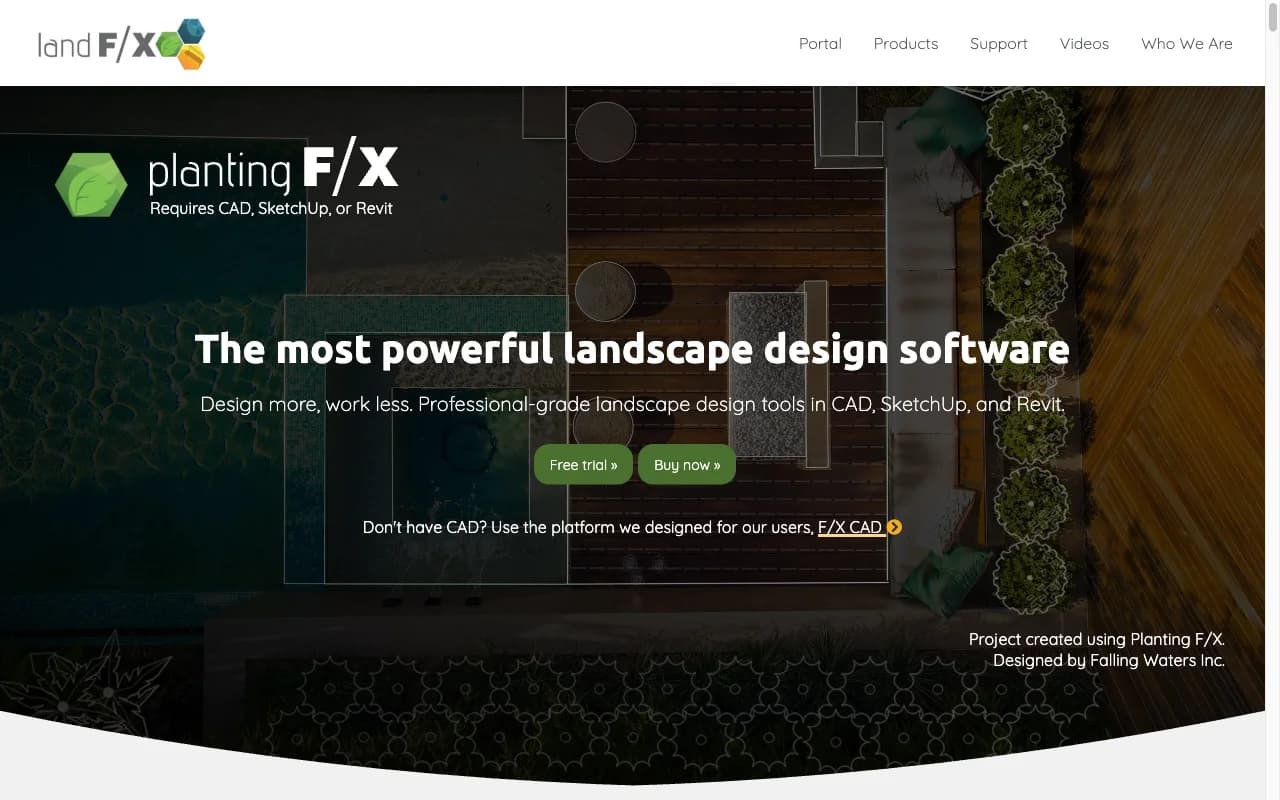
Planting F/X is a plugin, not a standalone program. It bolts landscape tools onto AutoCAD, Civil 3D, or the company's own F/X CAD, and it exists to make planting plans fast and error-free. You place plants as smart blocks (or smart hatches for groundcover areas), label them with leaders tied to the actual plants, and generate a plant schedule that counts everything automatically, including plants in Xrefs. Its error checking flags unlabeled or mismatched plants with a click.
The plant database covers more than 26,000 trees, shrubs, and groundcovers, each of which can carry size, cost, and spec data. If your office already lives in AutoCAD, this is the shortest path to professional planting plans. If you don't own AutoCAD, factor in that cost, or buy the company's F/X CAD bundle to get a CAD engine and the tools together.
Key features
- Smart plant blocks and hatches inside AutoCAD, Civil 3D, or F/X CAD
- 26,000+ plant database with assignable size and cost data
- One-click plant schedules with automatic quantities, including Xref plants
- Automatic error checking for labels and counts
- Revit plugin for BIM workflows
Best for
- Landscape architects and designers who already work in AutoCAD
- Offices that produce plant schedules and cost estimates on every job
Pricing
- Planting F/X is $695 per year as of January 1, 2026
- Requires AutoCAD or Civil 3D; the company's own F/X CAD is $775 per year as an alternative
- 15-day full-access trial via the Autodesk App Store
Pros
- The fastest schedule and takeoff workflow in this list for AutoCAD shops
- Error checking catches label and count mistakes before a contractor does
- Massive plant database maintained by the vendor
Cons
- Useless without a CAD host, which can double the real cost
- Windows-centric AutoCAD workflow; not a fit for Mac-first studios
3. DynaSCAPE, best for presentation-grade planting plans
DynaSCAPE Design is CAD drafting tuned for the landscape trade, and its signature is the output: precise, dimensioned plans rendered with a hand-drawn aesthetic that homeowners actually understand. That matters at sign-off. A client who can read the plan approves it faster, which is why design-build firms are DynaSCAPE's core audience. Symbol and plant libraries cover planting work, and the Color add-on turns line drawings into presentation plans with texture and color.
Sketch3D, another add-on, links designs to SketchUp for 3D walkthroughs. There's also a lighter web-based product, Creator, that runs on Mac or PC. DynaSCAPE sits between raw CAD power and client presentation, and its pricing reflects a professional audience.

Key features
- CAD-accurate planting plans with a hand-drawn presentation style
- Symbol and plant libraries built for landscape work
- Color add-on for presentation plans with color and texture
- Sketch3D add-on with SketchUp integration for 3D views
- Web-based Creator option for Mac or PC
Best for
- Design-build firms that sell work off the plan itself
- Designers who want precise drawings clients can read without a CAD education
Pricing
- Design is $1,599 per year (or $158 per month)
- Design + Color is $1,999 per year; the full Design + Color + Sketch3D bundle is $2,199 per year ($219 per month)
- Free trial available
Pros
- The best-looking 2D planting plans in this comparison
- Faster client approvals because the drawings read like illustrations
- Scales from a web-based entry tool to a full CAD bundle
Cons
- Pro pricing: the useful bundle costs about $2,199 a year
- No automatic plant schedule engine as deep as Land F/X's
4. OutdoorBrite, best for visualizing planting ideas on a photo of your own yard
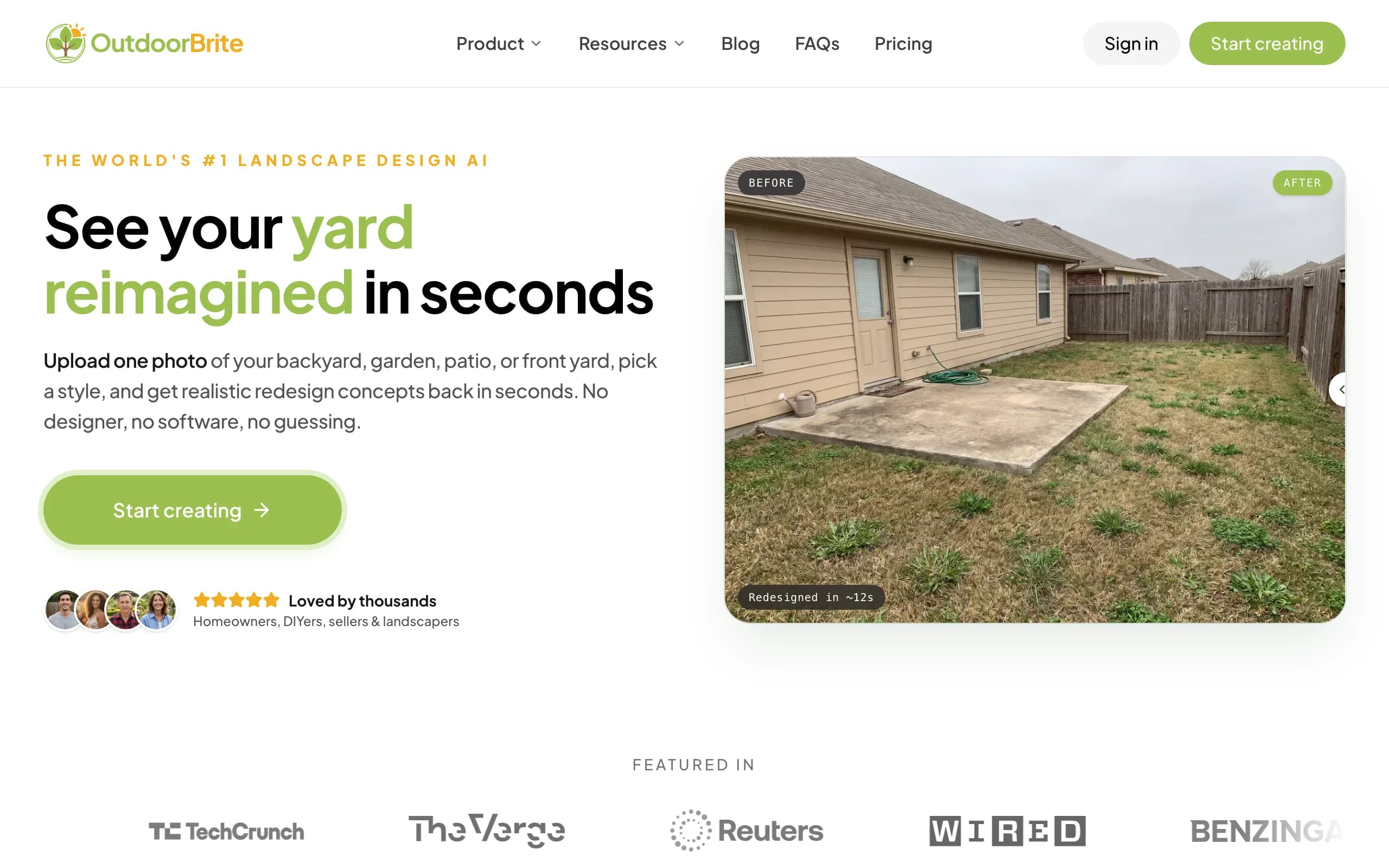
OutdoorBrite is an AI visualization product, not a drafting tool, and that's exactly why it earns a spot on this list. Every planting plan starts with a decision the CAD tools above can't help with: what should this bed actually look like? You upload a photo of the bed, border, or yard you want to plant, pick a style like cottage, tropical, or xeriscape, and describe what you're after. In under a minute it generates realistic concepts of that exact space planted out, with plant choices that account for your climate and hardiness zone.
That makes it the tool for the step before the plan. Homeowners compare a few planting directions on their real space before buying anything, using AI garden design for whole gardens or AI flower bed design for a single bed, then refine a favorite concept in the built-in AI editor. Designers and contractors use the renders on-site to align a client on a planting direction before drawing a line in CAD. It won't produce a documented plan, and it doesn't pretend to.
Key features
- Photo-to-concept generation in under a minute, on your own yard
- Plant choices matched to your climate and hardiness zone
- Style presets: cottage, tropical, Mediterranean, xeriscape, modern, and more
- Multiple concept variations per upload, with an in-app AI editor to refine
- Covers beds and borders plus full yards, patios, and front yards
Best for
- Homeowners deciding what a bed or border should look like before buying plants
- Contractors and designers who need a client aligned on a planting direction fast
Pricing
- Paid only, no free tier: Starter is $29/month for 25 redesigns in HD
- Plus is $49/month for 100 redesigns at 2K; Pro is $149/month for 200 redesigns at 4K
- Annual billing saves about 20%; top-up credit packs never expire
Pros
- Shows planting ideas on your actual space, not a generic template yard
- Climate-aware plant choices ground the concepts in what can survive there
- A fraction of the cost of any CAD tool on this list
Cons
- No botanical plan drawings: output is a realistic render, not a scaled plan
- No plant schedules or quantity takeoffs
- Not a CAD, so it can't replace Vectorworks or Land F/X for construction documents
5. GrowVeg Garden Planner, best for edible planting layouts
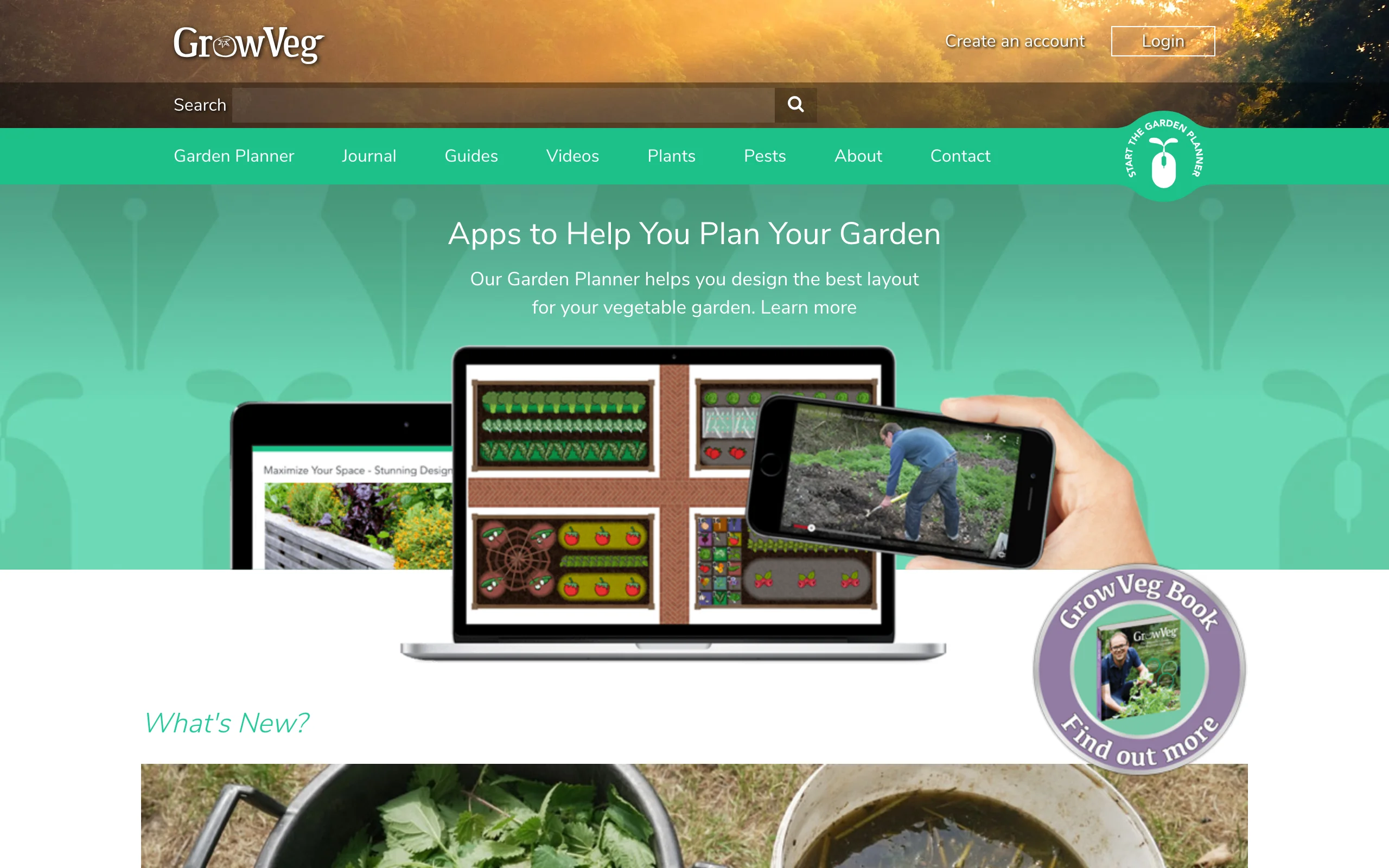
The GrowVeg Garden Planner is a browser-based planner built around vegetables and edibles. You lay out beds, drop in crops, and the planner handles the parts that trip up food growers: plant spacing, how many plants fit a row or block, and color-coded crop rotation warnings so you don't put the same family in the same bed two years running. It produces a planting list from your plan and sends email reminders for sowing and planting through the season.
It's deliberately narrow. You won't design an ornamental border or a foundation planting here, and it makes no attempt at realistic visuals. But for planning a productive kitchen garden year over year, nothing else on this list matches it, and the price is almost a rounding error next to the CAD tools.
Key features
- Bed layout with automatic plant spacing and quantity per area
- Color-coded crop rotation tracking across seasons
- Planting lists generated from the plan
- Email reminders for sowing and planting dates
- Plans carry over year to year for succession planning
Best for
- Vegetable gardeners planning beds, spacing, and rotation
- Allotment and raised-bed growers who replant every season
Pricing
- $35 per year on the auto-recurring plan; $50 for a single year, $85 for two years
- 7-day free trial, no card required
Pros
- Spacing and rotation logic that general design tools don't have
- Very cheap for what it does
- Runs in the browser with mobile support
Cons
- Edibles-focused: not built for ornamental planting design
- Schematic top-down view only, no realistic visualization
6. SketchUp Pro, best for 3D modeling of planting and hardscape together
SketchUp Pro is general-purpose 3D modeling software that a lot of landscape designers have bent to planting work. The draw is flexibility: model the house, the grade, the patio, and the planting in one 3D scene, walk a client through it, then produce scaled 2D sheets in LayOut, which comes with the Pro plan. Plant content comes from the free 3D Warehouse library, and extensions like Skatter (sold separately) can scatter grasses and groundcovers across areas realistically.
The trade-off is that none of the planting intelligence is built in. There's no plant database, no spacing logic, and no schedule generator; a plant in SketchUp is just a model with a name. Landscape-specific plugins can close some of that gap, but out of the box this is a modeling tool, not planting plan software.
Key features
- Full 3D modeling of site, structures, and planting in one scene
- Free plant models via 3D Warehouse
- Extensions like Skatter for realistic mass planting and groundcover
- LayOut (included with Pro) for scaled 2D presentation sheets
- Large tutorial ecosystem and third-party plugin market
Best for
- Designers who present in 3D and want planting shown in context with hardscape
- Design-build firms already using SketchUp for decks, pergolas, and structures
Pricing
- Pro is $399 per year; the lighter web and iPad Go plan is $129 per year
- Studio, with advanced visualization, is $819 per year (Windows only)
- 7-day free trial
Pros
- One scene covers structures, hardscape, and planting in 3D
- Huge free model library and extension ecosystem
- Cheaper than the dedicated landscape CAD suites
Cons
- No plant database, spacing logic, or schedule generation built in
- Realistic vegetation needs paid extensions and rendering know-how
7. Garden Puzzle, best budget pick for simple plant placement
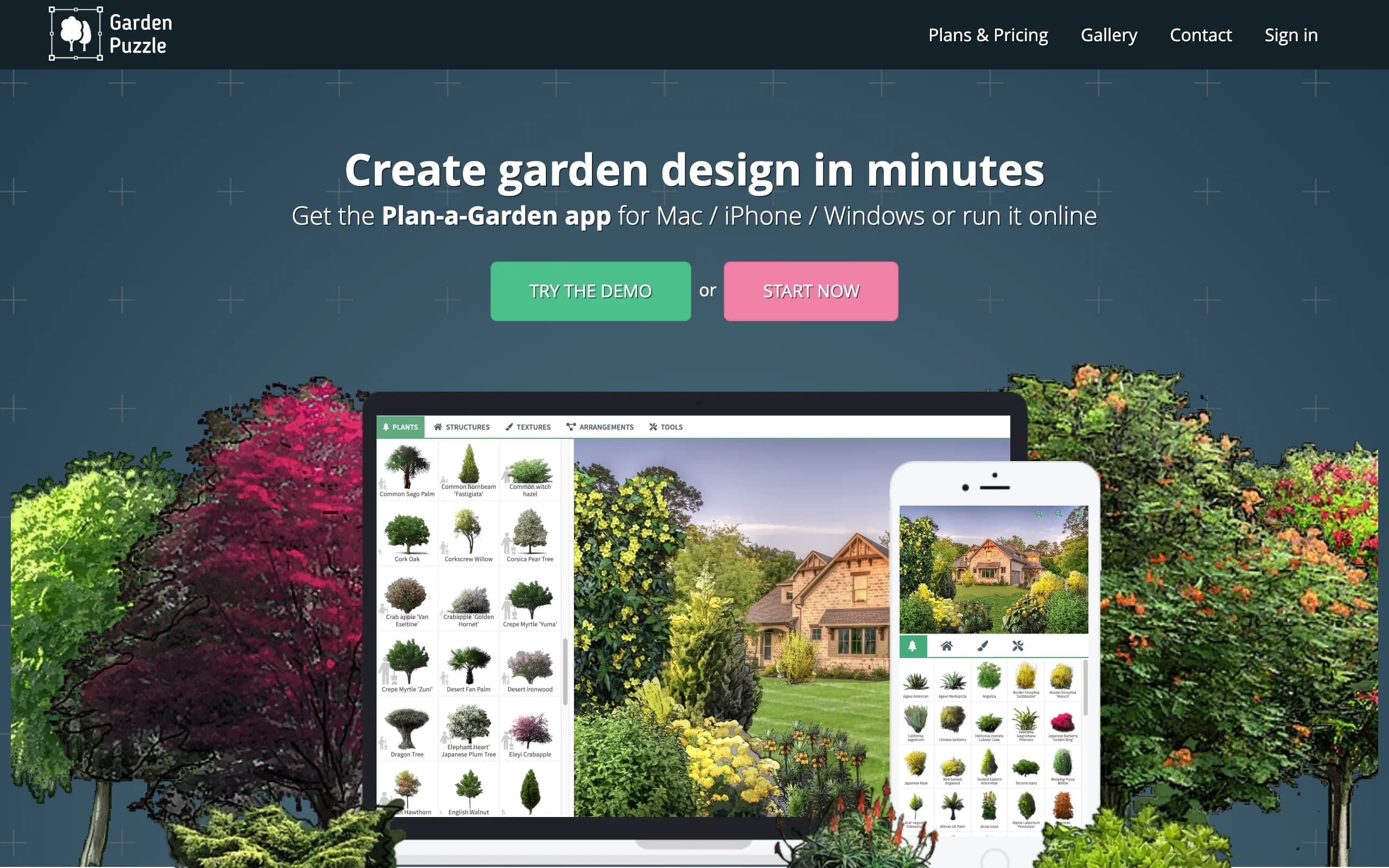
Garden Puzzle is a lightweight scene builder. You upload a photo of your garden or house (or start from a template scene), then drag and drop plants, paths, furniture, and structures onto it from a library of over 800 plants filterable by size, climate zone, and light needs. A season preview shows the same scene in spring, summer, autumn, and winter, which is genuinely useful for judging how a border holds up in the off months.
It's strictly 2D and the editing tools are basic (undo goes back only five steps, and there's no redo). But at $19 to $29 per six months it costs less than a single shrub, and for a hobbyist sketching plant placement ideas on a real photo, that can be enough.
Key features
- Drag-and-drop plant placement on your own photo or a template scene
- 800+ plant library filterable by size, climate zone, and light requirements
- Four-season preview of the same design
- Desktop app with cloud sync; iOS app on the Premium plan
Best for
- Hobby gardeners sketching placement ideas on a small budget
- Anyone who wants to test how a planting reads across seasons
Pricing
- Standard is $19 per six months; Premium (iOS app, vegetables package, cloud storage) is $29 per six months
- Designs remain viewable but not editable if you let the subscription lapse
- Official pricing page blocks automated access; figures confirmed via independent reviews
Pros
- Very cheap entry into photo-based plant placement
- Season preview is a feature even pricier tools skip
Cons
- Flat 2D compositing, so results look pasted-on rather than realistic
- Basic editing (five-step undo, no redo) and no plan output of any kind
How to choose plant design software
Seven tools, three honest questions. Work through them in order and the shortlist picks itself.
1) Do you need a documented plan or a visual decision?
This is the split that matters most. A documented planting plan (scaled drawing, labels, schedule) is what contractors bid from and what clients pay designers for. If that's your output, you need Vectorworks Landmark, Land F/X, or DynaSCAPE, full stop.
- If you deliver construction documents or bill for plans: Vectorworks Landmark for the full BIM package, Land F/X if you already run AutoCAD, DynaSCAPE if the presentation drawing is your selling document
- If you're deciding what to plant and where it should go visually: OutdoorBrite for realistic concepts on your own photo, Garden Puzzle for cheap 2D sketching, GrowVeg for edibles
The two workflows also stack. Plenty of designers settle the look with an AI concept first, then draft the documented plan in CAD only once the client has agreed on a direction. Tools like OutdoorBrite's AI landscape design exist for exactly that first half, whether the planting leans toward native plants, a pollinator garden, or a formal border.
2) Do you need a plant schedule with quantities?
If your deliverable includes a plant list with counts, sizes, and costs, only three tools here generate one: Land F/X (the deepest automatic scheduling, including Xref plants and error checking), Vectorworks Landmark (worksheet-driven schedules and takeoffs from the model), and GrowVeg (simple planting lists, edibles only). DynaSCAPE covers labeling and libraries but doesn't match Land F/X's schedule automation. SketchUp, OutdoorBrite, and Garden Puzzle don't produce schedules at all.
- If schedules are daily work in AutoCAD: Land F/X
- If schedules should come from a full site model: Vectorworks Landmark
- If it's a vegetable bed list: GrowVeg
3) What do budget and volume look like?
The pro tools run $695 to $2,199 per year before you count a CAD host, and they earn that back only if plans are your product. GrowVeg and Garden Puzzle sit under $50 a year but do one narrow thing each. OutdoorBrite's $29 to $149 per month is metered by redesign credits (25 to 200 per month by tier, plus top-up packs that never expire), which fits project-based work: run a burst of concepts for a project, then step down or pause. For a homeowner comparing looks for one yard, a single month often covers the whole decision. If you're weighing cheaper entry points more broadly, our roundup of free landscape design software covers that end of the market.
FAQ
What is plant design software?
Plant design software is any tool built for planning what to plant and where. The category spans two kinds of product: CAD tools that produce documented planting plans (scaled drawings with plant symbols, labels, and schedules) and visual tools that help you choose plants and placement by showing what the result would look like. Vectorworks Landmark and Land F/X sit in the first camp; OutdoorBrite and Garden Puzzle sit in the second.
What software do professional garden designers use for planting plans?
For documented planting plans, the common choices are Vectorworks Landmark (a landscape BIM platform with plant schedules driven by the model), Land F/X's Planting F/X plugin for AutoCAD (automatic schedules and error checking), and DynaSCAPE (CAD plans with a hand-drawn presentation style). Which one a designer picks usually follows the CAD platform their office already uses.
What is the difference between plant design software and garden design software?
Plant design software focuses on the planting itself: species selection, placement, spacing, and the plant schedule. Garden design software covers the whole outdoor space, including hardscape, structures, grading, and layout, with planting as one layer among several. The pro tools blur the line (Landmark does both), but if your project is really about what goes in the beds, planting-focused tools get you there with less overhead.
Can AI design a planting plan?
Not a documented one, and it's worth being clear about that. AI tools like OutdoorBrite generate realistic images of your yard planted out, with plant choices suited to your climate, which settles the "what should it look like" question quickly. But a planting plan a contractor can bid from (scaled drawing, labels, quantities) still comes from CAD tools like Landmark or Planting F/X. For a wider look at what AI does well in the garden, see our guide to the best AI garden design tools.
What software makes a plant schedule (a plant list with quantities)?
Land F/X's Planting F/X generates plant schedules automatically inside AutoCAD, counting every plant in the drawing including Xrefs. Vectorworks Landmark builds schedules and quantity takeoffs from worksheets tied to its smart plant objects. GrowVeg produces simple planting lists for vegetable plans. The visual tools (OutdoorBrite, SketchUp, Garden Puzzle) don't generate schedules.
Is there plant design software for vegetable gardens?
Yes. The GrowVeg Garden Planner is the standout: browser-based bed layouts with automatic plant spacing, color-coded crop rotation across seasons, planting lists, and email sowing reminders, for $35 a year on the recurring plan with a 7-day trial. Garden Puzzle also includes a vegetables package on its Premium plan, though without the rotation and spacing logic.
Do I need AutoCAD to draw a planting plan?
No, but it's one of the main routes. Planting F/X requires a CAD host (AutoCAD, Civil 3D, or the vendor's own F/X CAD at $775 per year). Vectorworks Landmark and DynaSCAPE are self-contained, so you can produce professional planting plans without owning anything from Autodesk. For informal plans that don't go to a contractor, no CAD is needed at all.
How much does plant design software cost in 2026?
The professional tier runs $695 per year (Planting F/X, before the CAD host) to $1,530 for Vectorworks Landmark and up to $2,199 for DynaSCAPE's full bundle. SketchUp Pro is $399 per year. Visual and hobby tools are far cheaper: OutdoorBrite starts at $29 per month with 25 AI redesigns included, GrowVeg is $35 per year, and Garden Puzzle is $19 per six months. Match the spend to the output: pay pro prices only if you need documented plans.