Is Realtime Landscaping Worth It in 2026? An Honest Verdict
Realtime Landscaping is a deep, buy-once design program with a free trial and a 30-day refund. It's also Windows only, takes real time to learn, and its 3D looks like 3D. Here's who it's a great deal for, who it isn't, and what to use instead.
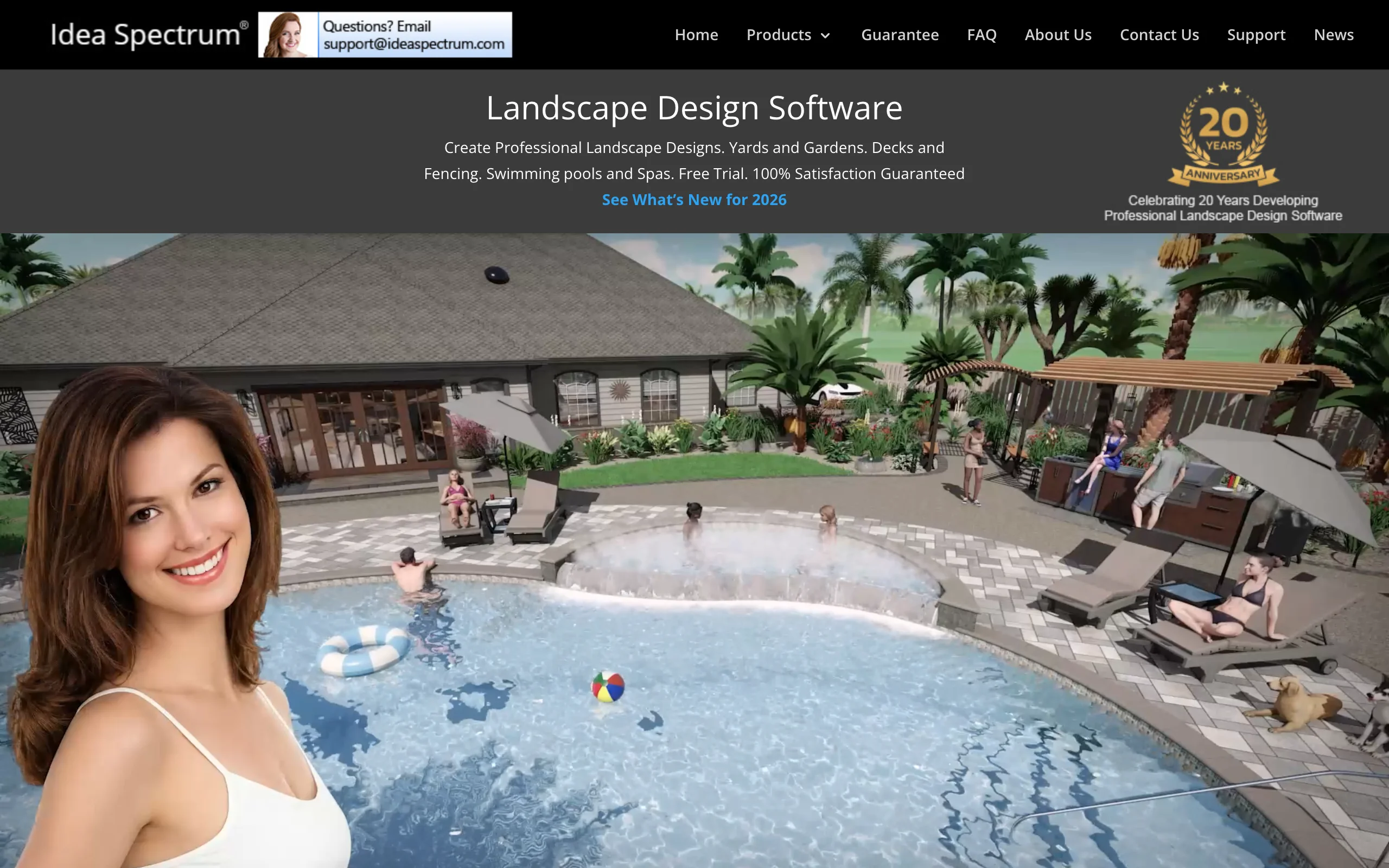
Realtime Landscaping is a family of Windows design programs from Idea Spectrum: Plus and Pro for homeowners, Architect for professionals, and a Photo module bundled with all three. You model your property in a 2D plan and walk through it in 3D, and you pay once instead of every month. Idea Spectrum has been building it for about 20 years.
People asking whether it's worth it tend to be one of two types. Homeowners who saw a slick pool render and wonder if they could make one of their own yard. And designers or small firms tired of subscriptions, looking for something they can buy and keep. The software can suit both, but not everyone in either group.
We make OutdoorBrite, an AI tool that turns a yard photo into redesign concepts, so we compete with the visual side of this. We've stuck to what Idea Spectrum publishes, checked in October 2026, and our own read of what the software produces.
The short answer
Realtime Landscaping is worth it if you're on Windows and you actually want to design: place every bed, wall, deck and pool yourself, and end up with a plan you can measure and a 3D walkthrough. For a homeowner who enjoys that kind of project, Pro at $279 is good value. For a designer who wants to own their tools, Architect at $599 is one of the best deals in the category, a fraction of the $4,500 a subscription suite like PRO Landscape+ costs over five years.
It's not worth it if you mainly want to see what your yard could look like. Building a model takes evenings, the 3D reads as computer graphics rather than a photo, and Mac users can't run it at all. The free trial and 30-day money-back guarantee mean you can find out cheaply, which is a lot more than most rivals offer.
What you get for the money
One payment buys the 2026 version for good:
- Plus ($149): the full 2D and 3D design workspace, 19,400 library items, pre-built pools, lighting and a plant growth preview
- Pro ($279): adds custom pool and spa design and 21,100 items
- Architect ($599): adds advanced terrain, contour and elevation import, CAD-style plan sheets, irrigation design and 25,300 items
- Photo, for designing over a picture of your house, is currently included with all three
Upgrades to next year's version are optional and cost $79 to $479. Every number, including the trial terms, is in our Realtime Landscaping pricing breakdown.
Where Realtime Landscaping is worth it
You own it. No subscription, no account that stops working when a card expires. You can run the 2026 version for as long as your computer does and upgrade only when a new release adds something you want.
The risk is close to zero. The trial is fully functional without registration or a credit card, apart from a smaller library and a watermark, and your trial designs carry over when you buy. After purchase, you still get 30 days to ask for a full refund. Compare that with subscription tools that offer neither.
It's deep for the price. Even Plus handles houses, decks, fences, retaining walls, paths and lighting, and Pro adds custom pools. Architect goes into terrain modeling from survey data, irrigation layouts and presentation plan sheets. Few programs under $600 cover that range.
The plant tools are practical. The Plant Growth tool shows how a planting will look from three months to 20 years out, which helps with spacing. Plants carry hardiness zones, and the Photo module includes zone maps for several countries.
It's still maintained. The 2026 update in March added HDR skies, stepped pool walls and better plant symbols, and support by email and toll-free phone is included.
Where Realtime Landscaping falls short
It takes real time to learn. Idea Spectrum says no CAD experience is needed, and that's fair, but you still trace your house, set elevations and place objects one by one. Expect several evenings before a full yard looks right.
The renders look like renders. The real-time 3D is quick and the walkthroughs are fun, but the result has a video-game look. Clients and spouses who have seen photo-realistic AI concepts of their own yard notice the difference.
Windows only. Every purchase page lists 64-bit Windows 10 or 11, there's no Mac version, and Idea Spectrum doesn't list a tablet or phone app. If you want to show a design in a client's driveway, that means carrying a Windows laptop.
Annual versions don't talk backward. Newer versions open older files, but older versions can't open newer ones. A two-person office has to upgrade together.
It won't run the business side. You can price a shopping list and export it to Excel, but there's no proposal builder or job costing like the subscription suites offer.
Is Realtime Landscaping worth it for your situation?
| Your situation | Verdict | Why |
|---|---|---|
| DIY homeowner who enjoys hands-on planning, on Windows | Yes | Plus or Pro gives you a measured plan and walkthrough for a one-time $149 or $279 |
| Homeowner who just wants to see ideas on their yard | No | Modeling the yard takes evenings, and the result won't look like a photo of your home |
| Homeowner hiring a contractor | Probably not | A clear picture of the look you want is enough to brief contractors; the builder will measure anyway |
| Independent designer or small firm on Windows | Yes | Architect at $599 replaces a $900-a-year subscription for drafting and 3D |
| Pool and hardscape contractor | Maybe | Architect's pool tools are strong for the price, but 3D presentation specialists like VizTerra look more polished |
| Anyone on a Mac | No | There's no Mac version |
What to try instead (if it's not a fit)
OutdoorBrite. If your goal is to see your yard redesigned rather than build a model of it, this is the shortcut. Upload a photo, pick a style like cottage, modern or desert, and you get realistic concepts of that exact space in under a minute, with climate-aware plant choices and an AI editor for changes. It runs in a browser on any device, so Mac and phone users are covered, and our garden landscaping app works the same way for planting beds. The honest limit: you get visual concepts, not measured plans or irrigation layouts, and there's no free tier. Starter is $29 a month for 25 redesigns.
PRO Landscape+. For contractors who want photo imaging, CAD and proposals in one program, it's $90 a month or $900 a year, with no trial or refunds.
SketchUp Pro. For designers on a Mac who still want to model in 3D, it's $399 a year and runs on Mac, Windows, web and iPad.
Our Realtime Landscaping alternatives guide compares six options in detail.
How to decide
- Download the trial and try to model your own house and lot in one evening. If you enjoy it, buy. If it feels like homework, it will keep feeling that way.
- Confirm you're on 64-bit Windows 10 or 11 with a decent graphics card.
- Pick the tier by your hardest feature: custom pool means Pro, survey data or plan sheets mean Architect.
- Decide what the output is for. A measured plan for yourself or a crew fits Realtime Landscaping; a realistic picture to win a client or settle a family debate fits a photo-based tool.
- Remember the 30-day refund clock starts at purchase, so do your real testing early.
FAQ
Is Realtime Landscaping legit? Yes. Idea Spectrum has sold Realtime Landscaping for about 20 years, publishes its prices openly, offers a free trial with no credit card, and backs every purchase with a 30-day money-back guarantee.
Is Realtime Landscaping good for beginners? Plus and Pro are aimed at homeowners and don't need CAD experience, and there are user guides and video tutorials. You'll still spend a few evenings learning to draw the house and set elevations before designs come together.
Is Realtime Landscaping good for professionals? Architect is, especially for solo designers and small firms on Windows. It covers terrain from survey files, irrigation, pools and presentation plan sheets for $599 once. It doesn't include proposals or job costing, and its 3D isn't photo-realistic.
Can you return Realtime Landscaping? Yes. The original buyer can request a full refund by email within 30 days of purchase.
Is Realtime Landscaping a subscription? No. Plus, Pro and Architect are one-time licenses. New annual versions are optional paid upgrades, and maintenance updates within a version year are free.
What's easier than Realtime Landscaping? If you'd rather not model anything, a photo-based tool is far quicker. OutdoorBrite turns a yard photo into realistic redesigns in under a minute, and its AI garden planner suggests plants suited to your climate.
Sources: Idea Spectrum homepage, Realtime Landscaping product comparison chart, Architect, Plus and Photo product pages, free trial page, 30-day guarantee, software updates page and FAQ, all checked October 2026