Is Neighborbrite Worth It? An Honest 2026 Review
Neighborbrite is the best-known AI yard designer, and you can start free. But is it worth paying for Pro, Business or the Landscaper plan? Here's who gets real value from it, where it disappoints, and how to decide for your own yard project.
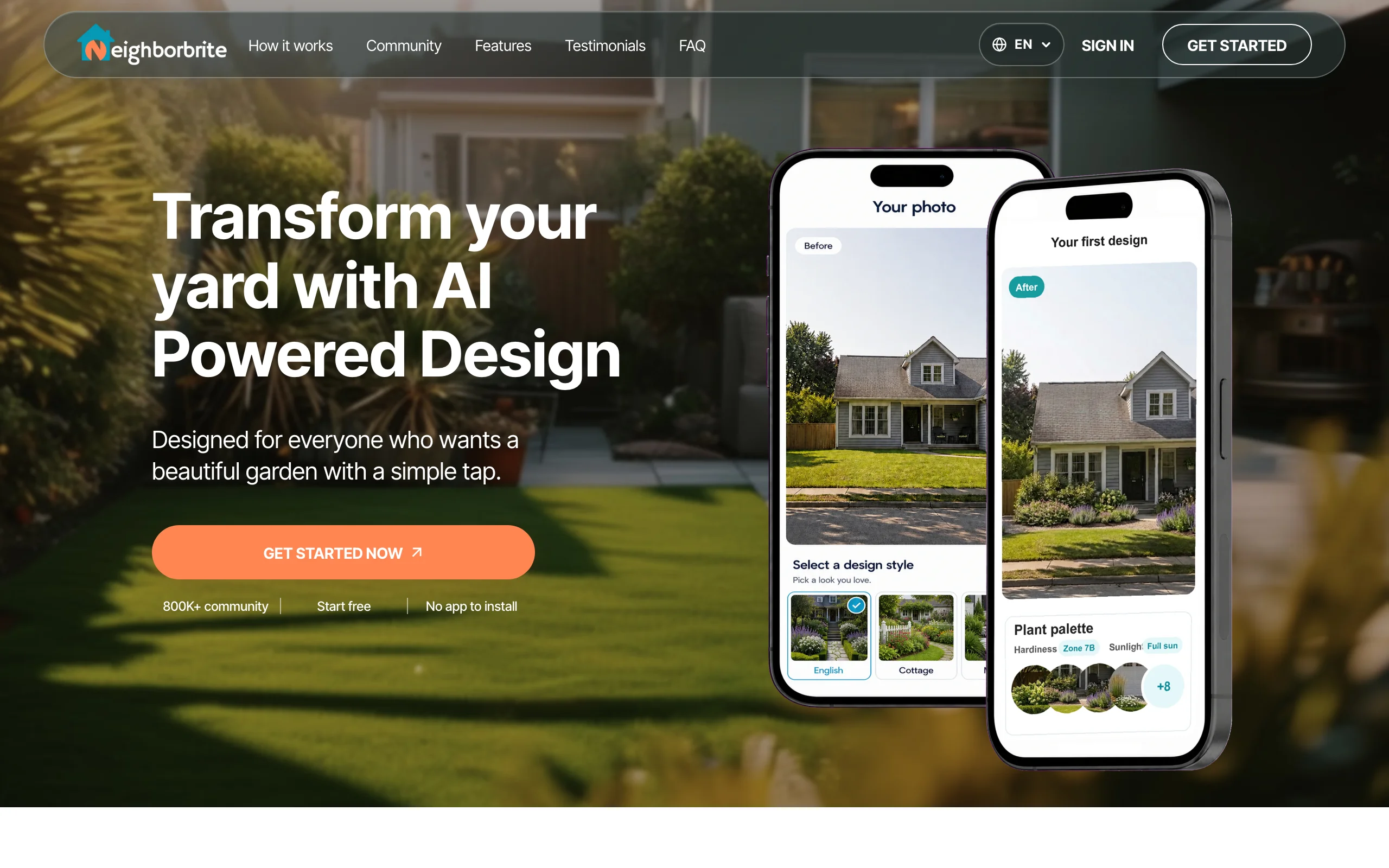
Neighborbrite is an AI tool that redesigns your yard from a photo. You upload a picture of your front or back yard, choose a style, and a couple of minutes later you see the same space with new planting, paths and furniture. It's the biggest name in this category: the company says it has more than 800,000 registered users and 20 million designs generated.
People usually ask whether it's worth it at one of two moments. Homeowners ask after a few free renders, when the editing tools and plant lists turn out to be paid. Landscapers ask when they're deciding whether a $49 or $149 monthly plan will help them win jobs. This review answers both, based on Neighborbrite's own site, terms and app listings as of October 24, 2026.
We make OutdoorBrite, which competes with Neighborbrite, so read this with that in mind. We've tried to give Neighborbrite credit where it's earned and linked our sources at the end.
The short answer
For most homeowners, Neighborbrite's free tier is worth it, because it costs nothing and quickly shows you which style suits your house. A paid upgrade is worth it for one focused month if you want plant names and targeted edits on a design you already like.
It's a weaker deal if you expect clear pricing, a refund if the results disappoint, or a human designer to turn the picture into a buildable plan. Neighborbrite has no public pricing page for homeowners, its terms say charges are non-refundable, and its professional design service no longer takes new projects.
For landscapers, the Landscaper plan is worth a serious look if you want renders and estimates in one place. If you only need good-looking client visuals, the $149 a month is more than you need.
What you get for the money
The free plan covers the basic loop: upload a photo, pick a look such as cottage, modern or desert, and get a redesign. Neighborbrite's landscapers page describes the free plan as "limited design generations" without giving a number.
Paying unlocks three layers. Pro adds editing (describe your own design, Magic Edit, add or erase elements) and plant identification. Business adds print-resolution files, auto enhance and commercial use. Landscaper adds estimating with your own suppliers and prices, plus plant lists tuned to the property's location and sun.
The exact numbers, including the in-app Pro price and the fine print, are in our Neighborbrite pricing breakdown.
Where Neighborbrite is worth it
Trying styles before you spend anything. This is Neighborbrite's best feature. If you've spent months saving Pinterest boards and still can't picture them on your own house, seeing three styles on your real photo for free clears that up fast.
Getting plant ideas that fit your area. Neighborbrite leans into planting more than most AI yard tools. Its homepage shows plant lists with botanical names, quantities and a zone and sun label, and it says plant suggestions consider local climate. If your project is mostly beds and borders, with native plants or a foundation planting along the house, that's useful.
No install, any device. It runs in a browser, plus iOS and Android apps, so you can start on a laptop and show the result on your phone.
Landscapers who want estimates attached. The Landscaper plan links the design to pricing with your own suppliers and price lists. For a small company that still builds quotes in a spreadsheet after every consultation, having both in one flow is a genuine time saver.
Where Neighborbrite falls short
Pricing you can't see before you sign up. The homeowner-facing site lists no prices. Business ($49 a month) and Landscaper ($149 a month) appear only on the page for landscapers, and Pro shows up as a $24.99 in-app purchase with no stated billing period. Reviewers quote a lower web price for Pro. You shouldn't have to dig through an app store listing to learn what something costs.
A free tier with an unstated limit. Older reviews call the free renders unlimited. The current landscapers page says "limited design generations." Either way, you don't know where the ceiling is until you hit it.
No refunds by default. Neighborbrite's terms say "Charges paid by you are final and non-refundable," with a 30-day window to raise a dispute through your account. App store purchases follow Apple's or Google's rules instead.
The human design option is gone. Neighborbrite used to sell professional design packages with a scaled plan. Its professional designs page now says it isn't accepting new projects. If you were counting on that step from render to buildable plan, you'll need a local designer.
One rendered image is still one image. Like every photo-based AI tool, Neighborbrite doesn't measure your yard or read slopes and drainage. Treat the result as a direction, then have a contractor check it against the real site.

Is Neighborbrite worth it for your situation?
| Your situation | Worth it? | Why |
|---|---|---|
| DIY homeowner choosing a style | Yes, the free tier | It costs nothing to compare looks on your own photo |
| DIY homeowner who wants a plant list | Yes, for one month of Pro | Plant identification and edits are the paid features that matter for DIY |
| Homeowner hiring a contractor (DIFM) | Partly | A free render helps you brief a contractor, but there's no human designer or buildable plan to hand over |
| Landscaper or contractor | Yes, if you want estimates built in | Landscaper at $149 a month links design and pricing; Business at $49 suits visuals only |
| Renter or small patio | Free tier only | A paid plan is hard to justify for a balcony or a few containers |
What to try instead (if it's not a fit)
OutdoorBrite suits you if you want to compare several realistic concepts of your whole space and refine one, with published prices. Plans start at $29 a month for 25 redesigns, every plan includes the AI editor and climate-aware plant suggestions, and you can design a garden that fits your climate or work on a patio, deck or front yard from the same photo. The honest downside: there's no free plan or trial, so you pay before you see your first design.
DreamzAR costs $19.99 a month or $199 a year and adds a 2D editor with a 2,000-plant library and an AR walk-through on iPhone. It's a fit if you like placing individual plants by hand.
Yardzen is the route if you want a human designer and CAD plans. Backyard packages run $995 to $1,995, so it makes sense for bigger builds.
We compare more options, with prices, in our Neighborbrite alternatives guide.
How to decide
- Start with the free tier and render your yard in two or three styles. If one clicks, you've already gotten your value.
- Only upgrade when you know exactly what you'll edit or which plant list you need, and plan to cancel within a month.
- Check the price inside the app before paying, and compare the web price with the App Store price.
- Set a renewal reminder. With non-refundable charges, a forgotten month is money gone.
- If you need a buildable plan with measurements, budget for a local designer on top of any AI tool.
- If you'd rather pay a published price for a set number of realistic concepts, look at a backyard design tool with fixed monthly credits.
FAQ
Is Neighborbrite legit? Yes. Neighborbrite Inc. publishes iOS and Android apps, a web app and full terms of use, and the company says it has more than 800,000 registered users. It's a real product run by a real company. Read the terms before paying, because charges are non-refundable.
Is Neighborbrite good for front yards? Yes. It works on any yard photo, and front yards suit it well because the house gives the AI a clear frame. It's a quick way to test curb appeal ideas like new beds, a path or different shrubs before talking to a landscaper.
Can you cancel Neighborbrite anytime? You can stop using it at any time, according to its terms. Subscriptions bought through the App Store or Google Play are canceled in your Apple or Google account settings. Paid charges aren't refunded, so cancel before the next renewal.
Is Neighborbrite Pro worth it? It's worth it for one focused month if you want plant names, Magic Edit and the ability to add or erase elements on a design you already like. If you're still browsing styles, the free tier does the job.
Is Neighborbrite good for landscapers? It can be. The Landscaper plan, at $149 a month, adds estimating with your own suppliers and price lists, plant lists by location and sun, and tools for live client consultations. Business, at $49 a month, covers commercial use and print files if you only need visuals.
Does Neighborbrite give you a plan you can build from? Not on its own. You get photo-based renders and plant lists, not measured construction drawings. Its professional design service, which produced scaled plans, isn't taking new projects as of October 2026.
What is a good alternative to Neighborbrite? It depends on what you need. OutdoorBrite is a paid option with published plans for comparing realistic concepts of your space. DreamzAR adds AR on iPhone, and Yardzen gives you a human designer.
Sources: Neighborbrite homepage and FAQ, Neighborbrite for landscapers, Neighborbrite terms of use, Neighborbrite professional designs, Neighborbrite on the App Store, Neighborbrite on Google Play, DreamzAR pricing, Yardzen packages, all checked October 2026