Neighborbrite Pricing 2026: Every Plan, Price and Limit Explained
Neighborbrite is free to start, but the edits, plant tools and print-ready files sit behind Pro, Business and Landscaper plans. We checked every published price in October 2026, flagged the ones Neighborbrite doesn't publish, and worked out what a real yard project costs.
You can use Neighborbrite for $0, and the paid tiers run from a Pro upgrade listed at $24.99 in Apple's App Store up to $49 a month for Business and $149 a month for Landscaper. We checked those numbers on October 24, 2026, on Neighborbrite's own site and its app store listings.
The catch is that Neighborbrite doesn't have a public pricing page for homeowners. The Business and Landscaper prices appear on its page for landscaping companies, the Pro price only shows up as an in-app purchase, and the billing period for Pro isn't stated anywhere we could find. So this guide separates what Neighborbrite publishes from what you'll only see inside the app.
One disclosure before the numbers: we make OutdoorBrite, a paid AI yard design tool that competes with Neighborbrite. We've stuck to Neighborbrite's own pages and listings, and the sources are at the bottom so you can check them.
Neighborbrite pricing at a glance (October 2026)
Here is every tier we could confirm, with the source of each price. Where Neighborbrite doesn't publish a number, the table says so instead of guessing.
| Plan | Monthly price | Annual price | What it adds | Source |
|---|---|---|---|---|
| Free | $0 | $0 | Choose a style and generate designs, with "limited design generations" | Neighborbrite site |
| Pro | $24.99 in the App Store (billing period not shown) | Not published | Describe your own yard, Magic Edit, add and erase elements, plant identification | App Store listing |
| Business | $49/mo ($49.99 in the App Store) | Not published | High-resolution print files, auto enhance, commercial use | Neighborbrite landscapers page |
| Landscaper | $149/mo ($149.00 in the App Store) | Not published | Design-to-estimate workflow, location-based plant lists, client tools | Neighborbrite landscapers page |
Two things stand out. First, there's no annual discount listed for any tier. Second, the Pro price is the one homeowners most want and the one Neighborbrite says least about. Independent 2026 reviews quote Pro at about $15 a month on the web, but Neighborbrite doesn't confirm that figure itself, so treat it as a lead to check in the app rather than a price.
What each plan includes
Free
The free tier gives you the core loop: upload a photo, pick a style (cottage, modern, desert and others), and get a redesign back. Neighborbrite's homepage says it takes about two minutes. The landscapers page describes the free plan as "limited design generations" and doesn't put a number on the limit. Older reviews describe free renders as unlimited, so the cap may have changed this year. Expect a ceiling, and don't plan a big project around free use alone.
Pro
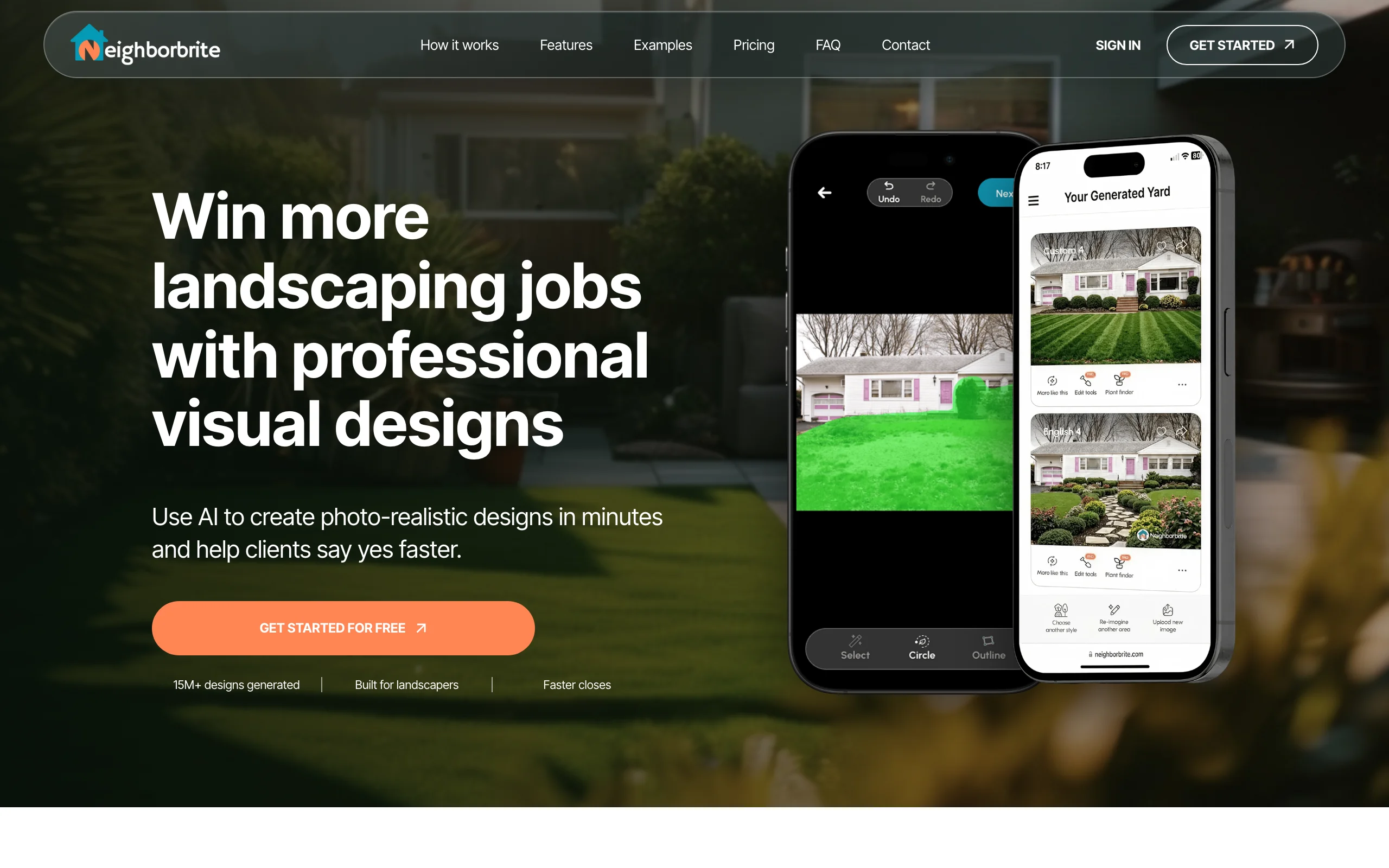
Pro is where Neighborbrite stops being a style browser and becomes an editor. The homepage labels these features Pro:
- Describe your dream yard in your own words instead of picking a preset
- Magic Edit, which changes one area of the image (add a flower bed, swap the lawn)
- Add elements from a library of 5,000+ plants plus pergolas, fire pits, fencing and water features
- Erase elements by circling them
- Identify plants, which names the plants in a photo and gives a list for your hardiness zone and sun
If you want plants you can actually buy, Pro is the minimum. The free tier gives you a picture, Pro gives you something closer to a shopping list.
Business
Business, at $49 a month, adds high-resolution output for print and an auto enhance tool for lighting and clarity. Neighborbrite's landscapers page describes it as "unlimited designs and commercial use." That makes it the tier for a designer or contractor who shows renders to clients, or a homeowner who wants a sharp print for an HOA submission. If print-ready files matter to you, compare it with a landscape design app that includes HD output on its entry plan and up to 4K on higher tiers.
Landscaper
Landscaper, at $149 a month, is built for landscaping companies. It adds a design-to-estimate workflow where you price a design with your own suppliers and price lists, plant lists tailored to the property's location, zone and sunlight, and the option to place plants from live nursery inventory. Unless you run a landscaping business, you don't need it.
Is there a free version of Neighborbrite?
Yes. Neighborbrite's FAQ says it's free to use, and you can start in its web app without installing anything, or use the iOS and Android apps. The free version covers picking a style and generating designs from your photo.
What you don't get for free: describing your own design, editing one part of an image, adding or removing objects, plant identification and print-resolution files. The number of free generations isn't published. In practice, free is fine for finding out whether you lean toward a modern or a cottage garden look. It runs out once you want to change one specific thing in a design you like.
Hidden costs and fine print
A few details are easy to miss before you upgrade.
The price depends on where you buy. The App Store lists Pro at $24.99, Business at $49.99 and Landscaper Suite at $149.00. Third-party reviews put Pro lower on the web. Neighborbrite's terms say app store purchases are governed by the marketplace's own policies, so a subscription bought on your iPhone is managed and refunded through Apple, not Neighborbrite.
Refunds are limited. Neighborbrite's terms of use say: "Charges paid by you are final and non-refundable." If you think a charge is wrong, you have to raise it through the "Contact Us" screen in your account within 30 days, or you waive the right to dispute it.
Losing a plan can lock features on old designs. The terms say that if a subscription expires or is downgraded, paid features may be limited, and some functionality on designs you already made "may require an active eligible subscription."
The human design service is closed. Neighborbrite used to sell professional design packages with a scaled plan and plant list. Its professional designs page now says it is "not accepting new professional design projects," even though the homepage FAQ still mentions them. Don't count on buying one.
Installation isn't included. Like every AI design tool, Neighborbrite gives you images and plant lists. Building the hardscaping, buying plants and hiring labor are separate costs, and they're where most of a project's budget goes.
What a typical project actually costs
A homeowner redesigning a backyard over one month
Say you spend a few evenings in the free tier testing styles, then upgrade to Pro for a month to edit the design you like and get a plant list. On iPhone, that's $24.99 if Pro bills monthly at the App Store price. If you also want a high-resolution file to print for your landscaper, Business at $49 covers that month instead. Cancel when you're done.
Realistic range for one project: $0 to $49, plus whatever you spend building it.
A landscaper pitching 10 clients a month
On Business at $49 a month, 10 client pitches works out to $4.90 a pitch, with commercial use included. On Landscaper at $149 a month, it's $14.90 a pitch, and you get the estimating and supplier tools. Over a year with no published annual discount, that's $588 for Business or $1,788 for Landscaper.
If the render helps you close even one extra job a year, either plan pays for itself. The real question is whether you need estimates built in or already have a quoting tool you like.
Neighborbrite pricing vs alternatives
Prices below were checked on the dates shown. Yardzen is a human design service, so it's priced per project rather than per month.
| Tool | Free option | Paid price | What you get | Checked |
|---|---|---|---|---|
| Neighborbrite | Yes, limited generations | Pro $24.99 in the App Store, Business $49/mo, Landscaper $149/mo | AI redesigns, edits and plant lists | Oct 24, 2026 |
| OutdoorBrite | No free plan or trial | $29/mo (25 redesigns), $49/mo (100), $149/mo (200), about 20% off yearly | AI redesigns from a photo, AI editor, climate-aware plants, every tool on every plan | Oct 24, 2026 |
| DreamzAR | Free download, limits not published | $19.99/mo or $199/yr | AI redesigns, chat edits, 2D editor, AR on iOS | Oct 24, 2026 |
| iScape | Yes, limited features | $29.99/mo or $299.99/yr | 2D and 3D design with a plant and product library | Oct 24, 2026 |
| Yardzen | No | $995 to $1,995 per backyard plan | A human designer, CAD plans and 3D renders | Oct 20, 2026 |
Neighborbrite is the cheapest way to start because the first step costs nothing. OutdoorBrite costs more up front, since you pay before your first design. In exchange, you get the published price, a fixed number of redesigns and every editing tool from the first plan. If you want to see how the two compare feature by feature, we wrote a full OutdoorBrite vs Neighborbrite breakdown.
How to save on Neighborbrite
- Use the free tier until you've picked a style. Paying for Pro while you're still deciding between modern and Mediterranean wastes the month.
- Check the in-app price before you subscribe. Reviewers report a lower Pro price on the web than in the App Store, so compare both before you tap buy.
- Upgrade for one focused month. Do your edits, export the designs and plant list, then cancel before renewal. Because charges are non-refundable, set a reminder.
- Only buy Business if you need print resolution or commercial rights. For a single home project, Pro covers the edits.
If you're comparing several tools, our guide to Neighborbrite alternatives covers options at different price points, and our take on whether Neighborbrite is worth it goes beyond the price tag. You can also try AI landscape design on your own yard with OutdoorBrite.
FAQ
How much does Neighborbrite cost per month? Neighborbrite's free tier costs $0. Business is $49 a month and Landscaper is $149 a month on Neighborbrite's site. Pro is listed at $24.99 as an in-app purchase on the App Store, and Neighborbrite doesn't publish its billing period or a web price. Prices were checked October 24, 2026.
Is Neighborbrite free? Yes, you can use Neighborbrite for free in a browser or the iOS and Android apps. The free plan lets you pick a style and generate designs, with a limited number of generations. Editing tools, plant identification and print-resolution files need a paid plan.
Does Neighborbrite offer a refund? Its terms of use say charges are final and non-refundable, and any request has to go through the Contact Us screen in your account within 30 days. Purchases made through the App Store or Google Play follow Apple's or Google's refund rules.
Does Neighborbrite have an annual plan? None is published. The landscapers page lists monthly prices only, and the App Store shows single prices without a billing period. Check inside the app for a yearly option.
What's the difference between Neighborbrite Pro and Business? Pro unlocks editing: Magic Edit, adding and erasing elements, describing your own design and plant identification. Business adds high-resolution files for print, auto enhance and commercial use, which matters if you show designs to paying clients.
Is there a cheaper alternative to Neighborbrite? For most homeowners, Neighborbrite's free tier is already the cheapest start. DreamzAR costs $19.99 a month. If you'd rather pay a fixed price for a set number of realistic redesigns with every tool included, OutdoorBrite starts at $29 a month.
Can I still buy a professional design from Neighborbrite? No. As of October 2026, Neighborbrite's professional designs page says it isn't accepting new projects. Existing customers can still get help with active ones.
Sources: Neighborbrite homepage and FAQ, Neighborbrite for landscapers (plan prices), Neighborbrite terms of use, Neighborbrite professional designs, Neighborbrite on the App Store, Neighborbrite on Google Play, AI Tools Bakery: Neighborbrite review, DreamzAR pricing, iScape pricing, Yardzen packages, all checked October 2026