HomeDesigns AI Review: Is It Worth It for Yard Design?
HomeDesigns AI is cheap per image and covers the whole house. Here is what its garden tool does, what it costs in October 2026, and where it falls short for a real landscaping project.
HomeDesigns AI says 2.79 million people have used it to redesign rooms, house exteriors and gardens from a single photo. It is one of the most visible AI design apps around, and its plans cost less per image than almost anything else in the category. The question for anyone planning a yard is narrower, and it's the one this HomeDesigns AI review answers: does a whole-house tool do landscaping well enough, or do you need something built for outdoor spaces?
It's written for homeowners and landscapers, and it covers what the garden and exterior tools actually offer, the pricing we saw on October 20, 2026, the refund and cancellation terms, and what real users say. One disclosure up front: OutdoorBrite makes a competing AI landscape design tool, so weigh our verdict with that in mind. We have kept everything about HomeDesigns AI to what its own pages and public reviews say.
Verdict: good value for the whole house, thin for landscaping
HomeDesigns AI is a legitimate, low-cost tool that works best when your project is mostly indoors or about the house itself. If you want to restyle a kitchen, stage an empty listing and try a new siding color in the same month, $29 for 1,000 monthly credits is hard to beat.
For a yard, the picture changes. The garden tool is one of many tools in the app, its style list mixes landscape looks with themes like Wedding, Restaurant and Christmas, and its own FAQ says it doesn't let you choose specific plants. You get a nice image of a new yard. You don't get a plant list, any sense of what survives your climate, or a next step.
| HomeDesigns AI | Verdict for yard projects | |
|---|---|---|
| Price per image | About 3 cents on Pro ($29 for 1,000 credits) | Very cheap |
| Outdoor coverage | Backyard, front yard, patio, terrace, garden, courtyard, pool area, porch, playground | Broad |
| Garden styles | About 20, including several non-landscape themes | Mixed |
| Plant choices | Not selectable, per its own FAQ | Weak for DIY planting |
| Extras | Video walkthroughs, budget estimator, floor plans, sky and weather swap | Useful, mostly for real estate |
| Trust signals | Trustpilot 3.3 from 1,384 reviews; frequent cancellation complaints | Read the terms first |
What HomeDesigns AI is
HomeDesigns AI (homedesigns.ai) is a browser-based AI design platform. You upload a photo, pick a space type and a style, and it returns a photoreal redesign in about 30 seconds. Its main pitch is a "structure lock": your walls, windows and layout stay where they are, and only the design changes.
The tool list goes well past redesign. The homepage lists interior redesign, exterior redesign, garden design, sketch to render, virtual staging, material swap, a cost estimator, decluttering, a sky and weather swap, furniture finder, video walkthroughs and 2D to 3D floor plans. It also sells a commercial license with no watermark, which matters to agents and contractors.
For outdoor work there are two separate flows:
- Exterior redesign of the house itself, with front, side or back angles and around 38 architectural styles (Craftsman, Tudor, Modern Farm House, Colonial and so on)
- Garden redesign, with nine space types: backyard, patio, terrace, front yard, garden, courtyard, pool area, porch and playground
Its landscaping page pitches the garden flow at both homeowners and professional landscapers, with testimonials from landscapers in Sydney, Berlin and Dublin.
HomeDesigns AI pricing (checked October 20, 2026)
HomeDesigns AI sells three monthly plans, each with a discounted yearly price. These are the numbers on its pricing section on October 20, 2026:
| Plan | Monthly | Yearly (per month) | Credits per month | Styles and spaces |
|---|---|---|---|---|
| Standard | $22 | $9 | 100 | 80+ |
| Pro | $29 | $11 | 1,000 | 160+ |
| Expert | $37 | $14 | 2,000 | 200+ |
A few details are worth reading before you buy:
- One redesign is one credit. Richer tools such as video use a few more, and credits refresh each billing cycle. You can top up.
- The yearly price is a first-year discount. Its FAQ says the plan renews after 12 months at the standard annual price on the same card, unless you cancel before the renewal date.
- Plan descriptions don't fully agree. The feature lists show video walkthroughs and floor plans on every plan, while the FAQ says Expert adds video, virtual staging and 3D. Check the checkout page for the plan you pick.
- There's an "Early Bird" banner promising the low prices won't come back. Treat that as marketing, not a deadline.
On cost per image, HomeDesigns AI wins easily. Pro works out to about 3 cents a credit. For comparison, OutdoorBrite's plans are $29 for 25 redesigns, $49 for 100 and $149 for 200 a month, so a single redesign costs between roughly 50 cents and $1.16. If you just want to churn through lots of quick looks, that gap is real.
Is HomeDesigns AI free?
Partly. Its free landscape page offered 2 free credits with no card when we checked, and the site tells free accounts they get 3 new credits every 24 hours. Its help center also describes a 7-day free trial on Pro and Teams plans, though the pricing section we saw listed no trial. Expect a small taste for free and a paid plan for anything serious.
How the garden tool works for a yard
You upload a photo, choose a garden type such as backyard or front yard, pick a style, and set how much the AI is allowed to change (from very low to extreme). There's also a box for custom instructions.
The garden style list on October 20, 2026 read: Modern, City, Contemporary, Luxury, Apartment, Small, Vegetable, Low Budget, Beach, Wedding, Restaurant, Mediterranean, Formal, American, English, Traditional, Christmas, Meditation, Coastal and Tropical. That's broad, but several entries are event or business themes rather than ways you'd landscape a home. There's no desert or low-water option, no woodland or shade option, and no native or meadow style.
The landscaping FAQ is also upfront about plants: "While it doesn't allow you to select specific plants for placement, it helps you visualize overall garden designs, layouts, and plant arrangements." In other words, you see plants in the image, but you don't control or learn what they are.
What a yard test should look like (and what we could show)
The fair way to judge any AI yard tool is to run one plain photo through three styles and compare. We couldn't create a HomeDesigns AI account for this review, so we can't show its output and won't pretend to. What we can show is the test itself.
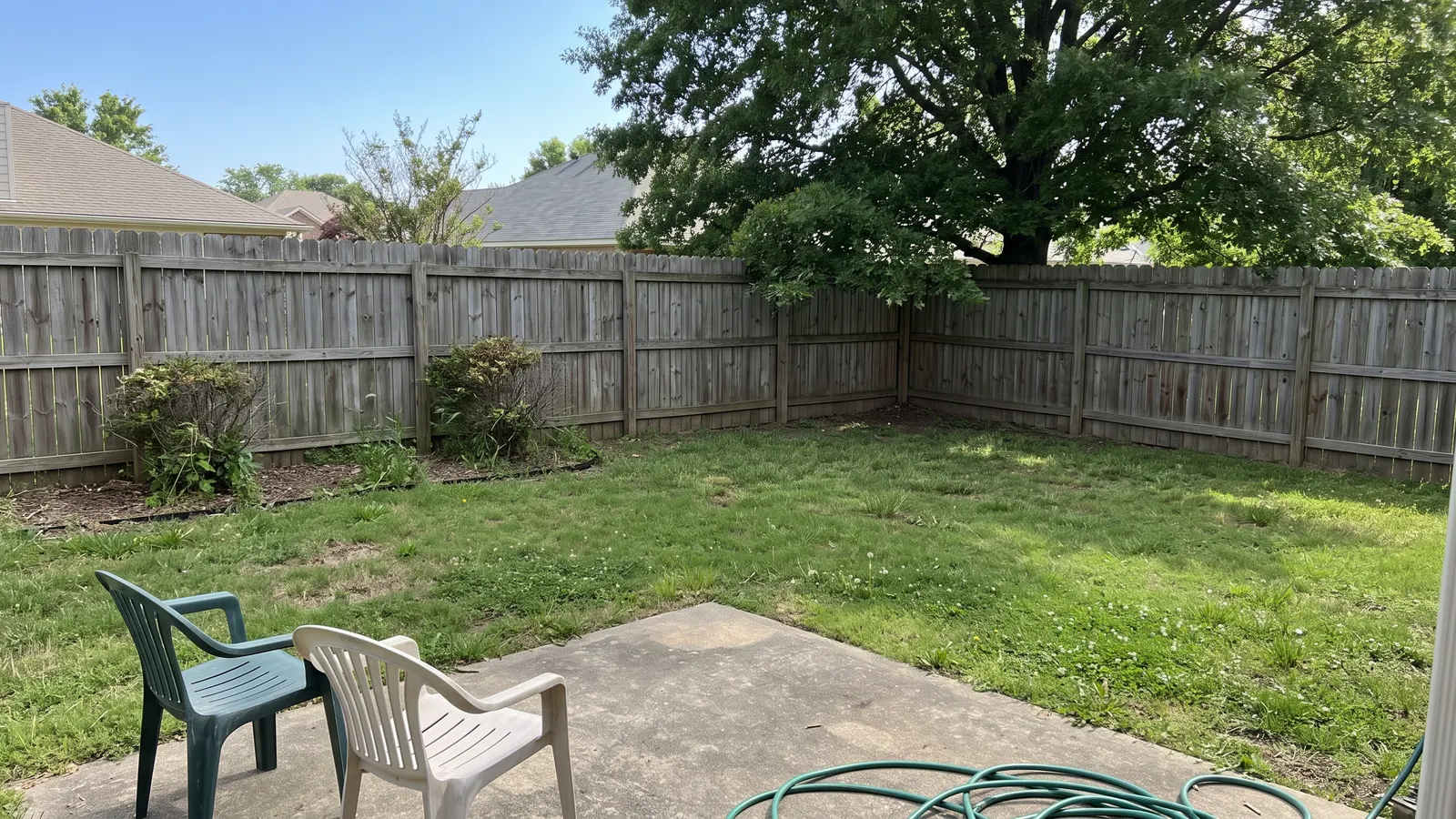
The photo near the top of this post is the kind of input that works: a level, wide daylight shot from the back steps, with the patio, fence line and tree all in frame. Below are three concepts made from that photo with OutdoorBrite. They are illustrative AI concepts from our tool, not HomeDesigns AI results.
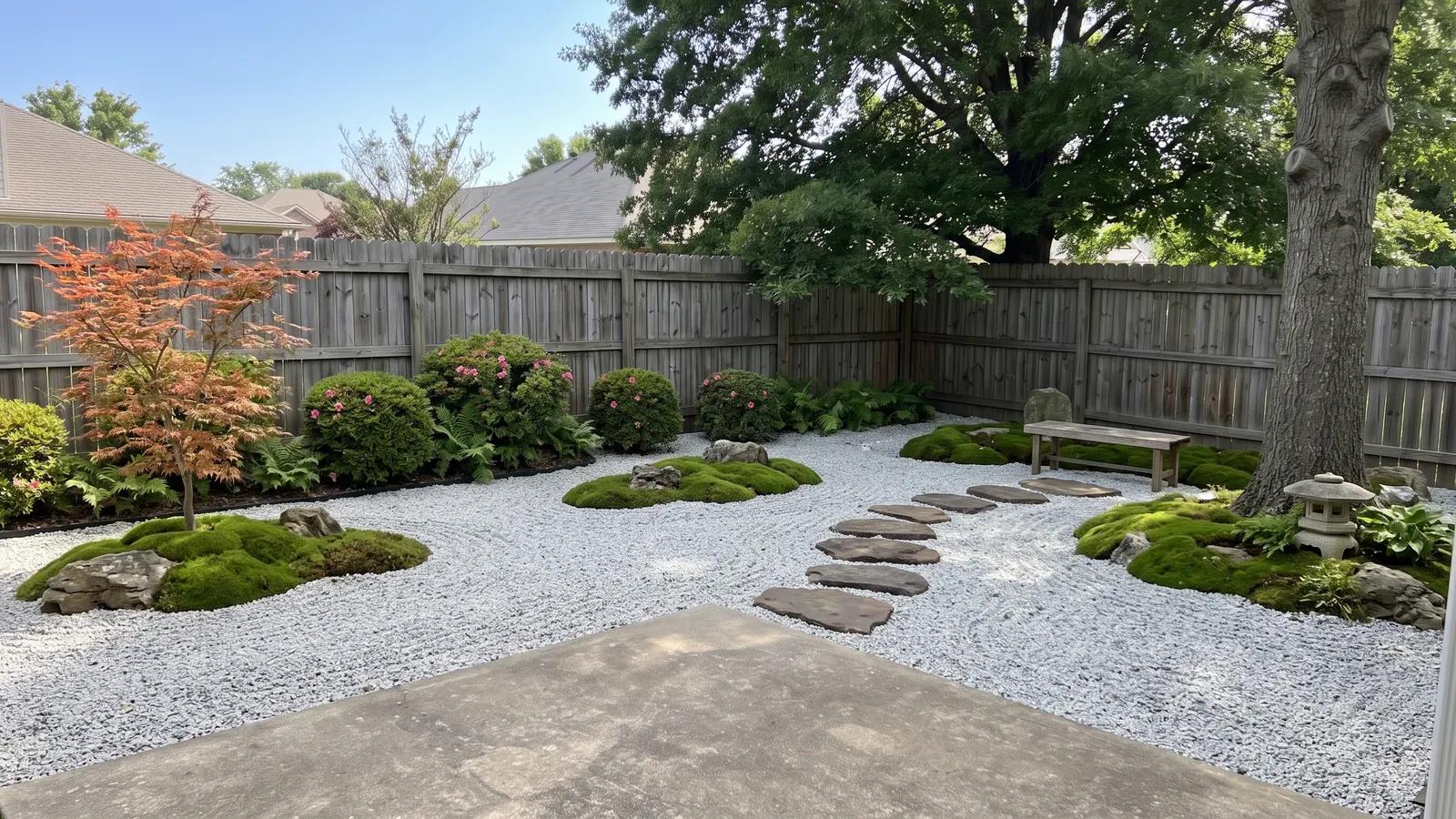
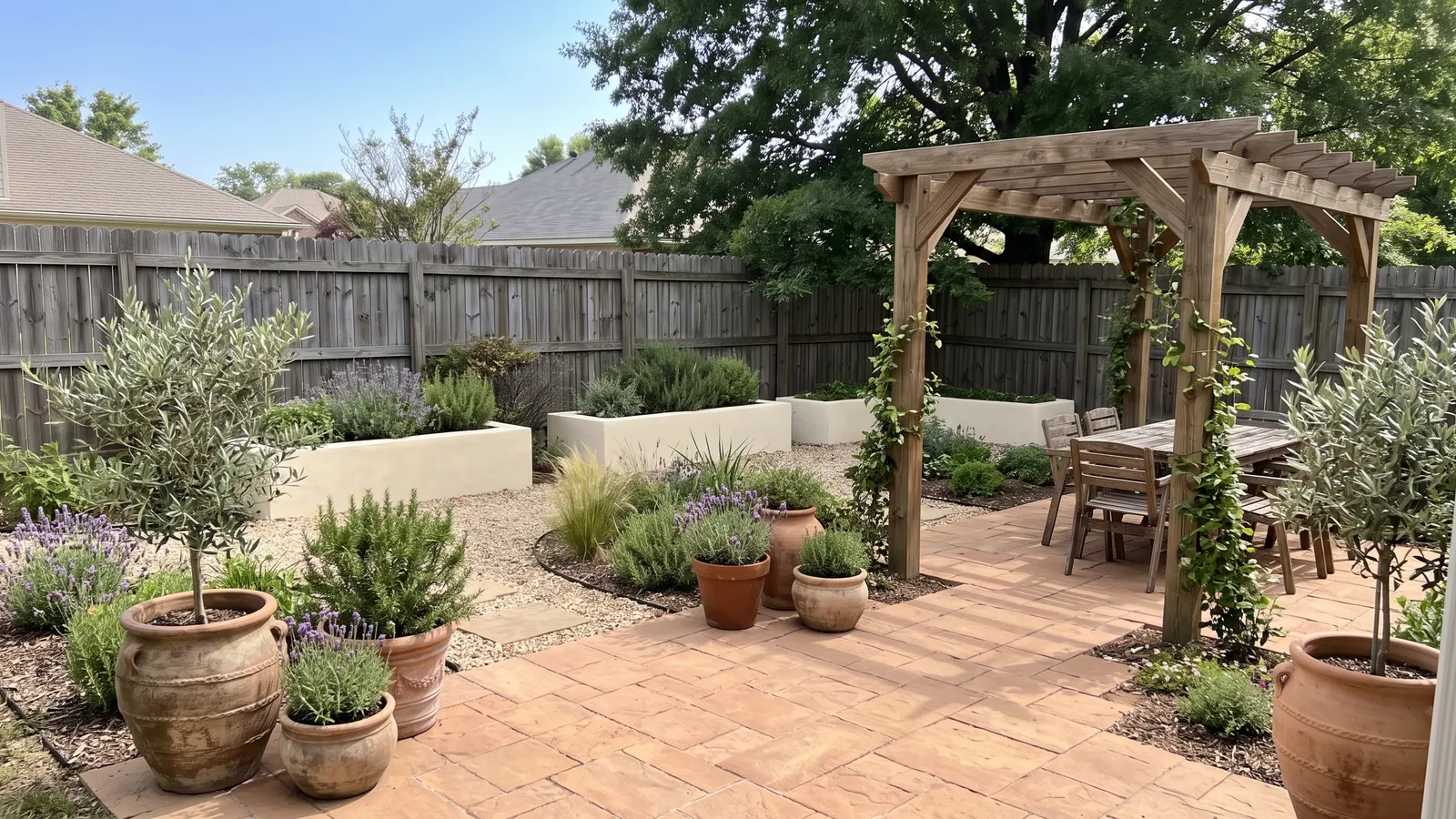
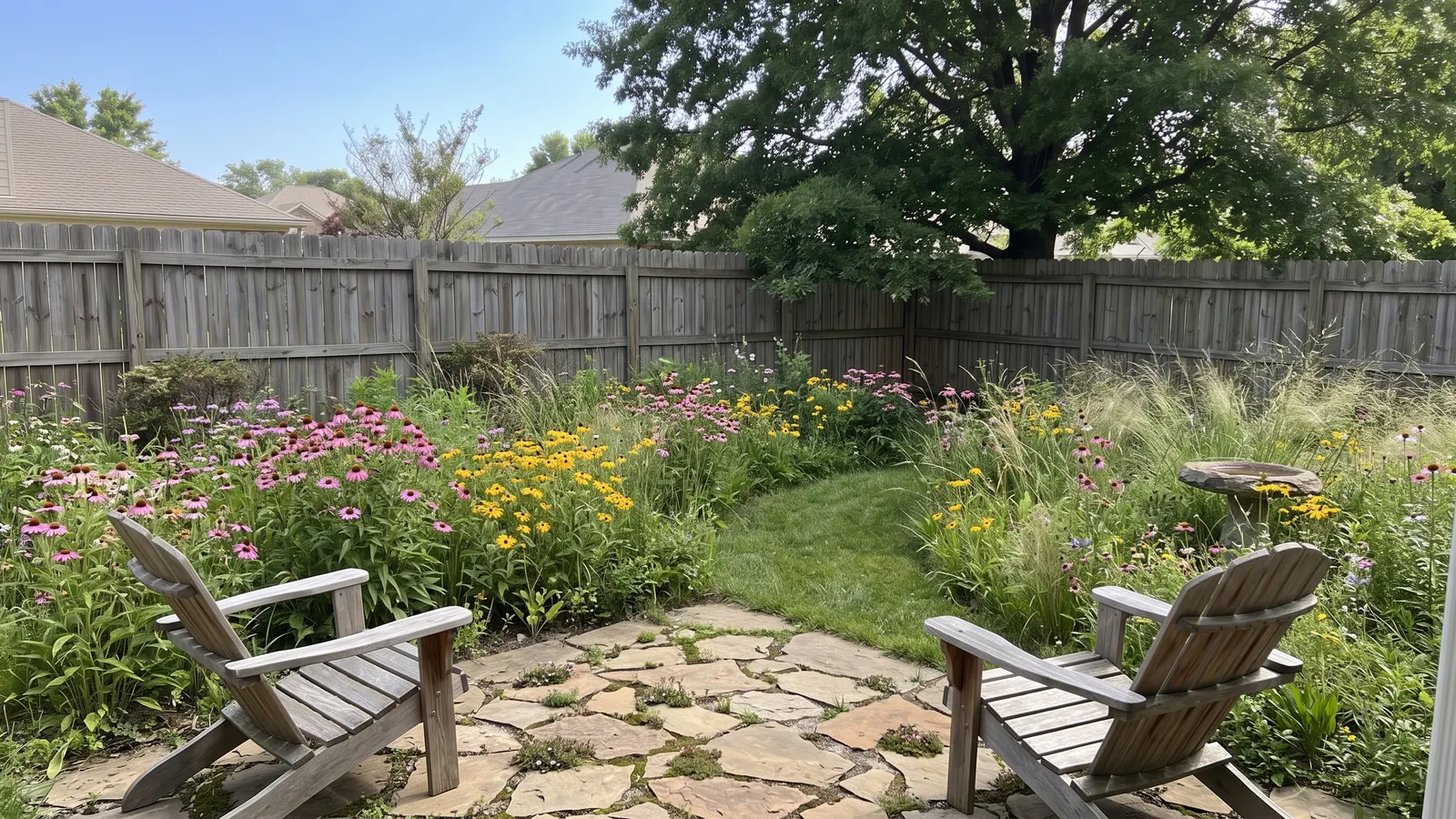
When you run the same photo through HomeDesigns AI (the free credits are enough for one or two), check these things side by side:
- Did the yard stay the same? Fence, house edge, tree and camera angle should match the photo.
- Are the plants believable for your area? A palm in a Minnesota yard is a red flag.
- Could you build it? Paths that lead nowhere or a patio floating over the lawn are common AI slips.
- What do you get next? A plant list, or only an image?
Our own concepts aren't perfect either. AI renders can tidy up a yard too much, and the meadow above would take a couple of seasons to fill in like that.
Exterior and front yard results
Front yards are where HomeDesigns AI's two outdoor flows overlap. The exterior tool restyles the house (siding, brick, roof color), and the garden tool handles the planting and paving in front of it. If your project is a full curb appeal refresh, having both in one app is a genuine plus, and something a landscape-only tool won't do.
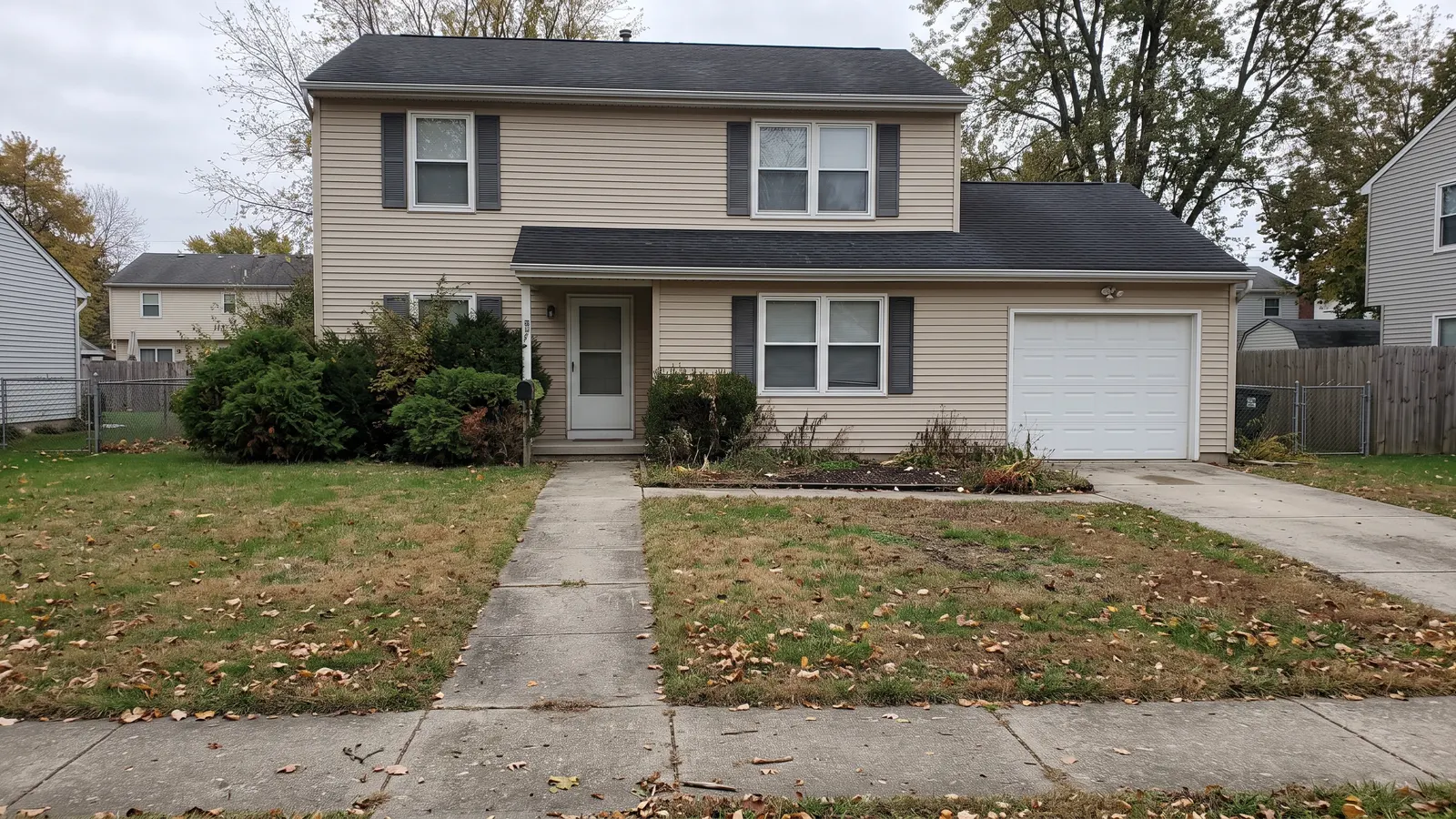
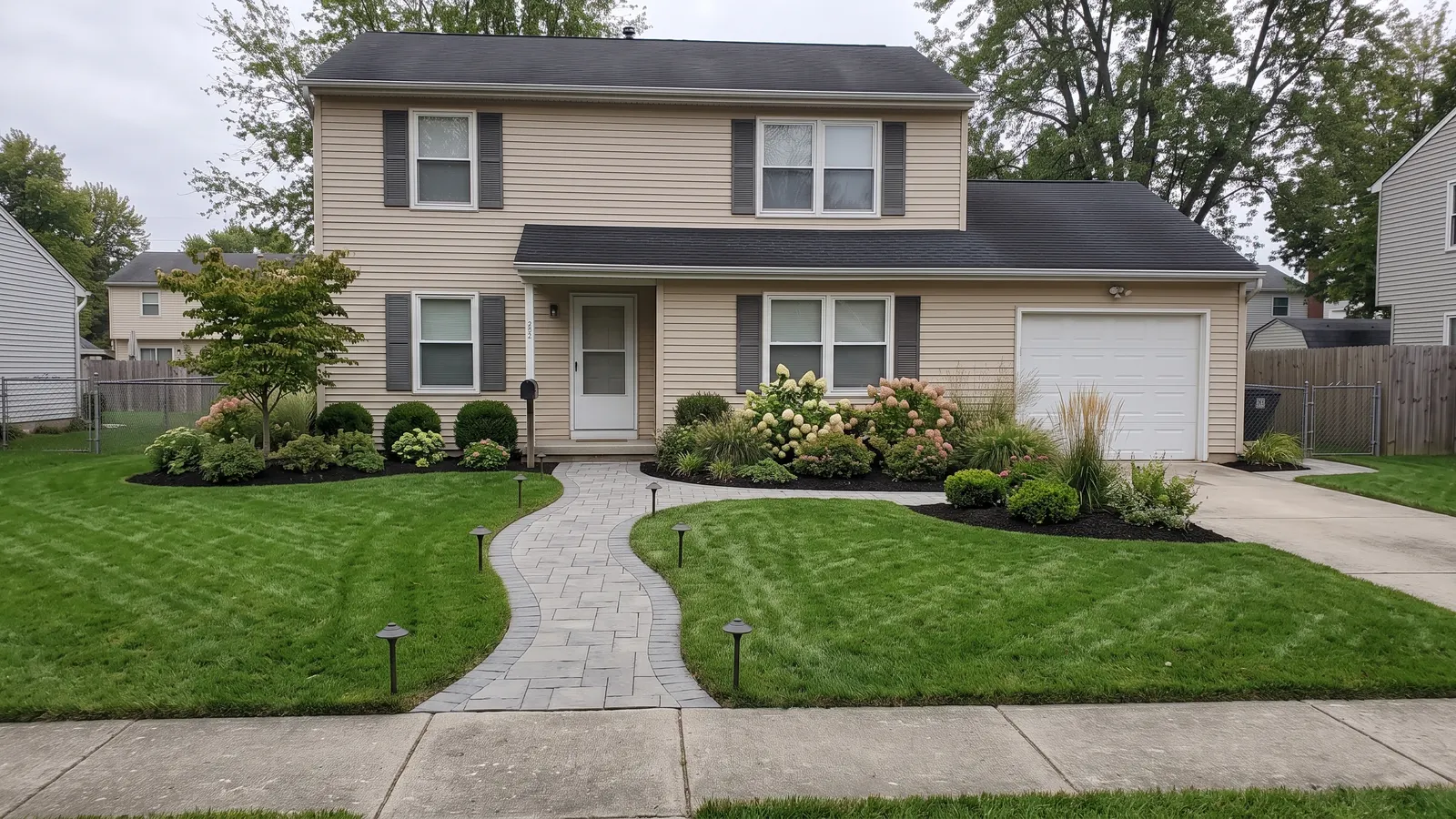
The pair above is again an OutdoorBrite concept, shown so you can see what a landscaping-only change looks like: same house, same siding, new walkway and foundation planting. If you also want new siding or a darker roof in the picture, HomeDesigns AI covers that and we don't.
Is HomeDesigns AI legit?
Yes, it's a real company with a real product. It has had a claimed Trustpilot profile since February 2023, processes payments through FastSpring, and publishes its terms and refund policy. The trust problems people report are about billing, not about whether the tool exists.
The numbers tell two stories. The homepage shows a 4.8 rating from 2,400+ reviews. Trustpilot showed 3.3 from 1,384 reviews on October 20, 2026, and its review summary says many people like how easy it is to get ideas, while others complain about the subscription, upsells and how hard it is to cancel.
Here's what the policies say:
- Refunds: you can ask for one within 7 days of a subscription purchase (30 days for add-ons). No refund once you've made more than 50 designs in the cycle, and no refund for renewals you forgot to cancel.
- Cancelling: the homepage says you can cancel in two clicks from Settings. The refund policy also points to a FastSpring account portal, and older help center articles still say to email help@homedesigns.ai. If you sign up, find the cancel path on day one.
One more thing that trips people up: AI HomeDesign (aihomedesign.com) is a different company. Its Trustpilot page ranks for searches about HomeDesigns AI, so check the domain before trusting a review.
Limits for landscaping projects
Based on HomeDesigns AI's own pages, these are the gaps that matter most for a yard:
- No plant selection or plant list. You can't pick plants or get a list of what's in the image, so a DIY planting plan still starts from scratch.
- No climate awareness. Nothing on the pages we checked mentions your hardiness zone or region.
- Generalist style list. Wedding, Restaurant and Christmas sit next to English and Mediterranean, and low-water, shade and native looks are missing.
- Budget estimates are rough by nature. It lists a budget estimator, but any cost tied to an AI image is a ballpark, not a contractor quote.
- A concept, not a plan. Like every photo-based AI tool, OutdoorBrite included, it doesn't produce measurements, construction drawings or a buildable landscape design.
Alternatives for landscaping
If your project is only outdoors, a landscape-focused tool usually fits better. Our full list of HomeDesigns AI alternatives goes through the options one by one, and our roundup of the best AI landscape design tools compares the yard-only apps.
| HomeDesigns AI | OutdoorBrite | |
|---|---|---|
| Focus | Whole house: interiors, exteriors, gardens, staging | Outdoor spaces only |
| Outdoor space types | 9 | 6 (backyard, front yard, patio, garden, side yard, pool area) |
| Landscape styles | About 20 garden styles, mixed themes | 11 landscape styles, including Desert, Japanese, Woodland & shade and Wild & natural |
| Plant information | Plants not selectable | Plant list for every design and plants picked for your region (Plus plan) |
| Placing elements | Fill Spaces for furniture | Place elements on your photo (Plus plan) |
| Extras | Video, floor plans, budget estimator, virtual staging | None of these |
| Price | $22 to $37/month, 100 to 2,000 credits | $29 to $149/month, 25 to 200 redesigns; annual saves 20% |
| Free option | 2 free credits on its landscape page; small daily allowance | No free plan or trial |
That table shows the trade honestly. HomeDesigns AI gives you far more images per dollar and tools we don't have. With OutdoorBrite's AI landscape design, you pay more per image for landscape-only styles and, on Plus, a plant list matched to your region. Want more apps to compare, including tools for patios and decks? See the best AI outdoor design tools.
Who should use HomeDesigns AI
- Real estate agents and stagers. Virtual staging, decluttering, sky swaps and a commercial license in one cheap plan.
- Whole-house remodelers. If the kitchen, the siding and the front yard are all on the list, one app for all three is convenient.
- Anyone who wants volume. At 1,000 credits a month, you can try dozens of looks without counting.
Pick a landscape-focused tool instead if:
- Your project is only the yard and you want styles built for it, like xeriscape or shade gardens
- You plan to plant it yourself and need to know what the plants are and whether they suit your region
- You're a landscaper who wants client-ready outdoor concepts without interior and staging tools in the way
Key takeaways
- HomeDesigns AI is legit and cheap. About 3 cents a credit on Pro, with a wide toolset for the whole house.
- For yards, it's a generalist. About 20 garden styles of mixed relevance, and no plant selection.
- Read the billing terms. The yearly price is a first-year discount, refunds end after 7 days or 50 designs, and cancellation complaints are common.
- Test with your own photo. Use the free credits on one plain backyard shot and judge the result against the checklist above.
- Match the tool to the project. Whole house: HomeDesigns AI. Yard only, with plants you'll actually buy: a landscape tool like OutdoorBrite.
FAQ
Is HomeDesigns AI free? Only a little. Its free landscape page offered 2 free credits with no card in October 2026, and free accounts get a few credits every 24 hours. Paid plans run $22 to $37 a month, or $9 to $14 a month billed yearly in the first year.
Is HomeDesigns AI legit? Yes. It's a real product with published terms, payments through FastSpring and a claimed Trustpilot profile since 2023. Its Trustpilot score was 3.3 from 1,384 reviews in October 2026, and most complaints are about subscriptions and cancelling, not about the tool being fake.
Can HomeDesigns AI do landscaping? Yes, through its garden redesign tool, which covers backyards, front yards, patios, pool areas and more. It changes the planting, paving and furniture in your photo. It doesn't let you choose specific plants or give you a plant list, so it's best for picking a general look.
How much does HomeDesigns AI cost? On October 20, 2026: Standard $22 a month (100 credits), Pro $29 (1,000 credits) and Expert $37 (2,000 credits). Yearly billing drops those to $9, $11 and $14 a month for the first year, then renews at the standard annual price.
Can I get a refund from HomeDesigns AI? Its refund policy allows requests within 7 days of a subscription purchase, or 30 days for add-ons. It won't refund once you've generated more than 50 designs in the billing cycle, or for a renewal you didn't cancel in time.
How do I cancel HomeDesigns AI? The homepage says you can cancel from the Settings menu in your account. The refund policy also links a FastSpring account portal, and the help center says you can email help@homedesigns.ai. Cancel before your renewal date to avoid the next charge.
Is HomeDesigns AI the same as AI HomeDesign? No. HomeDesigns AI is homedesigns.ai; AI HomeDesign is aihomedesign.com, a separate company with its own reviews. Check the domain on any review you read.
What's a good HomeDesigns AI alternative for yard design? A tool built only for outdoor spaces, with landscape styles and plant information. OutdoorBrite, for example, has 11 landscape styles and, on its Plus plan, a plant list for every design with plants picked for your region. OutdoorBrite's AI garden design is a good starting point if planting is the main job.
Sources: HomeDesigns AI homepage and pricing, HomeDesigns AI landscaping page, HomeDesigns AI free landscape design page, HomeDesigns AI refund policy, HomeDesigns AI terms of service, HomeDesigns AI help center: subscription and billing, Trustpilot: HomeDesigns AI reviews, all checked October 20, 2026