Is DreamzAR Worth It? An Honest 2026 Review
DreamzAR mixes AI yard redesigns with a hands-on 2D plant editor and an AR walk-through on iPhone, all for about $20 a month. Here's who gets real value from it, where it falls short, and how to tell whether it fits your project.
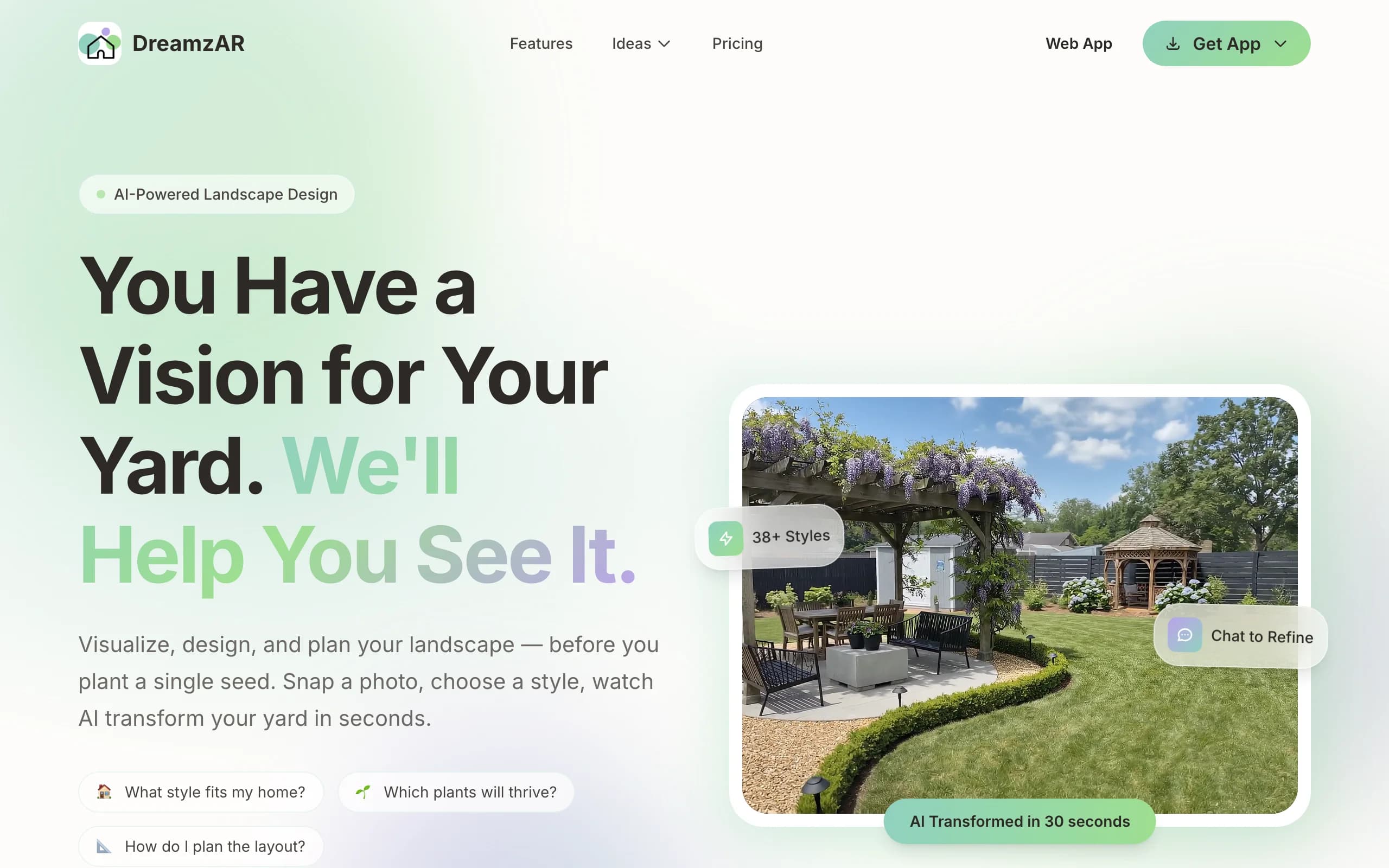
DreamzAR is a yard design app from ImmEx Technologies that combines three tools. There's an AI generator that restyles a photo of your yard, a 2D editor for dragging individual plants and features onto the image, and on iPhone and iPad, an AR mode that lets you walk around your yard with the design placed at life size. It runs on iOS, Android and the web for $19.99 a month or $199 a year.
The question "is DreamzAR worth it" tends to come up after the download, when the paywall appears, or after a first month, when people wonder whether to keep paying. It's a fair question, because DreamzAR sits between two kinds of tools: fast AI redesign apps and older, hands-on garden planners. We looked at what it delivers, using DreamzAR's own site, FAQ, terms and app listing as of October 24, 2026.
We make OutdoorBrite, a competing AI yard design tool. We've tried to be fair to DreamzAR, and our sources are linked at the end.
The short answer
DreamzAR is worth it if you're on an iPhone or iPad, like fiddling with individual plants, and want to see a design in AR before you dig. For about $20 for a month of planning, that's a lot of tool for the money.
It's not worth it if you want to know exactly how many designs you're paying for, if you work across a phone and a computer, or if you need help choosing plants that survive your climate. DreamzAR's own FAQ says the AI doesn't know your specific hardiness zone, and its "unlimited" designs come with a monthly cap it doesn't publish.
What you get for the money
One subscription unlocks AI photo redesigns in 38+ styles, chat-based edits ("remove the pool, make it more tropical"), the 2D editor with a library of 2,000+ plants and features, and high-resolution exports. iOS plans add the 3D AR mode. Each image takes 30 to 90 seconds, according to DreamzAR's FAQ.
The price is the same everywhere, but the plan is tied to the platform you buy it on. The full breakdown of monthly, annual and in-app costs is in our DreamzAR pricing guide.
Where DreamzAR is worth it
Seeing a design at real scale. The AR mode is DreamzAR's most distinctive feature. Standing in your yard and seeing a tree or a bed at its real size answers questions a flat image can't, like whether a shrub will block the window or how much lawn a new patio eats.
Hands-on control over plants. Most AI yard tools give you an image and some prompt-based edits. DreamzAR also lets you drag individual plants from a library of 2,000+ trees, shrubs, flowers, grasses, vegetables and herbs, with sun, water and growth notes for each. If you're planning a pollinator garden or a vegetable bed and want to choose every plant, that's a real advantage.
A low price for a short project. At $19.99 for a month, it's an easy amount to justify for a homeowner who needs a few weeks to settle on a plan, and you can cancel once you have.
Honest about its limits. DreamzAR's FAQ has a whole section on what the app can't do: no blueprints, no cost estimates, no irrigation design, no guarantee the result will match reality. We wish more tools in this space were that clear.
Where DreamzAR falls short
"Unlimited" that isn't. The pricing page lists "Unlimited AI designs" on every plan. The FAQ says subscribers get "generous monthly generation limits" that reset each billing cycle and don't roll over. You can't plan around a limit you can't see.
One plan per platform. Subscriptions can't move between iOS, Android and the web. If you use AR on your iPhone and want to work on a bigger screen too, that's two subscriptions. Android and web users also pay the full price without the AR mode.
Plants aren't matched to your climate. DreamzAR says the AI doesn't know your hardiness zone, frost dates or rainfall, and it recommends checking plant choices with a local nursery. The plant library has care notes, but picking what survives your winter is on you.
Add-ons with no explanation. The App Store lists credit packs at $9.99, $12.99 and $14.99, a $9.99 "full version" and a $9.99 asset pack next to the subscription. The listing doesn't say what any of them unlock.
Not built for client work. There's no team or business plan. The terms let you use designs for personal planning, sharing with contractors and social media, but they don't address paid client presentations.
Is DreamzAR worth it for your situation?
| Your situation | Worth it? | Why |
|---|---|---|
| DIY homeowner on iPhone or iPad | Yes | AR plus the 2D plant editor is a strong combination for $19.99 a month |
| DIY homeowner on Android or web | Maybe | Same price, no AR, so you're paying for AI redesigns and the 2D editor only |
| Homeowner hiring a contractor (DIFM) | Yes, for a month | Renders and an AR view help you explain what you want; there's no buildable plan |
| Landscaper or contractor | Probably not | No business tier, unpublished caps and one-platform plans make it hard to rely on for sales |
| Renter or small patio | Maybe | Cheap enough for a balcony or patio refresh, though the free version may be enough to browse |
What to try instead (if it's not a fit)
OutdoorBrite is the pick if you want realistic concepts of your whole yard and a clear number of redesigns. Plans start at $29 a month for 25 redesigns, one account works in any browser on any device, and plant suggestions take your climate into account. You can use it to redesign a front yard from a photo or compare several styles on a backyard in under a minute. The honest limitation: there's no free plan or trial and no AR mode, so you pay before your first design and you see it on a screen, not in your yard.
iScape costs $29.99 a month or $299.99 a year, has a limited free tier, and offers 2D and 3D design with a plant and product library. It suits people who'd rather build a design piece by piece.
Yardzen makes sense when the project is large enough to justify a human designer. Backyard packages run $995 to $1,995 and include CAD plans.
For more options and side-by-side prices, see our DreamzAR alternatives guide.
How to decide
- Decide which device you'll design on before you subscribe, since the plan won't follow you to another platform.
- If AR matters to you, buy on iPhone or iPad. Without AR, compare DreamzAR's AI results against other tools before paying.
- Plan to check every plant with a local nursery or your extension service, or use a tool that suggests plants for your region.
- Ignore the credit packs and add-ons until the subscription runs short.
- If you need a plan a contractor can build from, budget for a designer on top of any app.
- If you mostly want a planting plan, an AI garden planner that works from your photo and climate may get you there faster.
FAQ
Is DreamzAR legit? Yes. DreamzAR is made by ImmEx Technologies, Inc., a US company, and it's sold through the App Store, Google Play and its own web app with Stripe billing. Its terms and refund rules are published. Just read the plan details, since the subscription is tied to one platform.
Is DreamzAR good for front yards? It works with any outdoor photo, including front yards, and the AR mode is handy for seeing how new beds and shrubs sit against the house. For a curb appeal project, check that the plants you pick suit your climate, because the AI doesn't know your zone.
Can you cancel DreamzAR anytime? Yes. You can cancel anytime through Apple, Google Play or your web account settings, and you keep access until the end of the billing period. There are no contracts or cancellation fees, according to DreamzAR's FAQ.
Is the DreamzAR AR mode available on Android? No. The 3D AR mode is listed as iOS-only. Android and web plans include the AI redesigns, chat refinement and 2D editor.
Does DreamzAR tell you which plants to buy? Not exactly. Its FAQ says the AI may show plant types like Japanese maple or ornamental grasses but doesn't specify cultivars, sizes or quantities, or account for your hardiness zone. The 2D editor's plant library includes care notes to help you choose.
Is DreamzAR good for landscapers? It's affordable, but it isn't designed for client work. There's no business plan, generation caps aren't published, and each subscription works on one platform. Contractors who present renders to clients usually want a tool with a stated commercial plan.
What's a good alternative to DreamzAR? OutdoorBrite suits homeowners who want realistic whole-yard concepts with a published number of monthly redesigns. iScape suits hands-on planners, and Yardzen gives you a human designer.
Sources: DreamzAR homepage, DreamzAR pricing, DreamzAR FAQ, DreamzAR features, DreamzAR terms of service, DreamzAR on the App Store, iScape pricing, Yardzen packages, all checked October 2026