OutdoorBrite vs Neighborbrite: A complete comparison for AI landscape design
Neighborbrite gives you free AI yard renders. OutdoorBrite costs money from day one. So why would anyone pay? We compared features, plant guidance, in-app prices and real reviews side by side to show who each tool actually fits.
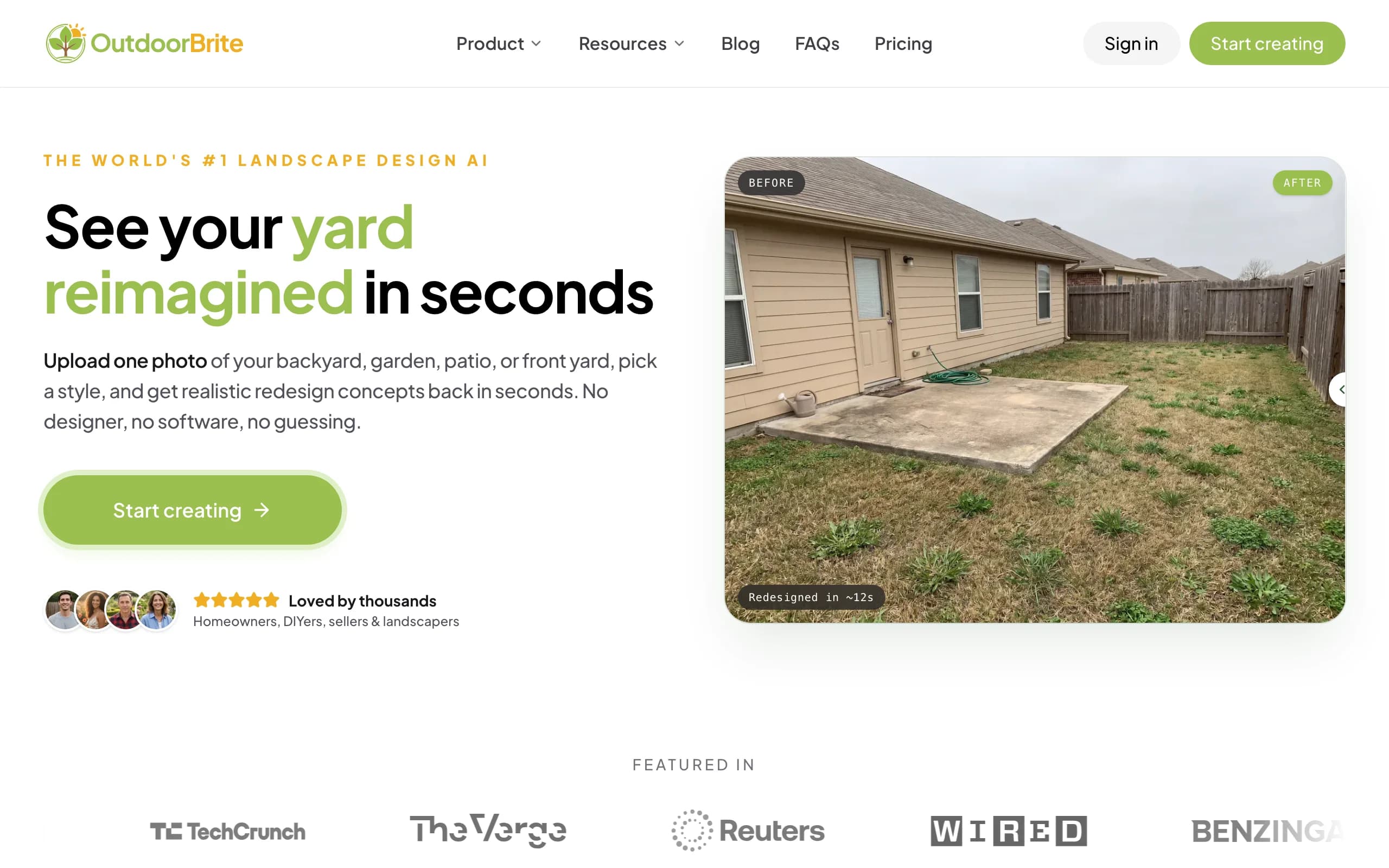
Neighborbrite and OutdoorBrite do the same basic job: you upload a photo of your yard and get back a redesigned version of it. Neighborbrite is the bigger name. It says it has more than 800,000 registered users and 20 million designs generated, and you can start for free. If you're weighing OutdoorBrite vs Neighborbrite in 2026, you're probably wondering why anyone would pay for something that has a free version.
The short answer is that the two products are built around different moments in a project. Neighborbrite is set up for browsing ideas cheaply and then upselling plant tools, edits and human design packages. OutdoorBrite is paid from the first design and puts its effort into realistic concepts of your own space that you can compare and act on.
Below you'll find a feature table, use-case comparisons, real user ratings, a pricing breakdown and a plain decision guide. We make OutdoorBrite, so we've tried hard to be straight about where Neighborbrite is the better pick.
What's the difference between OutdoorBrite and Neighborbrite?
Neighborbrite is a free-to-start AI yard tool that charges for its useful extras, while OutdoorBrite is a paid tool where every plan includes the full design workflow.
Pricing model
Neighborbrite's basic designs cost nothing. You can upload a photo, pick a style and see results without a card. The features that turn a pretty picture into something usable sit in paid tiers: Magic Edit, adding elements like pergolas and fire pits, erasing objects and plant identification are Pro, while high-resolution output for print and auto enhance are Business. On top of the app, Neighborbrite sells separate professional design packages where a human designer draws a plan.
OutdoorBrite has no free plan and no free trial. Every plan, starting at $29 a month, includes the same core tools, and what scales between tiers is the number of monthly redesigns and the output resolution. You pay before your first design, which is the main reason some people never try it.
What you walk away with
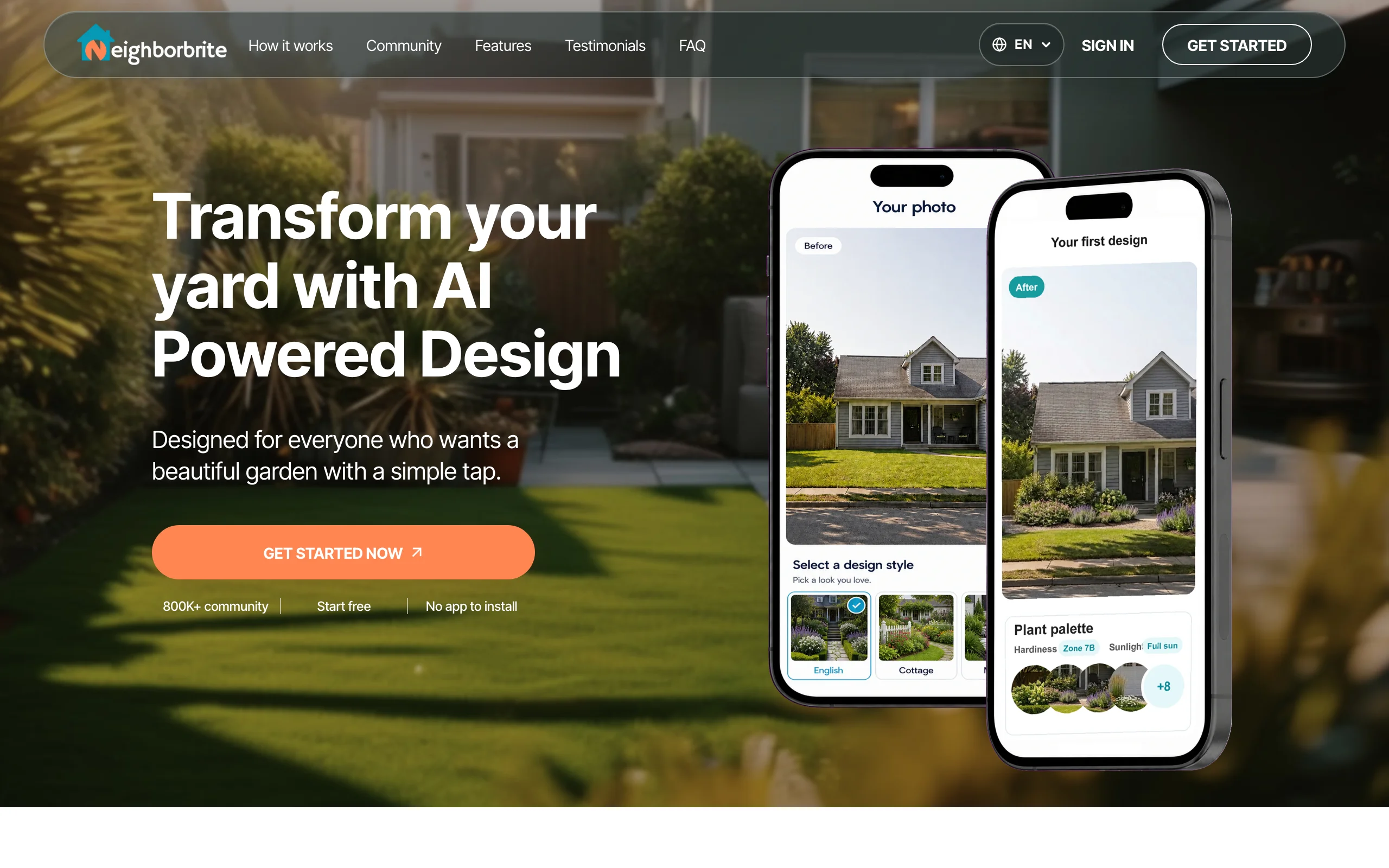
Neighborbrite leans into planting. Its homepage advertises a library of 5,000+ plants, recommendations based on color, texture, size and local climate, and sample outputs that list plant names, quantities, USDA zone and sun exposure. That's a real strength if your project is mostly beds and borders.
OutdoorBrite leans into the whole space. You can redesign a backyard, garden, patio, deck, pool area, fence line or front yard, line up several styles on the same photo, and refine the one you like in the editor. Plant choices take your hardiness zone into account, but the product is built around seeing the finished yard first, so you can decide what to build or hand a clear visual to a contractor.
OutdoorBrite vs Neighborbrite: feature-by-feature comparison
| Category | OutdoorBrite | Neighborbrite | Notes |
|---|---|---|---|
| Best for | Homeowners and landscapers who want realistic concepts to act on | Homeowners browsing ideas, plant-focused projects | |
| Photo-to-design from your own yard | Yes | Yes | Both work from one uploaded photo |
| Style presets | Modern, cottage, desert/xeriscape, tropical, Mediterranean and more | Cottage, Modern, Desert, English and more, plus describe-your-own | Neighborbrite styles taken from its homepage |
| Multiple concepts per upload | Yes | Not listed as a named feature | |
| Space types | Backyard, garden, patio, deck, fence, pergola, pool, front yard, xeriscape | Front yards and backyards | |
| Edit part of an image | Yes, in-app AI editor (uses a credit) | Magic Edit (Pro) | |
| Add or erase elements | Yes, through the editor | Yes (Pro) | |
| Plant library and plant lists | Zone-aware plant choices in the design | 5,000+ plants, climate-based recommendations | Neighborbrite is stronger here |
| Plant identification from a photo | Not offered | Yes (Pro) | |
| Output resolution | HD (Starter), 2K (Plus), 4K (Pro) | High resolution for print on Business | Neighborbrite doesn't publish pixel sizes |
| Free tier | None, paid only | Yes, basic designs | |
| Starting paid price | $29/month (25 redesigns) | Pro listed at $24.99 in the App Store | See pricing section |
| Human designer option | No | Yes, separate paid design packages | |
| Mobile apps | Web app, works on phones | iOS, Android and web | |
| App Store rating | No app listing | 4.8/5 (425 ratings) | Checked October 2026 |
How OutdoorBrite and Neighborbrite compare for homeowners
1. Speed from photo to a concept you trust
Both tools turn a photo into a redesign in about a minute or two, so raw speed isn't the deciding factor. The difference is how many tries it takes to get something you'd actually build.
Neighborbrite's free flow is one style, one render. If the result misses, you run it again, and the precise fixes (change just the patio, remove that shed) need Magic Edit, which is a Pro feature.
OutdoorBrite gives you several concepts from one upload, so you're comparing options from the start instead of rerolling. When one is close, you fix the part that's wrong in the editor rather than starting over. If you're redesigning a full backyard, that's the workflow our AI backyard design tool is built for.
Who it fits: if you want a quick look at a style or two, Neighborbrite's free tier is enough. If you need to reach a decision, more concepts per upload saves you time.
2. Plants and climate
This is Neighborbrite's best category, and it's worth saying plainly. A 5,000+ plant library, recommendations tied to local climate, plant identification from a photo, and output that lists quantities and sun exposure are all aimed at the DIY gardener who wants a shopping list. Most of it is behind Pro, but it exists and it's specific.
OutdoorBrite picks plants that suit your hardiness zone as part of the design, so a xeriscaping concept in Arizona won't show hostas. It doesn't have a separate plant encyclopedia or a plant identifier.
Who it fits: a planting-heavy project (new beds, a cottage garden, a pollinator border) points toward Neighborbrite. A project where hardscape, layout and overall look matter as much as the plants points toward OutdoorBrite.
3. Cost once you need the paid features
Free is free, and for some people the comparison ends there. But most people searching Neighborbrite vs OutdoorBrite already hit the point where the free tier stops being enough: they want to edit one area, add a pergola, or print the result.
At that point you're comparing two paid products. Neighborbrite's App Store listing shows in-app purchases of $24.99 (Pro), $49.99 (Business) and $149.00 (Landscaper Suite). Neighborbrite doesn't publish a public pricing page with billing periods or design allowances, and third-party reviews quote a lower web price for Pro, so check the price inside the app before you buy.
OutdoorBrite's prices are public: $29, $49 or $149 a month for 25, 100 or 200 redesigns, with every editing tool included on every plan.
Who it fits: if you only need occasional edits, Neighborbrite Pro may cost less. If you'll generate and refine a lot of concepts, OutdoorBrite's credits make the cost predictable.
What users say about OutdoorBrite and Neighborbrite
| Platform | OutdoorBrite | Neighborbrite |
|---|---|---|
| Apple App Store | No app listing (web app) | 4.8/5 (425 ratings) |
| Trustpilot | Not enough reviews | Not enough reviews |
| G2 / Capterra | Not enough reviews | Not enough reviews |
Ratings as of October 2026.
Formal review coverage is thin for both tools outside the App Store, so treat the table as a snapshot, not a verdict.
What users praise
Neighborbrite reviewers mostly talk about saving time and money compared with hiring someone to draw renders, and a few landscaping companies say they use it to show clients an idea.
"Literally saved me hours of work and hiring professional renderers! I LOVE Neighborbrite!"
Ray Jay 45, App Store review, July 2025 (source)
OutdoorBrite doesn't have enough public reviews yet to quote. What customers tell us directly is that comparing several styles on their own photo is what helped them decide, but that's our own feedback, not a third-party rating.
What users complain about
Neighborbrite's critical reviews are mostly about reliability on specific app versions. One reviewer wrote:
"Doesn't work. Uploaded picture. Nothing. Won't even let me input address."
maryjo882, App Store review, October 2025 (source)
The developer replied that it was a temporary bug, fixed the next day.
For OutdoorBrite, the most common objection is the price of entry. There's no free plan or trial, so you pay before you see a single design of your yard, and monthly redesigns don't roll over if you don't use them (top-up credits do carry over).
Pricing breakdown
| OutdoorBrite | Neighborbrite | |
|---|---|---|
| Free tier | None | Basic designs free |
| Entry paid tier | Starter: $29/mo or $276/yr, 25 redesigns/mo, HD | Pro: $24.99 (App Store in-app purchase) |
| Mid tier | Plus: $49/mo or $468/yr, 100 redesigns/mo, 2K | Business: $49.99 (App Store in-app purchase) |
| Top tier | Pro: $149/mo or $1,428/yr, 200 redesigns/mo, 4K | Landscaper Suite: $149.00 (App Store in-app purchase) |
| Human design service | Not offered | Separate professional design packages |
| Cost per redesign (monthly billing) | $1.16 (Starter), $0.49 (Plus), $0.75 (Pro) | Not published |
| Annual discount | About 20% (2 months free) | Not published |
Pricing as of October 2026. Neighborbrite prices are the in-app purchase amounts on its US App Store listing; the listing doesn't show billing periods or design allowances.
Because Neighborbrite doesn't publish how many paid designs each tier includes, a true per-design comparison isn't possible. What we can say: for someone who only wants to browse styles, Neighborbrite costs less, because it can cost nothing. For someone who'll make dozens of edited concepts in a month, OutdoorBrite Plus works out to under 50 cents per redesign.
When to choose OutdoorBrite or Neighborbrite
| Factor | Choose OutdoorBrite | Choose Neighborbrite |
|---|---|---|
| Primary workflow | Comparing several realistic concepts of your yard, then refining one | Browsing styles and building a plant list |
| Who you are | Homeowner close to a decision, or a landscaper pitching clients | Homeowner early in the idea stage, DIY gardener |
| Budget | Ready to pay for a project | Want to start for free |
| Project type | Full yard, patio, deck, pool, fence, front yard | Planting beds, borders, garden makeovers |
| Human help | You'll take the visual to your own contractor | You want to buy a designer-drawn plan |
| Platform | Web, on any device | Native iOS and Android apps |
If you're early and just exploring, start with Neighborbrite. The free tier is a good way to find out whether you lean modern or cottage before you spend anything.
If you're about to spend real money on the yard, OutdoorBrite is the better fit. A few dollars on AI landscape design that shows the finished space in several styles is cheap insurance against a patio or planting plan you regret.
If you're a landscaper, both tools are used in client conversations. Neighborbrite's Landscaper Suite is aimed at you, while OutdoorBrite's Pro plan gives 4K renders and 200 redesigns a month for presenting options on-site.
Key takeaways
- Try free first if you're undecided. Neighborbrite's free tier is a fair way to test styles on your photo before paying anyone.
- Check the in-app price before upgrading. Neighborbrite's prices differ between the App Store and third-party reports, so confirm what you'll be billed and how often.
- Pay for concepts when the stakes go up. Once you're choosing between a $10,000 patio and a $3,000 planting plan, several realistic concepts are worth more than one free render.
- Match the tool to the project. Plant-heavy work suits Neighborbrite's plant library, while curb appeal and hardscape suit tools like our front yard design AI.
- Compare more than two. Our roundup of Neighborbrite alternatives covers Yardzen, iScape and DreamzAR too.
FAQ
What's the main difference between OutdoorBrite and Neighborbrite?
Neighborbrite is free to start and charges for edits, elements and plant tools, while OutdoorBrite is paid-only and includes the full workflow on every plan. Neighborbrite is stronger on plant information; OutdoorBrite is stronger on comparing several realistic concepts of your whole yard.
Is Neighborbrite free?
Yes, basic Neighborbrite designs are free. Features like Magic Edit, adding and erasing elements, and plant identification require Pro, and high-resolution print output requires Business.
Which is better for homeowners, OutdoorBrite or Neighborbrite?
It depends on where you are in the project. Neighborbrite suits homeowners collecting ideas on a zero budget. OutdoorBrite suits homeowners who are ready to decide and want realistic concepts of their own yard to choose from or hand to a contractor.
Is Neighborbrite cheaper than OutdoorBrite?
For browsing, yes, because Neighborbrite's basic tier costs nothing. For paid use it's hard to say, since Neighborbrite doesn't publish how many designs its paid tiers include. OutdoorBrite starts at $29 a month for 25 redesigns.
Does OutdoorBrite have a free trial like Neighborbrite's free tier?
No. OutdoorBrite is a paid product with no free plan or trial. You can see what's included on each plan before buying on the OutdoorBrite pricing page.
Does Neighborbrite have a mobile app?
Yes, Neighborbrite has iOS and Android apps plus a web app, and it's rated 4.8/5 from 425 ratings on the US App Store (October 2026). OutdoorBrite is a landscape design app that runs in the browser on phones, tablets and computers.
Can I use both OutdoorBrite and Neighborbrite?
Yes, and some people do. A common approach is to browse styles in Neighborbrite's free tier, then use OutdoorBrite to generate and refine realistic concepts once you know the direction you want.