Virtual Landscape Design: How It Works and What It Costs
Three ways to get a yard designed without a site visit: AI concepts from a photo, DIY design software, and online design services. Prices, turnaround and limits compared.
A local landscape designer usually starts with a site visit, and the visit is often what makes the design expensive. A consultation alone runs $100 to $200 before anyone draws a line, and a full plan typically lands between $700 and $3,000, according to HomeGuide. Virtual landscape design skips the visit: you send photos and a few measurements, and the design comes back to you online.
The catch is that "virtual" covers three very different things. One is an AI tool that redesigns your yard from a single photo in under a minute. Another is DIY software where you draw the plan yourself. The third is an online service where a human designer works from your photos for a few weeks. They differ a lot in price, speed and what you end up holding.
This guide explains how each route works, what it costs in October 2026, what you need to send, and where a remote design runs out of road.
Quick answer: what is virtual landscape design?
Virtual landscape design is any process where your yard gets designed without a designer walking the property. You provide photos, rough measurements and a wish list. You get back an AI concept image (in about a minute), a plan you drew yourself in design software (hours to days), or a designer's 2D plan and 3D renders from an online service (usually two to four weeks, $197 to $3,495).
How virtual landscape design works
Every version follows the same loop, whoever (or whatever) does the designing:
- You capture the space. Photos from the house looking out, plus the yard's rough dimensions. Services also ask about sun, soil and how you use the yard.
- You state the goal. A style, a budget, and the must-haves: a patio for six, a play area, less lawn to mow.
- The design comes back. A photoreal concept of your own yard, a to-scale drawing, or both.
- You revise. With AI you regenerate in seconds. With a service you get a set number of revision rounds.
- You take it to a contractor or build it yourself. None of these routes builds anything. The output is a brief for whoever does the work.
What changes between the routes is how much of steps 3 and 4 you do yourself, and how close the result is to something a crew can price.
Option 1: AI landscape design from a photo
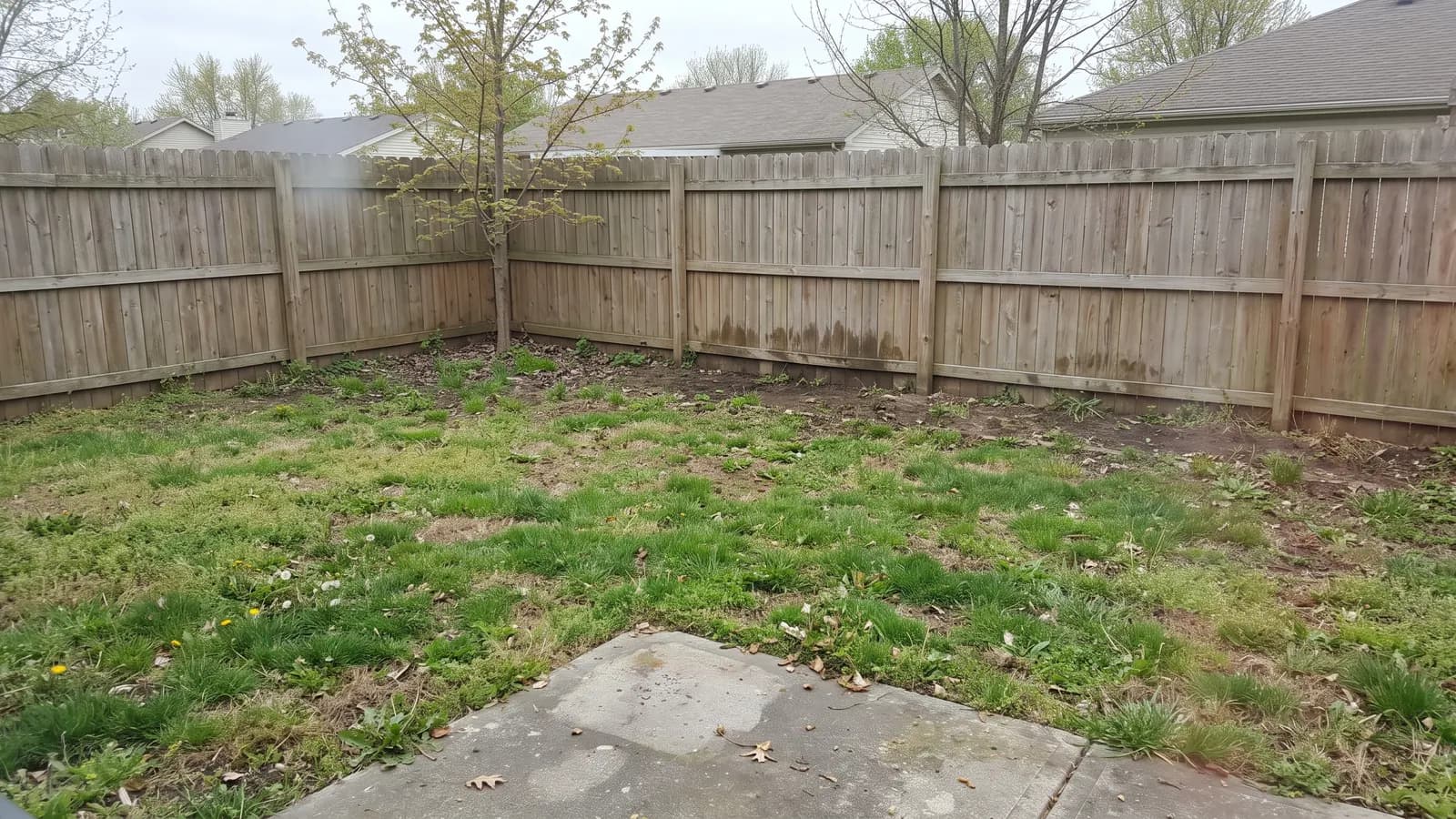
This is the newest route and the fastest. You upload one photo of your yard, pick a style, and the AI redraws that same space with new planting, paving and structures. The result is a realistic image of your yard, not a stock photo of someone else's.
Here is that same yard in three directions, each an AI concept made from the photo above. The fenced lawn with its slab patio becomes a modern patio with steel-edged lawn, a cottage garden with deep borders, or a low-water desert yard:
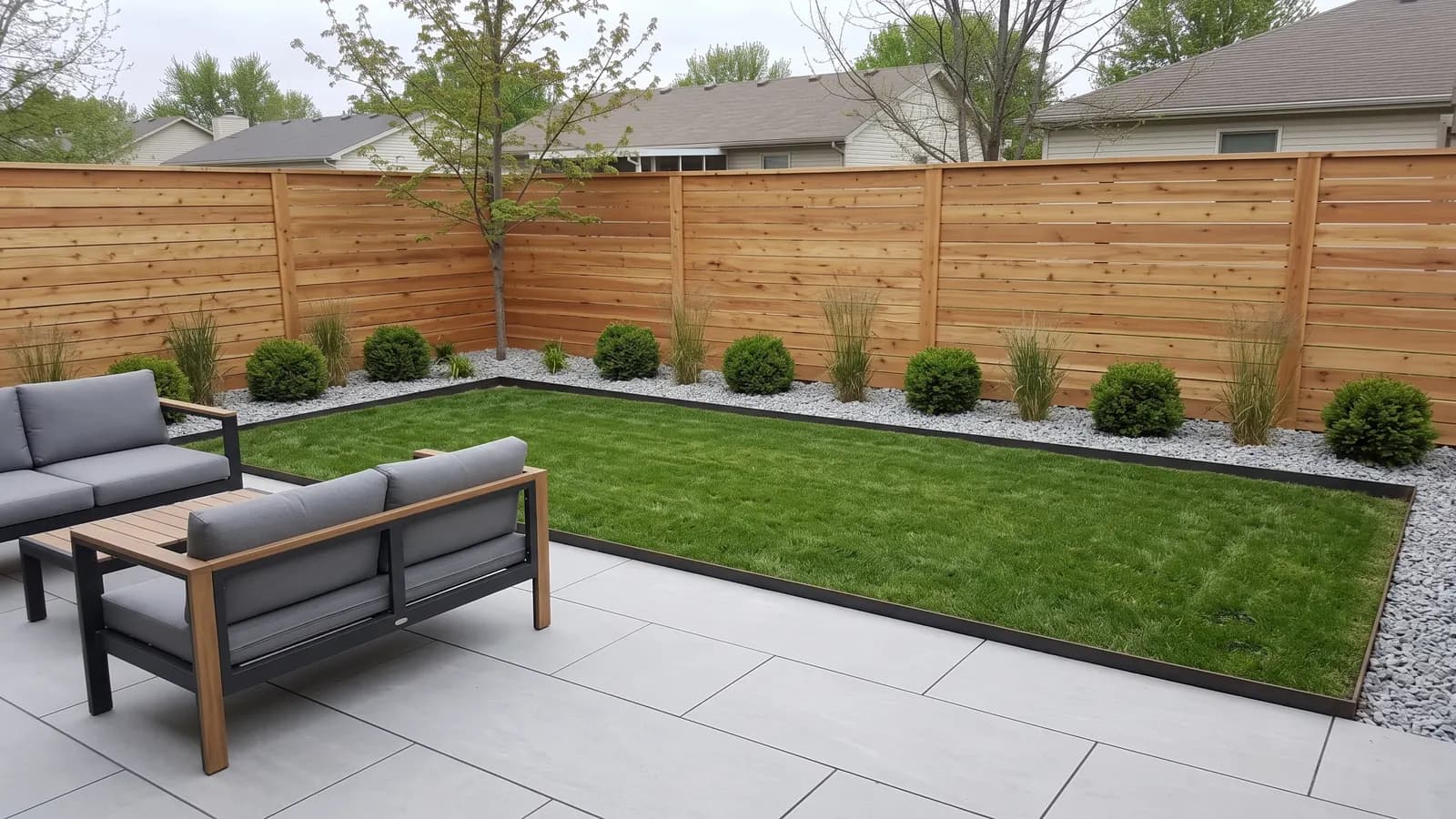
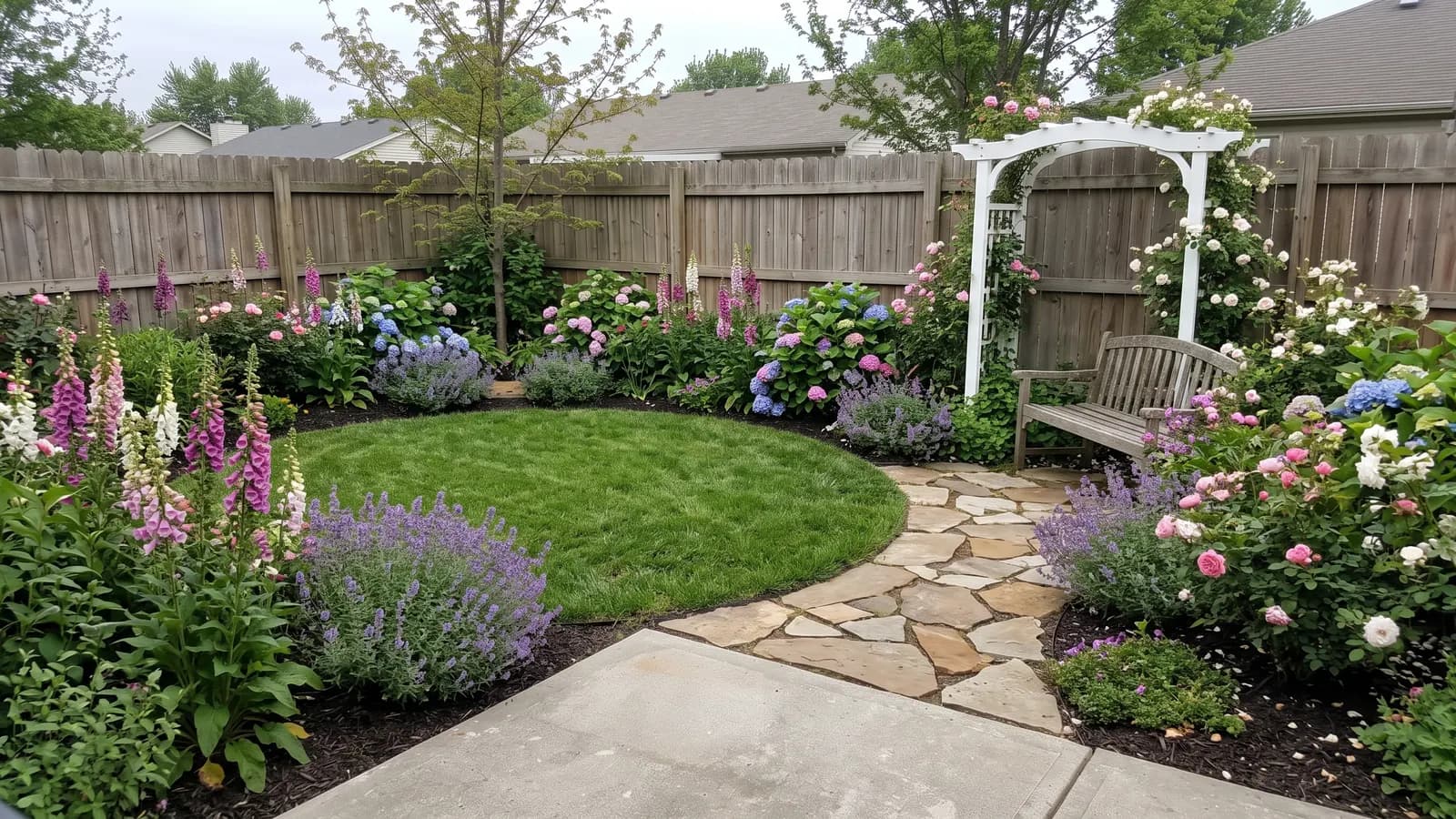
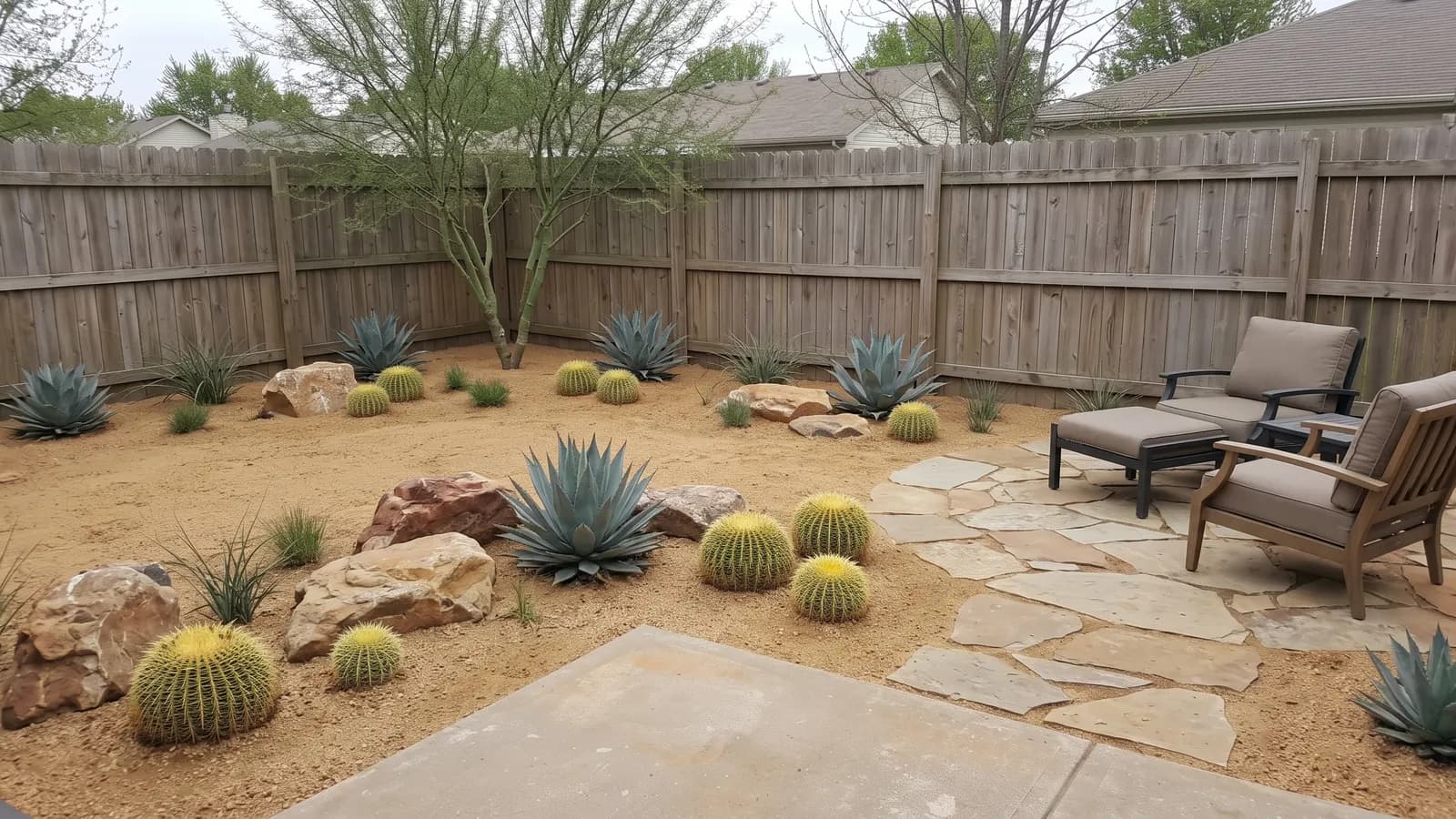
Seeing those side by side on your own yard is the whole point. Most people stall at the Pinterest stage because they can't picture a style on their space. An AI concept answers "would a modern landscape even suit this yard?" before you spend anything.
What you get with OutdoorBrite's AI landscape design, as an example of this route:
- Concepts for 6 space types: backyard, front yard, patio, garden, side yard and pool area
- 11 styles, from Modern and Cottage garden to Desert, Japanese and Woodland & shade
- Several variations per photo, so you can compare layouts rather than settle on the first one
- On the Plus plan, a plant list for every design, with plants picked for your region
- Plans from $29 a month (25 redesigns), $49 for Plus (100) and $149 for Pro (200); annual billing saves 20%
Be clear about what it isn't. An AI concept doesn't take measurements, estimate costs, or produce construction drawings or a 3D model. It's a picture of a direction, accurate enough to choose a style and to brief a contractor, and that's where it stops.
Option 2: DIY landscape design software
Design software is the "do it yourself, online" route, and it's what most of the current search results for this topic are selling. You draw the yard from a top-down view, drag in plant and paving symbols, and some tools render a 3D walk-through.
A few that show up most often:
- SmartDraw: template-based 2D plans drawn to scale (most landscape plans use a 1:8 scale), with plant and structure symbols and export to PDF or image
- gardenplanner.net: a browser planner with a 3D view and a sun and shadow simulation for any day of the year, free to use
- PRO Landscape Home: an iPad app where you drop plant photos onto a picture of your house; the app is free and the full image library is a $14.99 in-app purchase (App Store, checked October 2026)
What software does well: you get a to-scale plan, and a to-scale plan is what you need to count pavers or order mulch. What it does badly is show you what the finished yard will look like. Symbols on a grid don't help much if your problem is "I can't picture it," and the learning curve eats a weekend or two.
Software suits you if you already know what you want and need the layout and quantities to work. Once you have the dimensions, a paver calculator and a mulch estimate turn the plan into a shopping list.
Option 3: online landscape design services with a human designer
An online landscape design service is the closest thing to hiring a local designer, minus the visit. You fill in a questionnaire, upload photos and video, and a designer you never meet produces a plan. Most also include 3D renders, a plant list and one or more revision rounds.
The two names that come up most, with prices checked on October 20, 2026:
| Service | Package | Price | Revisions | Turnaround |
|---|---|---|---|---|
| Yardzen | Essential (backyard) | $995 | None | First designs in 5 to 10 days |
| Yardzen | Classic (backyard) | $1,395 | 1 | Revisions in weeks 2 to 3 |
| Yardzen | Signature (backyard) | $1,995 | 2 | Same, plus night renders and a cost advisor |
| Yardzen | Premium (whole property) | $3,495 | 3 | Adds exterior design and 2D CAD plans |
| ShrubHub | Front yard | $197 | Phone consultation | 2 to 3 weeks |
| ShrubHub | Back yard | $237 | Phone consultation | 2 to 3 weeks |
| ShrubHub | Both yards | $297 | Phone consultation | 2 to 3 weeks |
| ShrubHub | Premium | $997 | More design time | 2 to 3 weeks |
A couple of notes on those numbers. Yardzen's prices above are its backyard packages; front yard and full yard packages are priced separately, and it ran a 25% off promotion that ended October 19. ShrubHub lists its packages as 50% off higher list prices ($594 to $1,994), and the sale price is what checkout shows. Both change often, so check before you buy.
What the money buys you is a person. A designer reads your questionnaire, asks follow-up questions, and makes trade-offs an AI won't, like moving the patio because the photos show afternoon sun on the other side. The cost is time: weeks rather than minutes, and a fixed number of revisions.
If you are weighing services, we compared them in the best online landscape design services, and there are cheaper and faster routes in our list of Yardzen alternatives.
Virtual landscape design cost and turnaround compared
Here is how the routes compare once you add a local designer as the baseline:
| Route | Typical cost | Turnaround | What you get | Best for |
|---|---|---|---|---|
| AI design from a photo | From $29/month (OutdoorBrite) | Under a minute per concept | Photoreal concepts of your own yard, several styles; plant list on some plans | Choosing a style, comparing ideas, briefing a contractor |
| DIY design software | Free to roughly $15 for home apps | Hours to days of your time | A plan you draw yourself, often to scale, sometimes 3D | Confident DIYers who need layout and quantities |
| Online design service | $197 to $3,495 | 2 to 4 weeks | Designer's 2D plan, 3D renders, plant list, revisions | Larger projects where you want a pro's judgment |
| Local landscape designer | $700 to $3,000 typical; $50 to $150/hour | Several weeks plus site visits | On-site assessment, plans a contractor can build from | Slopes, drainage problems, permits, big budgets |
Local designer figures come from HomeGuide's 2026 cost guide; LawnStarter puts the average project higher, at $2,200 to $6,180. Our landscape design cost guide breaks those fees down by who you hire. The routes do different jobs, so the cheapest one isn't automatically the right one. The AI gets you to "that one" fast, and the service turns "that one" into a plan.
A lot of people use two routes in sequence. They try styles with AI first, then hand the winning concept to a designer or contractor. That cuts the paid design time, because the person you pay starts with a clear brief instead of a blank questionnaire.
What to send a virtual landscape designer
Whether it's an AI tool or a remote designer, the design is only as good as what you send. A good kit takes about 30 minutes to put together:
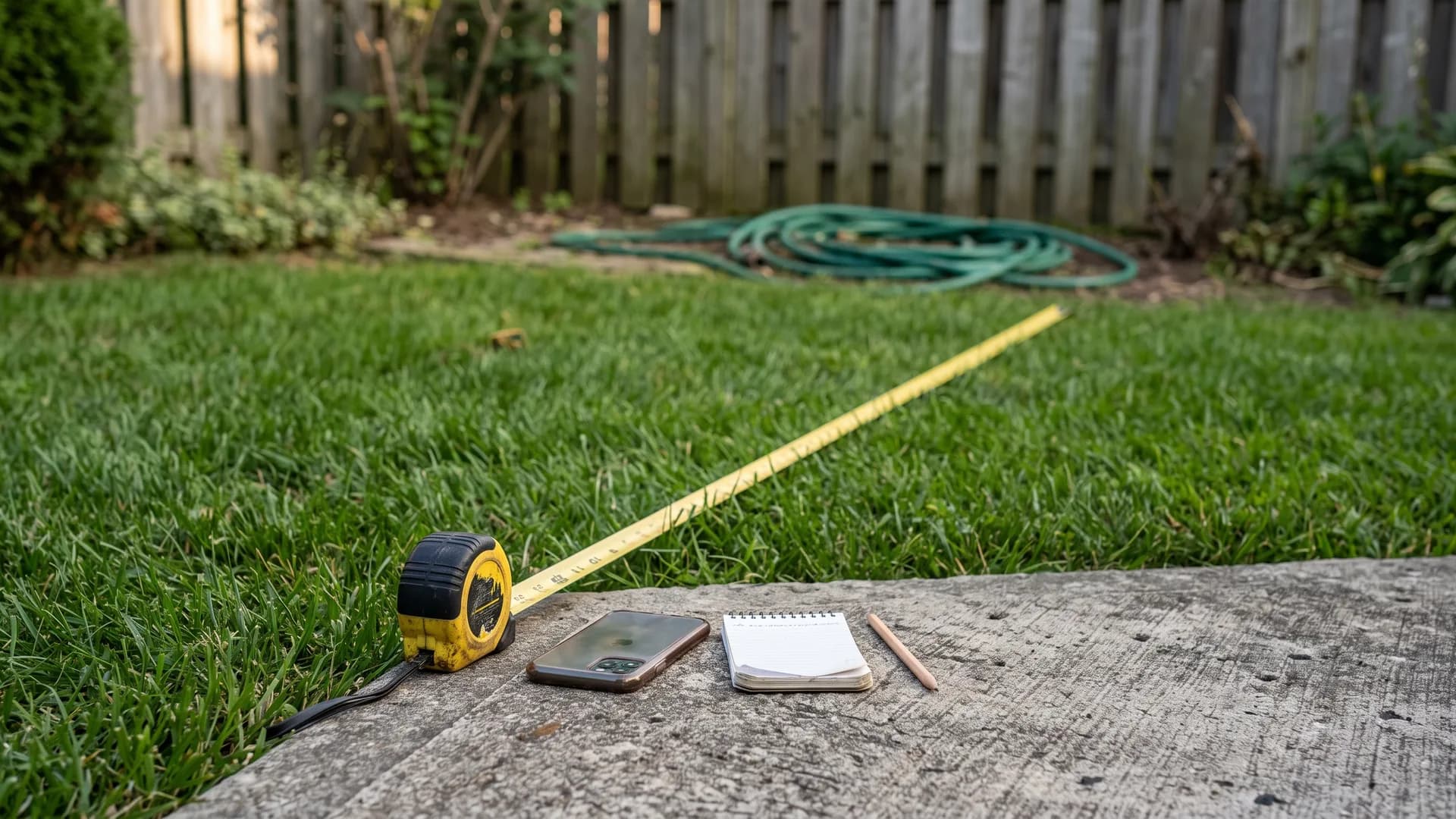
Photos
- Shoot from where you'll look at the yard most: the back door, the kitchen window, the patio
- Get each corner and a wide shot that includes the edge of the house, so scale is obvious
- Take them in daylight with no harsh shadows; an overcast day is ideal
- For AI tools, one clear, level, wide photo per area works best
Measurements
- Overall yard length and width, plus the house footprint
- Distances to fixed things: fences, trees, the patio edge, the AC unit
- Gates, doors and the spot where a hose or power outlet sits
Site notes
- Sun: which areas get 6+ hours, which are shaded by noon
- Your USDA hardiness zone and soil type if you know it
- Problem spots: where water pools, slopes, anything you can't remove
- Budget range for the build, not just the design
Your wish list
- Must-haves (seating for eight, dog run, vegetable beds)
- Styles you like, with two or three reference photos
- What you want to get rid of (the lawn, a dead hedge)
What a remote landscape design can't see
A photo shows what's on the surface. Many of the problems that sink landscaping budgets are underneath it or between the photos.
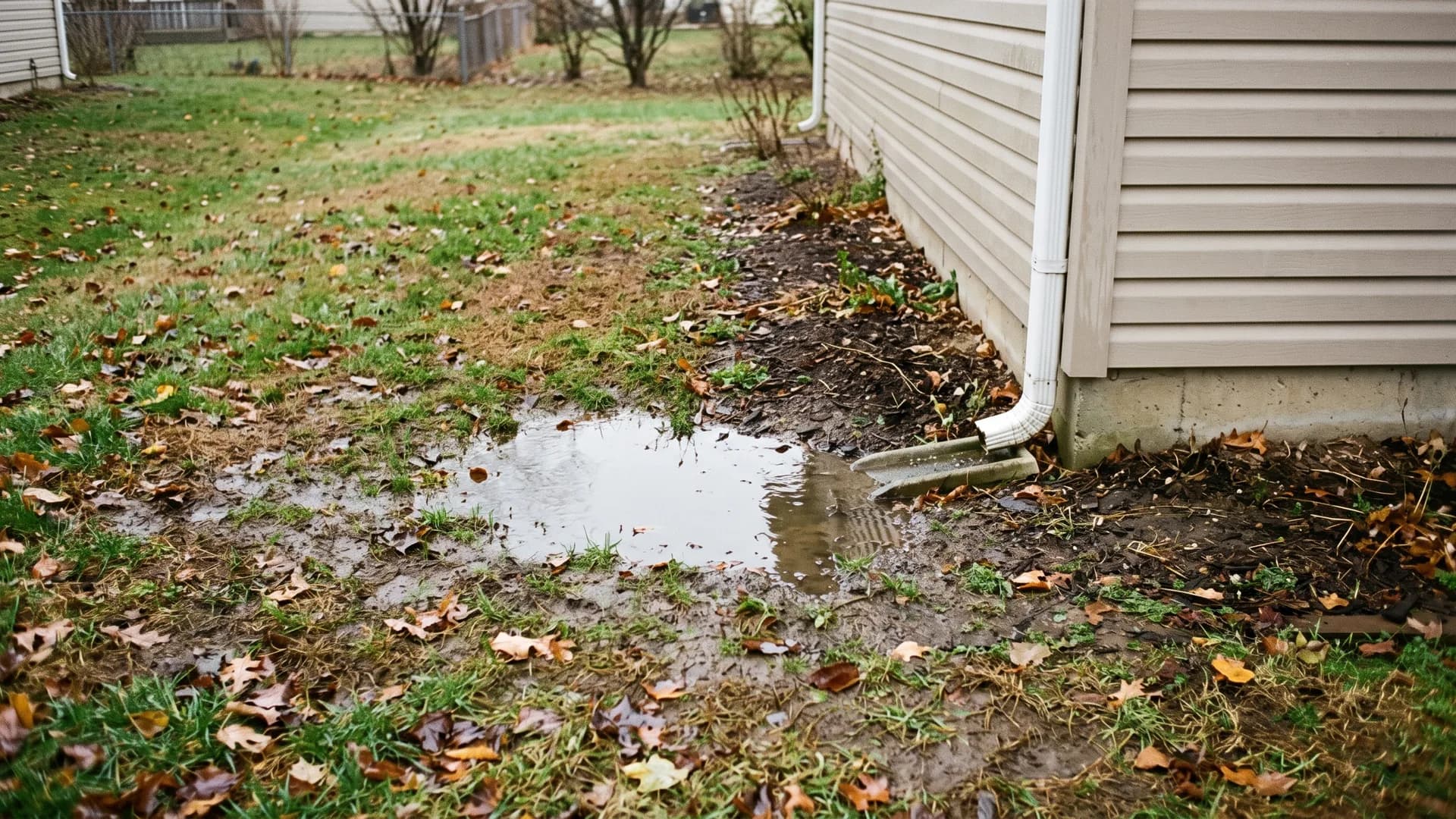
- Drainage and grade. A yard that looks flat can fall a foot toward the house. Standing water like the spot above may need a French drain or regrading before any planting.
- Soil. Clay, sand, compaction and pH change what will grow, and no photo shows them.
- Utilities. Gas, water, electric and irrigation lines decide where you can dig. Call 811 before any digging, whoever drew the plan.
- Local rules. Setbacks, fence heights, HOA covenants and permits for retaining walls or decks vary by town.
- Trees and roots. Large roots limit where paving and footings can go.
None of this makes virtual design useless. It means a remote design is a starting point for hardscape and grading work, and a contractor or designer should walk the site before anything gets built. For planting-only projects in a flat yard, a remote design is often all you need.
Which virtual landscape design option fits your project
Answer two questions: how sure are you about the look, and how complex is the site?
- You don't know what style you want. Start with AI. Ten minutes of comparing styles on your real yard settles more than a month of saving pins.
- You know the look and plan to DIY. Use design software to get the layout to scale, then the calculators for quantities.
- It's a large project with a real budget ($20,000 or more). Pay for an online service or a local designer. A few hundred to a few thousand dollars in design fees is small next to the cost of building the wrong thing.
- The site has slopes, drainage problems or walls over a few feet. Hire someone who will visit. Use a virtual design to brief them, not to replace them.
- You're a contractor. AI concepts are a fast way to show a client the finished yard during the first meeting, before you draw anything.
Key takeaways
- Pick the route by the question you need answered. "What should it look like?" is an AI question. "How many pavers?" is a software question. "Will this work on my site?" needs a person.
- Prices span more than 100x. From $29 a month for AI concepts to $3,495 for a full online package, and more for a local designer.
- Send a proper kit. Wide photos that include the house, overall dimensions, sun and drainage notes. Every route works better with it.
- Don't build hardscape from a remote design alone. Have someone check grade, utilities and permits first.
- Combine routes. Choose the style with AI, then pay a designer or contractor to turn it into a buildable plan. You can try the first step on your own yard with OutdoorBrite.
FAQ
How does virtual landscape design work? You send photos of your yard, rough measurements and a wish list, and the design comes back online. With an AI tool, that's a photoreal concept in under a minute. With an online service, a designer sends a 2D plan and 3D renders in two to four weeks, followed by revision rounds.
How much does online landscape design cost? It depends on who does the designing. AI tools start around $29 a month, home design apps are free to about $15, and online design services charged $197 to $3,495 per package in October 2026. A local designer typically costs $700 to $3,000 for a plan.
Is virtual landscape design accurate? It's accurate for style, layout and planting ideas, and less reliable for anything that depends on the ground: drainage, grade, soil and buried utilities. AI concepts are visual and not to scale. Service plans are drawn from your measurements, so their accuracy depends on how carefully you measured.
Do I need measurements for virtual landscape design? For AI concepts, no; a clear photo is enough. For design software and online services, yes: overall yard dimensions and the distances to fixed features like fences, trees and the patio. Without them, a designer can't draw a plan to scale.
What's the difference between an online landscape design service and design software? A service is a person designing for you remotely; software is a tool you design with yourself. Services cost more and take weeks, but include a designer's judgment and revisions. Software is cheap or free, and you supply every decision.
Can I give a virtual landscape design to a contractor? Yes, and that's what most homeowners do with it. A concept image shows the contractor the look you want, and a service plan with dimensions and a plant list lets them price it. Expect the contractor to visit the site and adjust for grade, drainage and local rules.
Is virtual landscape design worth it for a small yard? Usually, yes. Small yards rarely justify a $700+ design fee, and their problems are mostly about style and layout, which remote design handles well. An AI concept or a low-cost online package is often enough to plan a small backyard or front yard.
How do I plan a garden layout myself? Measure the space, map sun and shade, and sketch zones for seating, paths and planting before choosing plants. Taller plants go at the back of beds, and plants with similar water needs go together. Our guide on how to plan a garden layout walks through it step by step.
Sources: Yardzen design packages, ShrubHub landscape design packages, PRO Landscape Home on the App Store, Garden Planner, SmartDraw landscape design software, HomeGuide: landscape design cost, LawnStarter: landscape design cost, all checked October 20, 2026