8 best deck design software tools in 2026
Trex, Simpson Strong-Tie, RedX, VizTerra, SketchUp, and more, compared in one guide. We priced eight deck design software picks for 2026, from quick 3D planners to permit-ready structural tools, so homeowners and contractors can pick the right one and start planning.
Deck design software covers four kinds of tools that barely resemble each other: 3D planners from decking brands, structural apps that calculate beams and joists, presentation suites contractors use to close five-figure jobs, and AI tools that skip modeling entirely and show a finished deck on a photo of your yard. So the best deck design software depends on the question you're asking: what should it look like, will it stand up, or will the client sign.
This guide compares eight picks across all of those camps, with 2026 pricing checked against each vendor's site in July. Most of it is written for a homeowner planning one deck, and one section of the buying framework is specifically for contractors. By the end you should know which deck design program fits your project and what it will cost.
Best deck design software: a quick overview
- OutdoorBrite: Best overall for seeing the finished deck on a photo of your own yard, as realistic concepts in under a minute.
- Trex Deck Designer: Best brand 3D planner with real materials. Model your deck in actual Trex boards, then download a shopping list and a permit blueprint.
- Simpson Strong-Tie Deck Planner: Best structural planning and permit output. It highlights the critical connections in your frame and recommends hardware for each one.
- RedX Decks: Best mobile 3D deck builder. Draw any deck shape on your phone and it places beams, joists, and posts automatically.
- VizTerra: Best pro deck presentations for contractors. Model the deck and the whole outdoor space in 3D, then walk the client through a polished flythrough.
- Realtime Landscaping Pro: Best one-time-purchase desktop suite with deck tools inside a full yard designer, for $279 once.
- SketchUp: Best precise custom modeling. When the deck wraps a corner at an odd angle, this is the tool that can draw it to the inch.
- Decks.com Deck Designer: Best planner for permit plans and material lists, downloadable straight from the browser.
| Tool name | Key strength | Pricing | Platforms |
|---|---|---|---|
| OutdoorBrite | Realistic finished-deck concepts on a photo of your own yard | From $29/month | Web (desktop and mobile) |
| Trex Deck Designer | 3D planning with real Trex products and a shopping list | Free | Web (desktop only) |
| Simpson Strong-Tie Deck Planner | Structural connections, hardware picks, and permit pages | Free | Web (desktop only) |
| RedX Decks | Mobile 3D builder with automatic framing and load calculations | Free tier; Premium $19.99/month or $59.99/year | Web, iOS, Android |
| VizTerra | Polished 3D deck and hardscape presentations for sales meetings | From $84/user/month billed annually, plus $95 setup | Windows desktop |
| Realtime Landscaping Pro | Full desktop yard suite with integrated deck tools | $279 one-time | Windows desktop |
| SketchUp | Precise, dimensioned 3D modeling for custom builds | Free web version for personal use; from $129/year | Web, Windows, Mac, iPad |
| Decks.com Deck Designer | Permit plans, build specs, and material lists at no cost | Free (account required) | Web |
1. OutdoorBrite, best overall for seeing the finished deck on your own yard
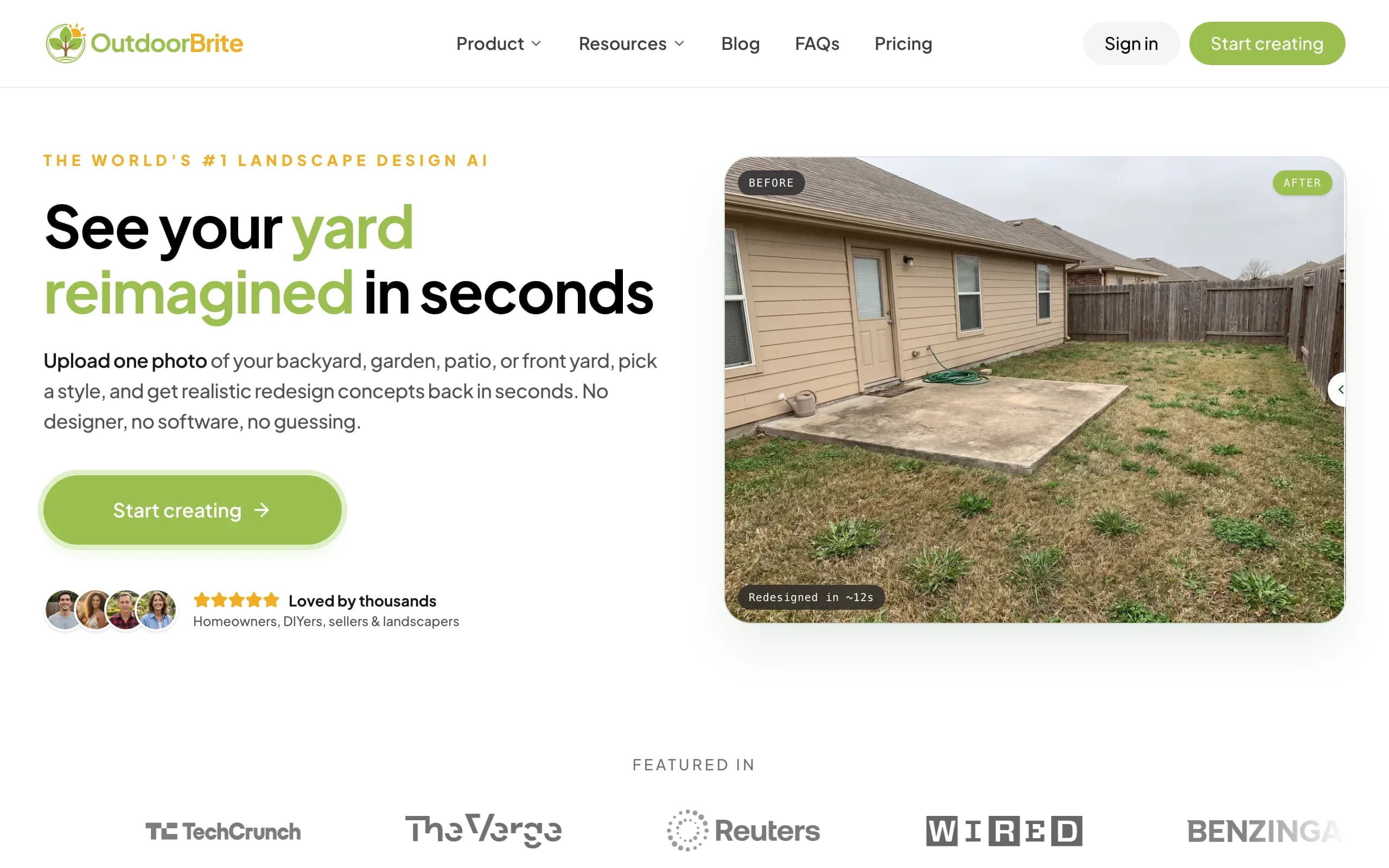
OutdoorBrite is an AI landscape design product built around one question: what would that deck actually look like from your back door? You upload a photo of your backyard, pick a style like modern, cottage, or tropical, and describe the deck in plain words. "A raised composite deck with black railing and a built-in bench" is enough. In under a minute you get realistic concepts of the finished deck sitting in your real yard, against your real fence, which no 3D modeler on this list can show you.
The patio deck designer covers the wider project too. You can restyle the patio beside the deck, test planting around it, and refine a favorite concept in the in-app AI editor: swap the board color, add a pergola, push the layout wider. Plant suggestions are matched to your climate and hardiness zone, and contractors run the same flow in reverse, generating the render on-site while the client watches. Beyond decks it handles patios, gardens, fences, pools, and front yards.
Key features
- Photo-to-design AI: one photo of your yard in, realistic deck concepts out in under a minute
- Style presets plus a plain-language prompt to direct the look
- Multiple concepts per upload, with an in-app AI editor to refine a favorite
- Plant choices around the deck matched to your climate and hardiness zone
- HD, 2K, or 4K output depending on plan, with commercial usage on paid tiers
Best for
- Homeowners deciding on style, size, and placement before pricing lumber
- DIYers who want to see the result before opening a framing planner
- Deck builders and landscapers who need a client-ready visual on-site
Pricing
- Paid only, no free plan or trial; 1 credit = 1 design or 1 AI edit
- Starter: $29 per month for 25 redesigns and HD output
- Plus: $49 per month for 100 redesigns and 2K output (the most popular plan)
- Pro: $149 per month for 200 redesigns, 4K output, and commercial rights
- Annual billing saves about 20 percent; top-up credit packs don't expire
Pros
- The only pick here that renders the deck in your actual yard, not a generic 3D scene
- Nothing to install or learn; it runs in the browser on a phone or laptop
- Styles the whole space around the deck, not just the boards
Cons
- No free plan, so you commit to a paid month before your first design
- It's a visualizer, not an engineering tool: no joist spans, framing plans, or cut lists
2. Trex Deck Designer, best brand 3D planner with real materials
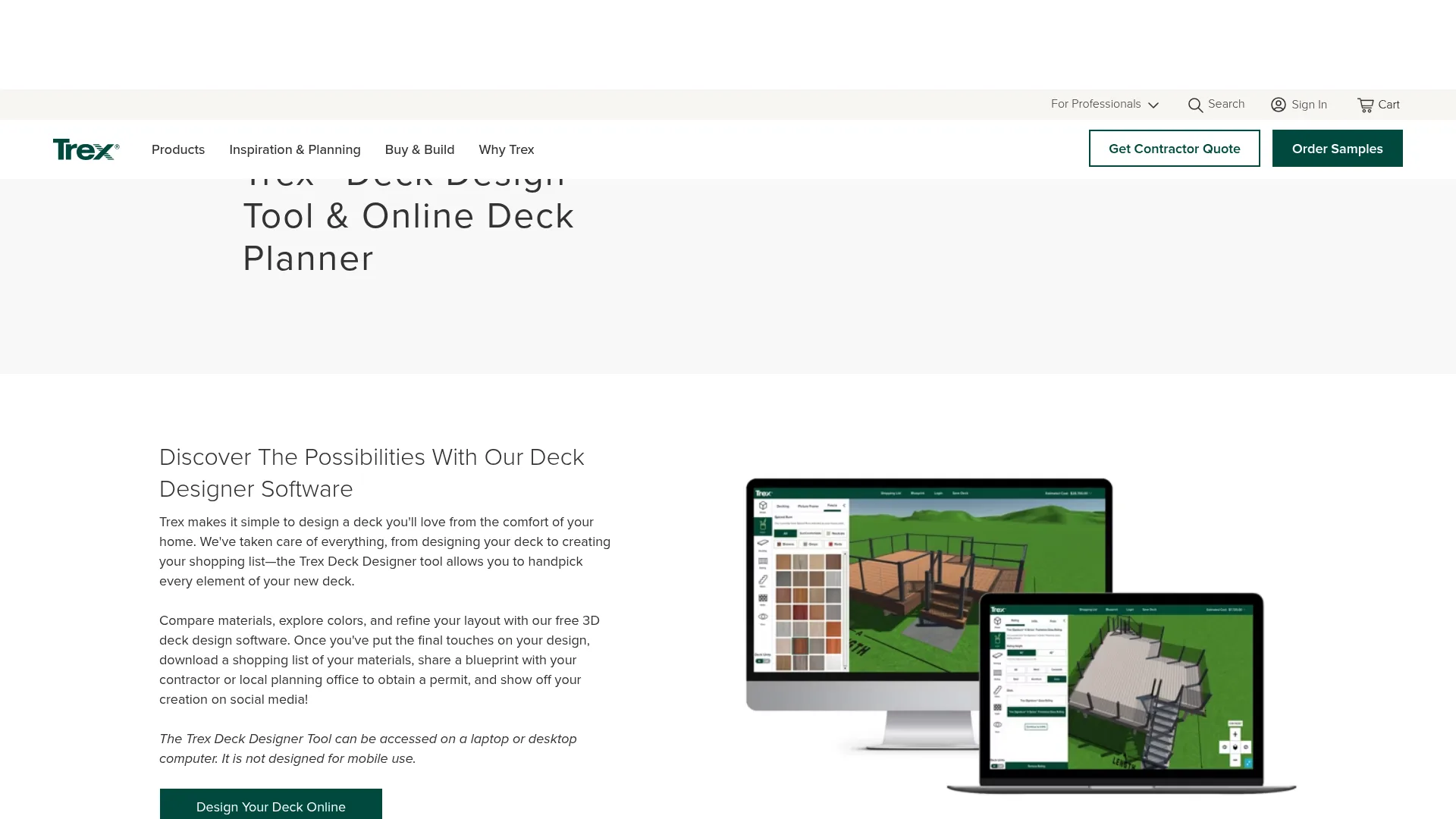
Trex Deck Designer is the strongest reason to start with a decking brand's own tool. It's free, runs in a desktop browser, and builds your deck in 3D out of real Trex boards, railings, and lighting, so every finish you preview is a product you can order. It handles square and rectangular footprints along with multi-level and second-story decks, and it estimates project costs both with and without labor.
The output is more practical than most paid tools manage: a shopping list of your materials and a blueprint you can hand to a contractor or take to the planning office for a permit. The catch is scope. It models Trex products only, material counts are estimates the company tells you to verify, and there's no mobile version. If you're building in pressure-treated pine or still comparing brands, the renders won't match your build.
Key features
- 3D design with real Trex decking, railing, and lighting products
- Square, rectangular, multi-level, and second-story deck layouts
- Estimated costs with and without labor
- Materials shopping list and a blueprint for permit applications
Best for
- Homeowners already leaning toward composite decking
- Anyone who wants to preview exact board and railing colors before ordering
- DIYers who need a budget estimate early in planning
Pricing
- Completely free
- Desktop or laptop browser only; not built for mobile
Pros
- What you see is what you order, down to the board color
- Budget and blueprint output most free planners skip
- No download or license to manage
Cons
- Trex products only, so mixed-material or wood builds won't match
- Material counts are estimates; verify before you buy
3. Simpson Strong-Tie Deck Planner, best structural planning and permit output
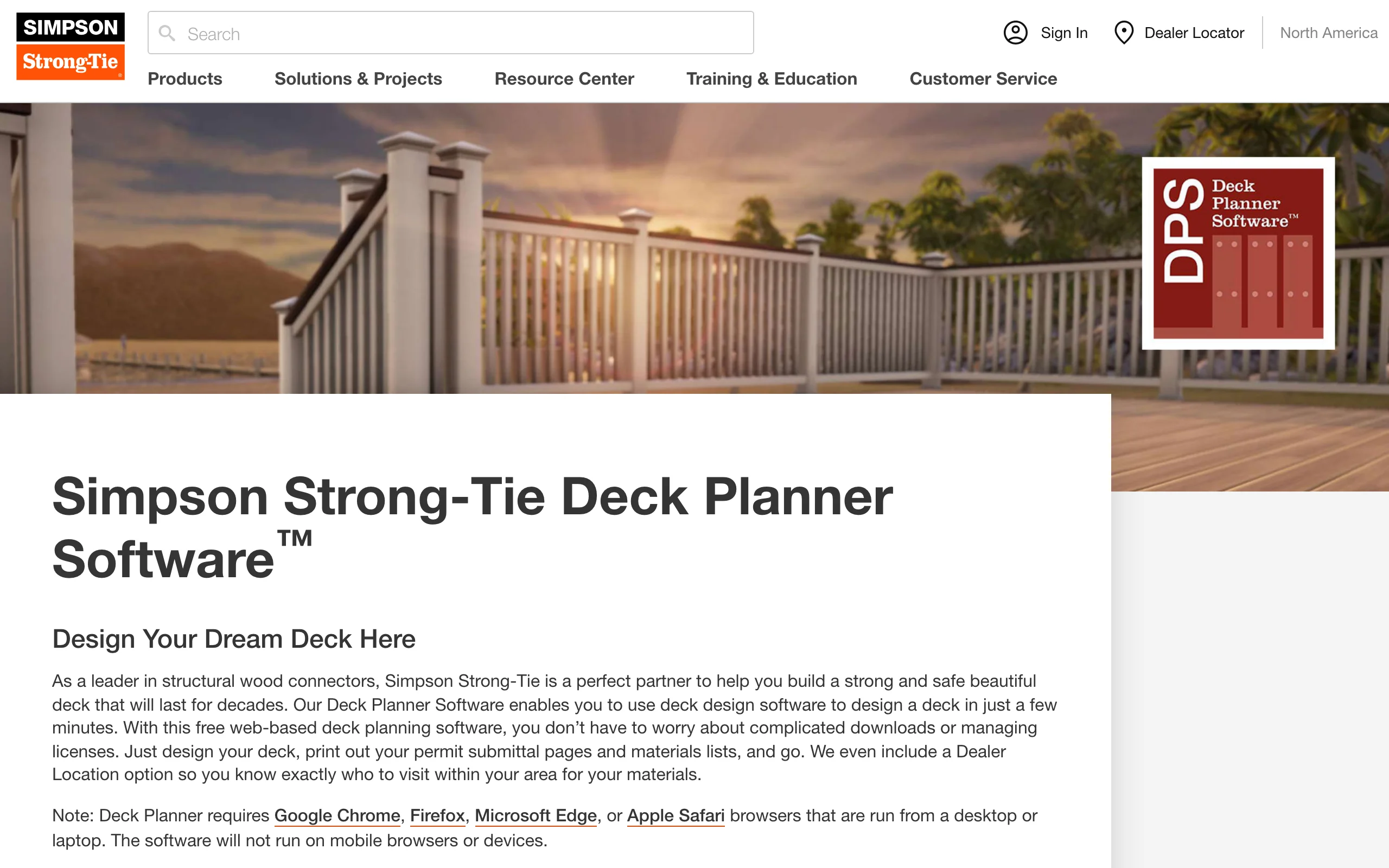
Simpson Strong-Tie Deck Planner Software comes at deck design from the frame outward, which makes sense from the company behind most of the structural connectors at your lumberyard. The free web tool (no download, no license) starts you from pre-built templates or exact dimensions, lets you design in 2D or 3D, and then does the thing nothing else on this list does: it highlights the critical connections in your design and recommends the specific hardware for each one.
The report at the end is built for the permit counter: printable permit submittal pages, a bill of materials covering lumber, decking, railing, and hardware, and a dealer locator to find it all nearby. It runs on desktop and laptop browsers only, and the renders are functional rather than pretty. That's fine. You use this tool to make the deck safe and buy the right parts, not to pick a color.
Key features
- Highlights critical structural connections and recommends hardware for each
- 2D and 3D design with pre-built templates and an in-app tutorial
- Printable permit submittal pages and a full bill of materials
- Dealer locator for sourcing parts, with designs auto-saved to your account
Best for
- DIY builders who want the frame engineered correctly, not just drawn
- Anyone submitting plans to a building department
- Homeowners who'd rather over-spec connections than guess at them
Pricing
- Completely free
- Web-based on desktop and laptop browsers; no mobile support
Pros
- Structural guidance no general design tool offers
- Permit pages and a complete parts list at no cost
- Templates make the first project approachable
Cons
- Desktop only, so nothing to use on-site
- Visuals are workmanlike; this won't sell a design to anyone
4. RedX Decks, best mobile 3D deck builder
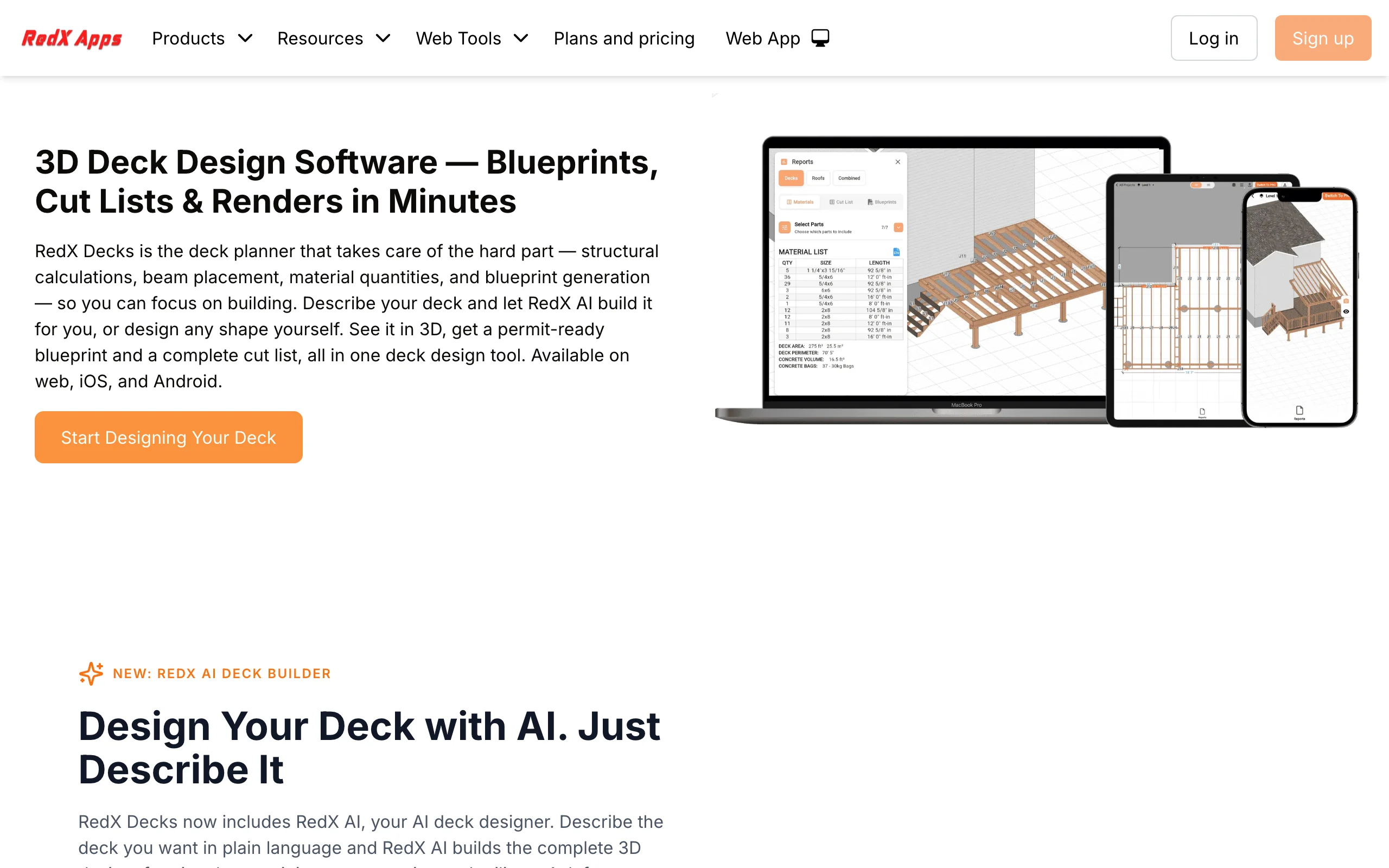
RedX Decks is the pick if you want serious deck planning on a phone. It runs on iOS, Android, and the web with designs syncing between devices, and it automates the intimidating part: draw the deck outline (rectangular, L-shaped, wraparound, multi-level, or freestanding) and it places beams, joists, and posts automatically, with load calculations showing the weight each post carries. A newer RedX AI mode builds the complete 3D model from a one-sentence description, structure included, then takes revision requests in plain language.
The output is where the paid tier earns its keep: permit-ready blueprints, complete cut lists, and realistic renders. The free tier lets you design freely but keeps saving, printing, and exporting behind Premium at $19.99 a month or $59.99 a year, so plan on paying for at least a month when it's time to build.
Key features
- Automatic beam, joist, and post placement with structural load calculations
- Any footprint: rectangular, L-shaped, wraparound, multi-level, freestanding
- RedX AI builds a full 3D deck from a plain-language description
- Permit-ready blueprints and cut lists, synced across web, iOS, and Android
Best for
- DIYers who plan in the yard with a phone instead of at a desk
- Builders who want framing math handled automatically
- Anyone who needs a cut list, not just a picture
Pricing
- Free tier: unlimited projects with limited access to pro tools
- Premium: $19.99 per month or $59.99 per year, unlocking save, print, and export
- Pro: $29.99 per month or $179.99 per year; a team plan covers three seats
Pros
- Real structural output from a phone-first tool
- The AI builder gets a first draft standing in seconds
- Cheap next to desktop pro software
Cons
- The free tier is a sandbox: no saving, printing, or exporting
- Renders are 3D-model style, not your actual yard
5. VizTerra, best pro deck presentations for contractors
VizTerra, from Structure Studios, is what a deck becomes when it's part of a sales meeting. Contractors model the deck, hardscaping, and planting in 3D, then walk the client through a polished flythrough of their future backyard. Wood deck tools sit alongside the hardscape, outdoor kitchen, and terrain features, which is why patio and deck builders selling five-figure projects standardize on it, often next to Pool Studio from the same company.
Pricing is per user and aimed squarely at businesses: $97 a month, or $84 a month billed annually, plus a one-time $95 setup fee, which lands around $1,103 in year one. The 30-day free trial is full-access with no credit card, and live training classes are included.
Key features
- 3D design for wood decks, hardscapes, and full landscapes
- Client presentations and flythroughs built for closing jobs
- Large object and material libraries, GIS terrain data, and an optional AR app
- Free live training, support, and automatic updates
Best for
- Deck and patio contractors who win or lose jobs in the presentation meeting
- Outdoor living firms already using Structure Studios products
- Teams that design multiple projects a month
Pricing
- $97 per user per month, or $84 per month billed annually
- One-time $95 setup fee
- 30-day free trial with full access, no credit card required
Pros
- Presentation polish that justifies premium bids
- Decks, hardscape, and pools in one ecosystem
Cons
- Priced for businesses, not a single home project
- Windows desktop only
6. Realtime Landscaping Pro, best one-time-purchase desktop suite with deck tools
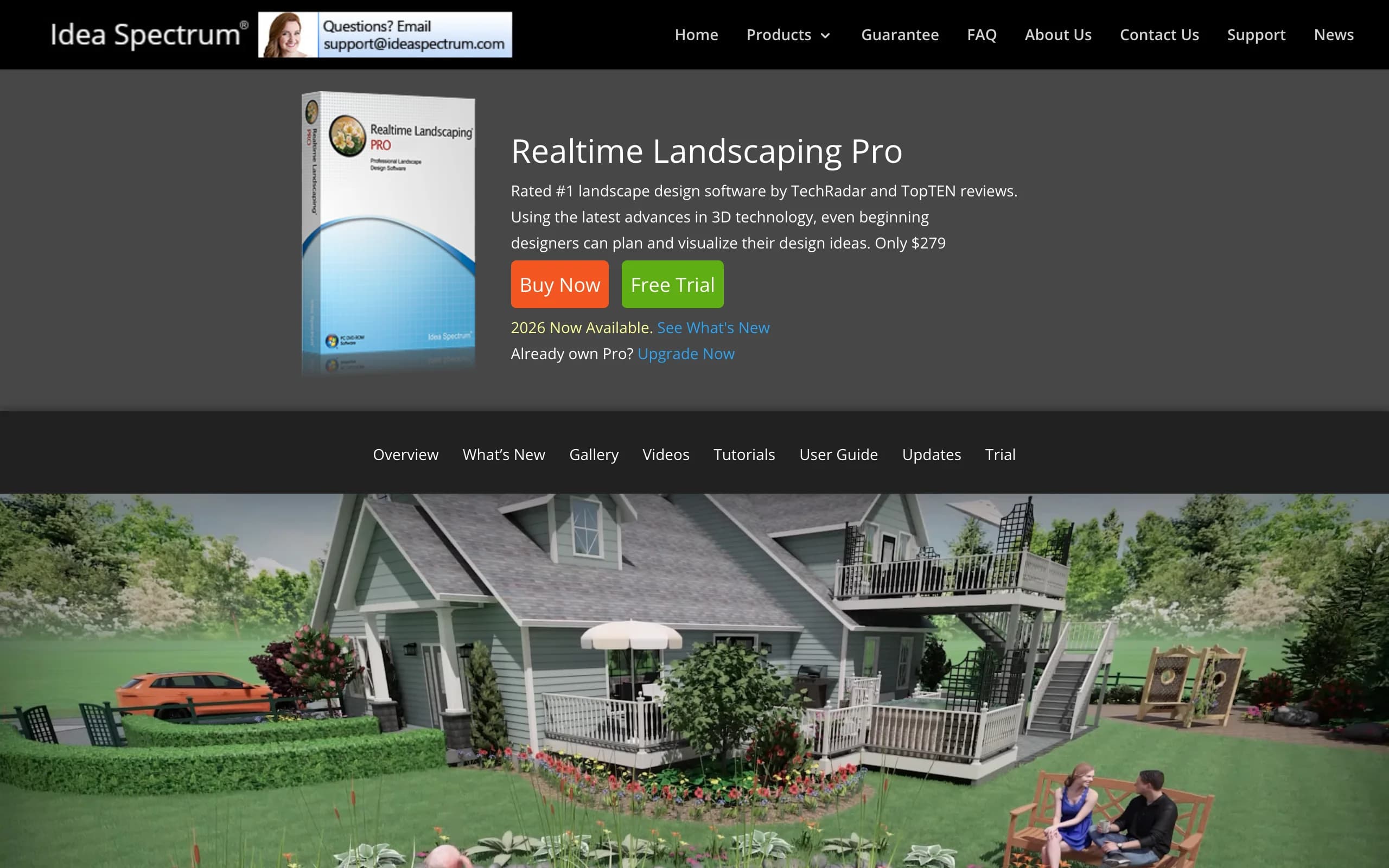
Realtime Landscaping Pro, from Idea Spectrum, is the desktop suite for people who want deck tools inside a full yard designer without a subscription. The deck module works the way you wish more tools did: draw the deck's outline and the software builds the structure, then you customize railings, balusters, posts, and materials, or start from a predefined style. Around the deck you get the rest of the property: a library of more than 6,300 plants filterable by hardiness zone, terrain sculpting, landscape lighting, and a real-time 3D walkthrough you can drive like a video game.
It's Windows-only, and the renders read as computer graphics rather than photographs. But the price model is the argument: $279 once, a trial that never expires (trial projects are watermarked), and a 30-day money-back guarantee. That's less than four months of most pro subscriptions, and you own it.
Key features
- Deck tools that auto-build structure from a drawn outline
- Railing, baluster, post, and material customization with predefined styles
- 6,300+ plant library with hardiness zone filtering
- Real-time 3D walkthroughs, terrain sculpting, lighting, and cost estimating
Best for
- Homeowners designing the deck and the whole yard around it
- Anyone who refuses another subscription
Pricing
- $279 one-time purchase; upgrades from older versions cost $129
- Free trial with no time limit; trial projects are watermarked
- 30-day money-back guarantee
Pros
- One price, no recurring billing
- Deck design plus a full landscape suite in one program
Cons
- Windows only
- Renders look modeled, not photographic
- Interface feels dated next to web tools
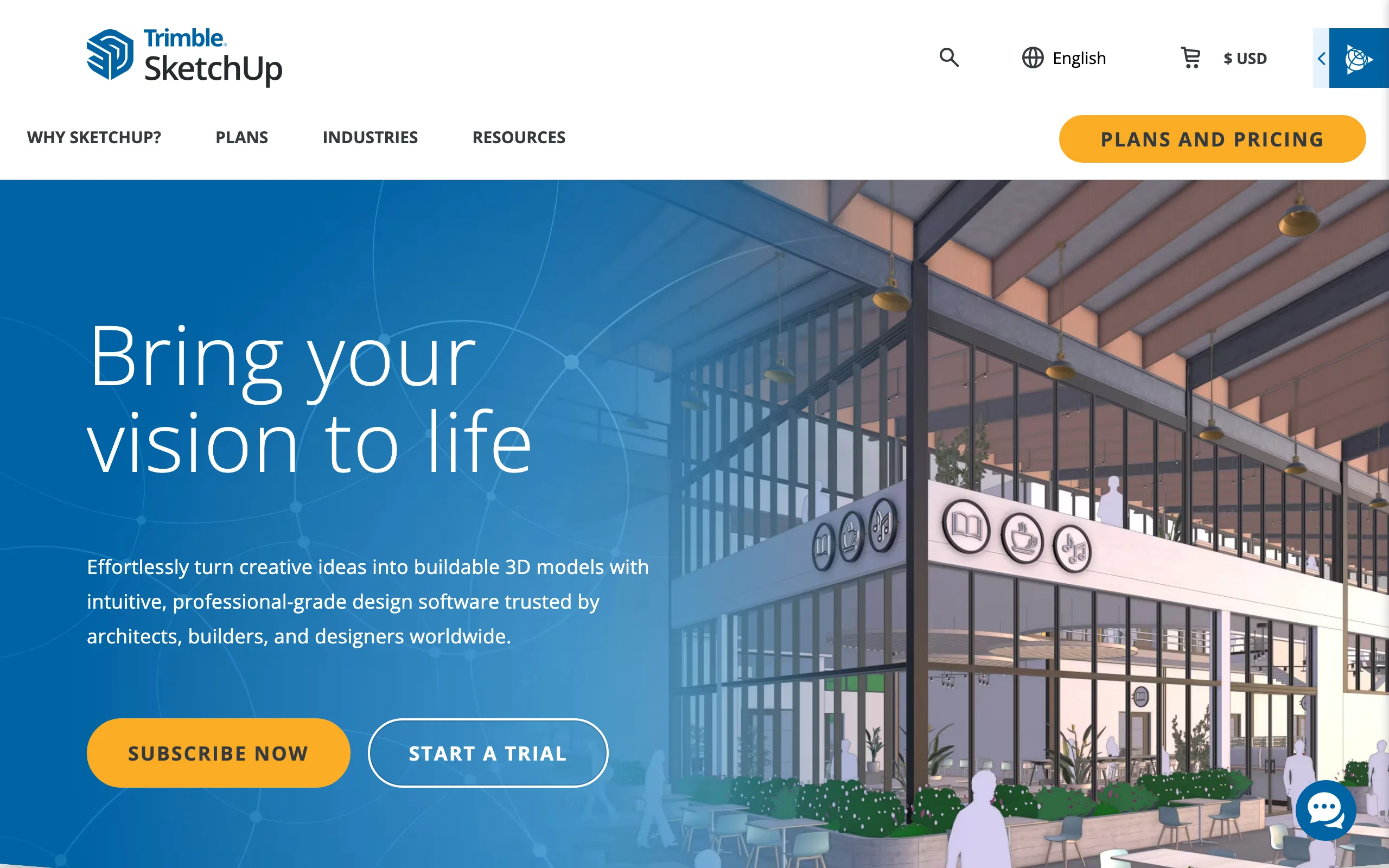
7. SketchUp, best precise custom modeling
SketchUp is not deck software, and that's exactly why serious builders keep ending up in it. It's a general 3D modeler that handles geometry nothing else on this list can: a deck wrapping a corner at a 30-degree angle, a pergola with custom rafter tails, framing around a mature tree. You model to exact dimensions, pull measurements straight off the model, and produce 2D construction documents with LayOut on the Pro plan.
The trade is that every deck-specific convenience disappears. There's no automatic framing, no hardware recommendation, no material list until you assemble that workflow yourself from extensions and the 3D Warehouse. Plan on a learning curve measured in evenings, not minutes. For a standard rectangle it's overkill; for the custom build your architect sketched on a napkin, it's the only pick here that can draw it.
Key features
- Fast, precise 3D modeling with exact dimensions
- Handles any deck geometry, including angles, curves, and custom framing
- LayOut for 2D construction documents on Pro and up
- Extension ecosystem, running on web, Windows, Mac, and iPad
Best for
- Custom builds that outgrow template-based planners
- Designers and builders who need dimensioned, buildable drawings
Pricing
- Free web version for personal, non-commercial use
- Go: $129 per year for web and iPad
- Pro: $399 per year, adding the desktop app and LayOut documentation
- Studio: $819 per year, adding photorealistic rendering
Pros
- Unmatched precision for unusual deck shapes and structures
- Free personal version to learn on before paying
- Skills carry over to house, shop, and furniture projects
Cons
- No deck-specific features out of the box
- A real learning curve if you've never modeled in 3D
8. Decks.com Deck Designer, best planner for permit plans and material lists
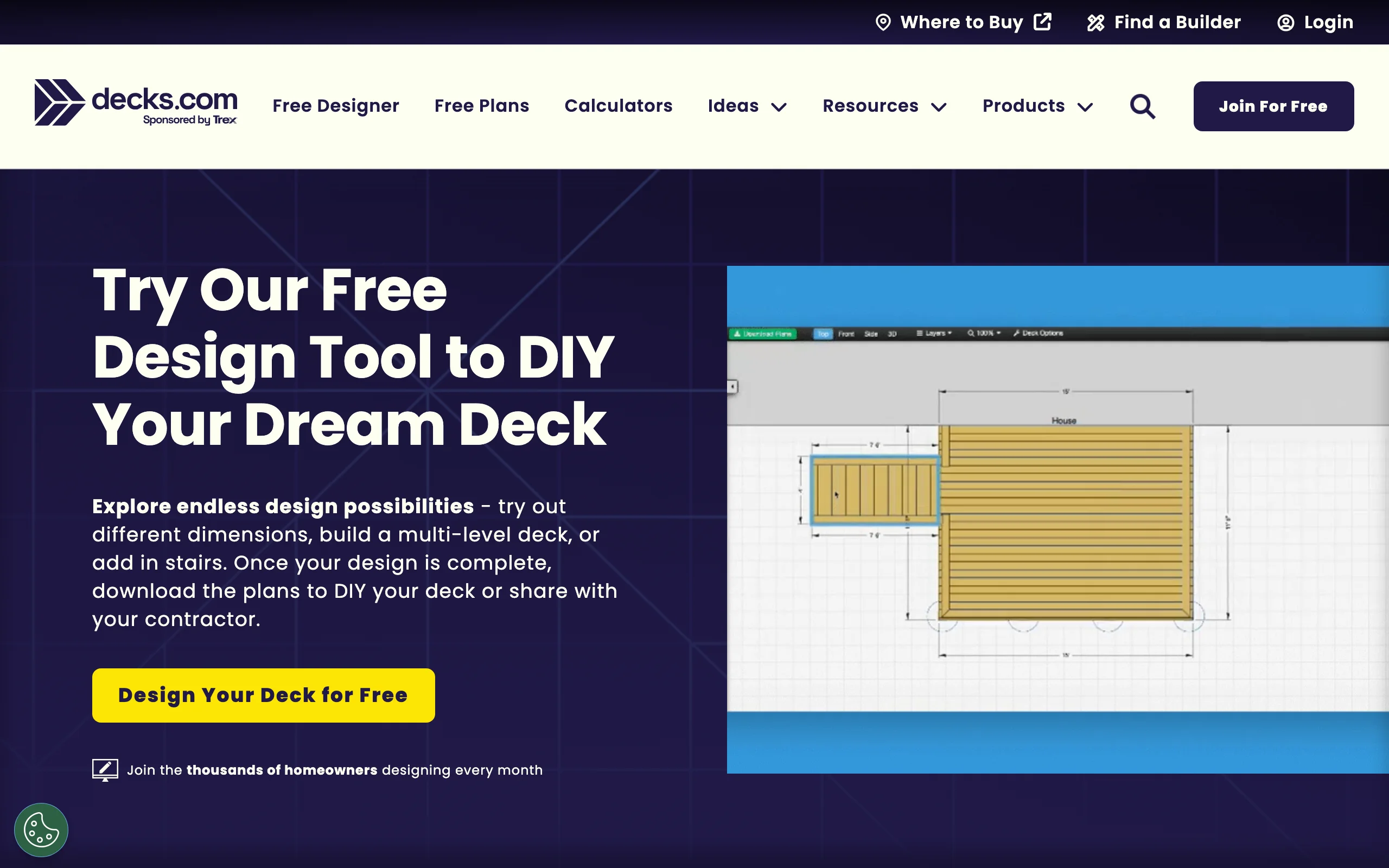
Decks.com Deck Designer is the planner to use when the end goal is paperwork. You create an account, design in the browser with custom dimensions, multiple levels, octagons, and stairs, and flip between a 3D view and several 2D views as you work. It costs nothing, and neither do the downloads: permit plans, build specs, and a full material list, exactly the documents most building departments and lumberyards ask for. You can also share the design with a contractor before anything gets built.
The structural side is deliberately rigid. Joists are fixed at 2x10 with no sizing options, joist direction can't be changed relative to the house, and railings can't be removed even on a low deck. For a standard attached deck those constraints act like guardrails; for anything unusual you'll outgrow the tool and want SketchUp or RedX instead.
Key features
- Downloadable permit plans, build specs, and material lists
- Custom dimensions, multi-level layouts, octagons, and stairs
- 3D view plus multiple 2D working views
- Composite board, railing, and lighting options, with contractor sharing
Best for
- DIYers who need permit-ready drawings without spending anything
- Homeowners planning a standard attached deck
- Anyone pricing materials at the lumberyard before committing
Pricing
- Completely free
- Browser-based; requires an account to save and download
Pros
- The most complete no-cost output on this list
- Simple enough for a first-time designer
- Handles multi-level layouts most basic planners can't
Cons
- Joist size and direction are fixed, so framing flexibility is limited
- Railings can't be removed from a design
How to choose the best deck design software for your needs
1) Decide whether you're visualizing or engineering
These are different jobs, and mixing them up wastes money. If you haven't settled style, size, or placement, start with a photo tool: OutdoorBrite shows the finished deck on your own yard, which settles arguments a lumber diagram never will. Our roundup of the best AI deck design tools compares that category in depth. Once the decision is made, switch to the structural planners: Simpson Strong-Tie for connections, RedX for framing and cut lists, Decks.com for the permit packet. Plenty of decks get built with one tool from each camp, in that order.
2) Deck design software for contractors
For pros, the tool is a sales and production question. VizTerra earns its roughly $1,100 a year when the 3D presentation is what closes five-figure deck contracts. RedX Pro at $179.99 a year covers field framing, load numbers, and cut lists from a phone at the site. OutdoorBrite's Plus and Pro plans add something neither can: a photorealistic render on the client's own property, generated during the consultation, with commercial usage included. And if you'd rather own your software than rent it, Realtime Landscaping Pro at $279 one-time covers occasional deck and yard design.
3) Match the price to the project
For a single deck, spend only where it saves a mistake. The no-cost planners (Trex, Simpson Strong-Tie, Decks.com) will carry a standard build from sketch to permit, and our guide to the best free deck design software ranks that group in more detail. RedX Premium is $59.99 for the year you'll actually build, and OutdoorBrite runs $29 to $49 for a month or two of deciding what to build, cheap next to ripping out a deck you regret. Subscriptions past $1,000 a year only pay off across many client projects.
4) Work backward from the output you need
- Permit plans: Decks.com and Simpson Strong-Tie print them; Trex generates a blueprint; RedX includes them with Premium
- A shopping or cut list: Trex, Simpson Strong-Tie, and RedX
- A visual that gets a spouse or client to yes: OutdoorBrite on a real photo, VizTerra in presentation 3D
- Exact dimensions for a custom build: SketchUp, then LayOut for the drawings
FAQ
What is the best deck design software for homeowners?
It depends on which half of the project you're in. To decide what the deck should look like, OutdoorBrite renders realistic concepts on a photo of your own yard from $29 a month. To engineer and permit it, pair Decks.com Deck Designer for plans with Simpson Strong-Tie Deck Planner for connections and hardware.
What deck design software do contractors use?
Contractors who sell in the presentation meeting tend to run VizTerra, builders who need framing and cut lists in the field use RedX Decks Pro, and custom builders model in SketchUp. A growing number add OutdoorBrite for client-facing renders, since a realistic picture of the client's own backyard closes faster than a generic 3D scene.
Is there a good deck design app for my phone?
RedX Decks is the strongest mobile pick, with full 3D design, automatic framing, and load calculations on iOS and Android. OutdoorBrite runs in the phone browser from a photo you take on the spot. Trex and Simpson Strong-Tie are desktop-only.
Can deck design software generate permit plans?
Several tools here do. Decks.com and Simpson Strong-Tie print permit-ready pages, Trex generates a blueprint for the planning office, and RedX includes blueprints with a paid plan. Requirements vary by town, so check what your building department wants first.
Do I need 3D deck design software, or are 2D plans enough?
You'll likely use both. The 2D plan is what the building department and your framing crew read, while the 3D view is where you catch problems early: a railing blocking a view, stairs landing somewhere awkward, a deck that overwhelms the yard. Most planners on this list give you both views from the same design.
What's the difference between a brand deck planner and independent software?
Brand tools like Trex Deck Designer and Simpson Strong-Tie Deck Planner cost nothing because they model that company's products, which is useful when you'll order those exact boards or connectors. Independent tools like RedX, SketchUp, and OutdoorBrite don't tie the design to one catalog, so they fit mixed-material builds better.
How much does deck design software cost?
The spread runs from $0 to over $1,000 a year. Trex, Simpson Strong-Tie, and Decks.com cost nothing, RedX Premium is $59.99 a year, Realtime Landscaping Pro is $279 once, SketchUp runs $129 to $819 a year, OutdoorBrite starts at $29 a month, and VizTerra lands around $1,103 in year one for a contractor seat.
Is an AI deck render accurate enough to build from?
It's accurate enough to make decisions from: size, style, board color, and how the deck sits in the landscape design around it. It is a concept, not a construction document. The workflow that works is to turn a photo into a landscape design first, then hand the winning concept to a structural planner like Simpson Strong-Tie or RedX for framing and permits.