7 best pool design software tools in 2026
Pool builders design in 3D suites like Pool Studio; homeowners mostly want to see a pool on their own backyard before committing. We compared seven pool design tools across both camps, verified what each costs in 2026, and broke down which one fits your project.
A pool is the most expensive thing most people ever add to a backyard, and the hardest to undo. Once the shell is dug and the concrete is shot, the shape is the shape. The best pool design software lets the arguments happen on a screen first, where moving the spa costs nothing. The catch is that this category splits in two: professional 3D suites that pool builders use to present and close six-figure contracts, and simpler tools that let a homeowner see a pool in their own yard before calling anyone. This guide compares seven tools across both camps, with pricing verified in July 2026, what each does well, and a decision framework for builders and for homeowners.
Best pool design software: a brief overview
- OutdoorBrite: Best for homeowners: upload a photo of your backyard and see a finished pool, deck, and landscaping rendered on your actual yard in under a minute.
- Pool Studio: Best professional 3D pool design: the suite pool builders reach for first, with 2D-to-3D drawing and presentations built to win contracts.
- Vip3D: Best single suite for pool, landscape, and house together: everything Pool Studio does plus full landscape and structure design in one file.
- VizTerra: Best for designing the yard around the pool: hardscape and landscape presentations for pros who don't draw the pool shell itself.
- Realtime Landscaping Architect: Best one-time purchase for pool plans: a $599 desktop suite with deep pool and spa tools and no subscription.
- Planner 5D: Best budget app for a rough pool layout: model the yard and drop in pool objects on a usable free tier or a $59.99-per-year upgrade.
- SketchUp: Best for modeling a custom pool shape yourself: inch-accurate 3D modeling in the browser, free for personal projects.
| Tool name | Key strength | Pricing | Platforms |
|---|---|---|---|
| OutdoorBrite | Photo-realistic pool concepts rendered on your own backyard photo | From $29/month | Web |
| Pool Studio | Professional 2D-to-3D pool design with client presentations | $147/month, or $125/month billed annually | Windows desktop |
| Vip3D | Pool, landscape, hardscape, and house design in one pro suite | $197/month, or $167/month billed annually | Windows desktop |
| VizTerra | Walkable 3D hardscape and landscape presentations | $97/month, or $84/month billed annually | Windows desktop |
| Realtime Landscaping Architect | Deep pool and spa tools for a one-time price | $599 one-time; free trial | Windows desktop |
| Planner 5D | Cheap DIY 3D modeling of the whole pool area | Free tier; Premium $59.99/year | Web, iOS, Android, desktop |
| SketchUp | Inch-accurate custom 3D modeling in the browser | Free for personal use; Go from $10.75/month | Web |
1. OutdoorBrite, best for homeowners who want to see a pool on their own yard
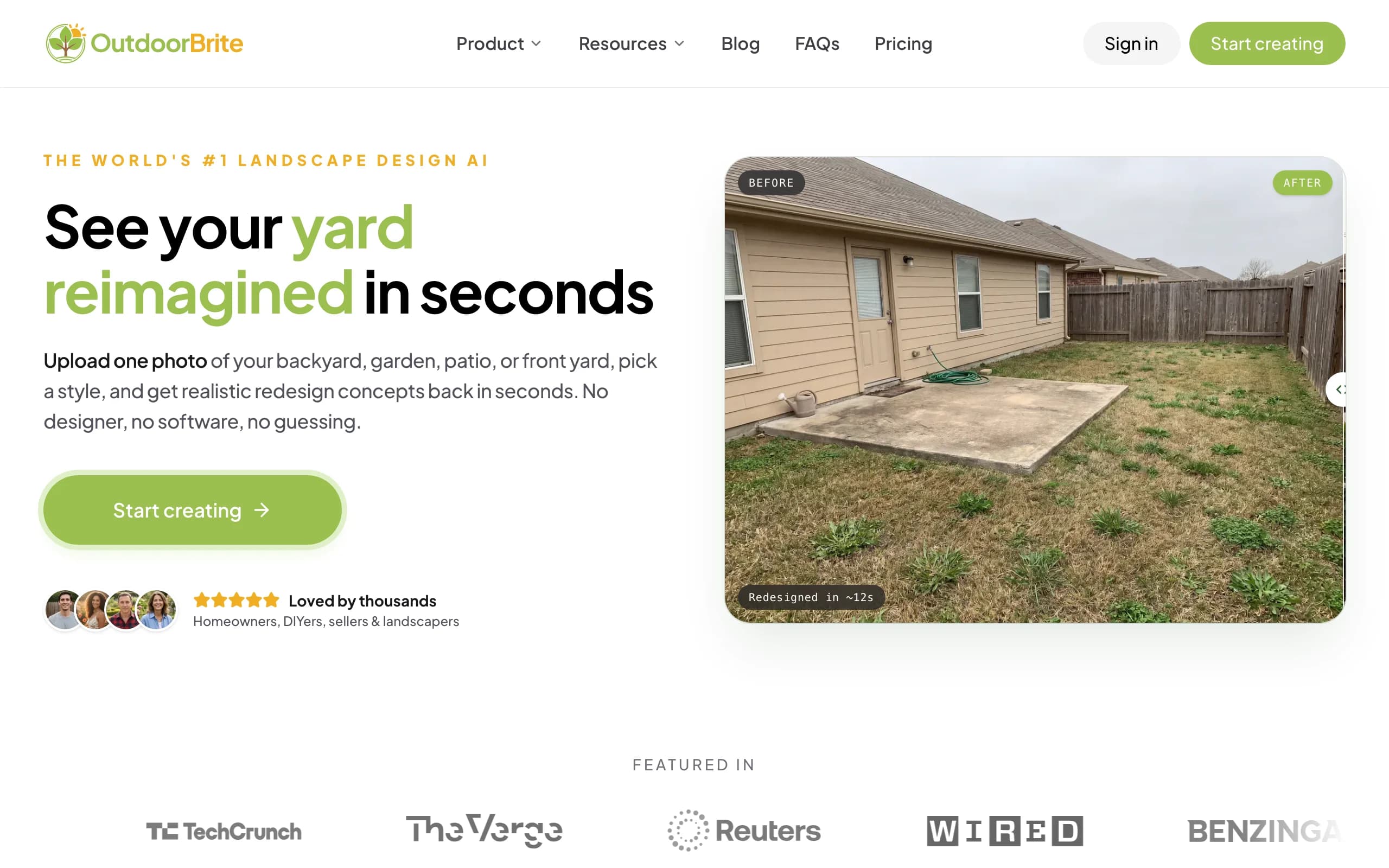
OutdoorBrite is an AI landscape design product built around turning one photo of your yard into realistic redesign concepts, and a pool is the project where that matters most. You upload a photo of your backyard, pick a style like modern, Mediterranean, or tropical, and describe the pool you're picturing: a geometric pool with a tanning ledge, a freeform shape with stone coping, a small plunge pool by the patio. It generates realistic concepts in under a minute, on your actual yard instead of a generic lot.
That's a different job than the professional suites below. The pool design tool in OutdoorBrite answers the question that stalls most projects: will a pool actually look right here, and in what style? You can generate the same backyard with several pool styles, compare them side by side, then refine a favorite in the in-app AI editor. It's visualization, not engineering; depths, equipment, and permits still get worked out with your builder.
Key features
- Photo-realistic pool concepts rendered on your own backyard photo
- Style presets including modern, Mediterranean, tropical, cottage, and desert/xeriscape
- Multiple concept variations per upload, generated in under a minute
- In-app AI editor to refine a concept, swap materials, or adjust the surroundings
- Save, revisit, and share designs, with HD to 4K output depending on plan
Best for
- Homeowners deciding whether a pool fits their yard, and in what style, before hiring anyone
- Anyone who needs a visual to hand a pool builder and say "this is what we want"
- Landscapers and builders who want a client-ready concept in the first meeting
Pricing
- No free plan or trial; every design is metered by redesign credits
- Starter: $29 per month for 25 redesigns in HD
- Plus: $49 per month for 100 redesigns in 2K (the most popular tier); Pro: $149 per month for 200 redesigns in 4K
- Annual billing saves about 20 percent; top-up credit packs never expire
Pros
- Shows the pool in your real space, so scale, placement, and style stop being guesswork
- Fast enough to compare several pool styles and positions in one sitting
- The render doubles as an alignment tool with your builder
Cons
- No free tier, unlike some of the desktop tools in this list
- Produces realistic concepts, not construction drawings; a builder still engineers the pool
2. Pool Studio, best professional 3D pool design
Pool Studio, from Structure Studios, is the name that comes up first when pool builders talk design software. The workflow is draw in 2D, design in 3D: you trace the site over high-resolution aerial imagery with parcel boundaries and setbacks, draw the pool, spa, and water features, and present the finished design as an interactive 3D walkthrough. Presentation is where it earns its keep, with photo output up to 8K, a built-in video storyboard, and time-of-day lighting that moves the sun from afternoon to dusk to night.
This is contractor software priced like contractor software, and the sales math is the point: builders use the walkthrough to close projects that cost more than a year of the subscription. Live training classes come with the plan.
Key features
- 2D drawing that converts to full 3D, with custom pools, spas, and water features
- Client presentations with photos up to 8K, video storyboards, and day-to-night lighting
- GIS aerial imagery, parcel boundaries, setbacks, and imported terrain lines for accurate sites
- Landscape, outdoor kitchen, fire feature, patio, and deck tools around the pool
- Live training classes included
Best for
- Pool builders and designers who present to clients and need the design to sell the job
- Firms that want site-accurate plans from aerial imagery, not sketches
Pricing
- $147 per user per month, or $125 per month billed annually
- $95 one-time setup fee; 30-day free trial with full access, no credit card
Pros
- Purpose-built pool drawing tools with construction-aware detail
- Presentation quality that pays for itself on one signed contract
Cons
- Windows desktop only, so Mac users need a workaround
- Priced for professionals; steep for a homeowner designing one pool
3. Vip3D, best single suite for pool, landscape, and house together
Vip3D is Structure Studios' top tier, and the simplest way to understand it: everything in Pool Studio plus everything in VizTerra, in one project file. A designer can draw the custom pool, the surrounding patio and outdoor kitchen, the planting, and the house itself, then walk the client through the whole property in 3D. Smart specs update in real time as the design changes, which feeds estimates, permits, and change requests without redrawing.
For high-end outdoor living projects where the pool is one piece of a bigger build, that one-file workflow is the draw. A builder who only sells pools can save $50 a month with Pool Studio.
Key features
- Custom pools, spas, and water features plus full landscape and hardscape design
- House and structure modeling, so the design shows the whole property
- Smart specs that update in real time for estimates and permits
- Same GIS site data and 3D presentation engine as Pool Studio
Best for
- Design-build firms selling complete outdoor living projects, not just the pool
- Designers who want one file for pool, hardscape, landscape, and house
Pricing
- $197 per user per month, or $167 per month billed annually
- $95 one-time setup fee; 30-day free trial with full access, no credit card
Pros
- The most complete professional package in this list
- One project file replaces juggling separate pool and landscape tools
Cons
- The most expensive option here, and overkill if you only design pools
- Windows desktop only
4. VizTerra, best for designing the yard around the pool
VizTerra is the third Structure Studios product, and it's in this list with an honest caveat: it doesn't draw custom pool shells. VizTerra covers hardscaping, landscapes, and wood decks, with outdoor kitchens, fire features, patios, driveways, and material calculations, presented as the same walkable 3D experience. Drawing the pool itself is Pool Studio or Vip3D territory.
So why include it? Because a lot of pool projects are really pool-area projects. Landscapers get hired to redo the decking, planting, and lighting around an existing pool, and for that work VizTerra is the cheapest way into Structure Studios' presentation engine. Our guide to the best landscape design software covers that wider category.
Key features
- Hardscape, landscape, and wood deck design in full 3D
- Outdoor kitchen, fire feature, patio, and driveway tools
- Automatic material calculations for estimates
- Interactive 3D presentations clients can walk through
Best for
- Landscapers and contractors designing decking, patios, and planting around a pool
- Pros who want Structure Studios presentations without pool-shell drawing
Pricing
- $97 per user per month, or $84 per month billed annually
- $95 one-time setup fee; 30-day free trial with full access, no credit card
Pros
- The most affordable of the three Structure Studios tools
- Strong hardscape toolset for the surfaces that surround a pool
Cons
- No custom pool design; you'd upgrade to Pool Studio or Vip3D for that
- Windows desktop only
5. Realtime Landscaping Architect, best one-time purchase for pool plans
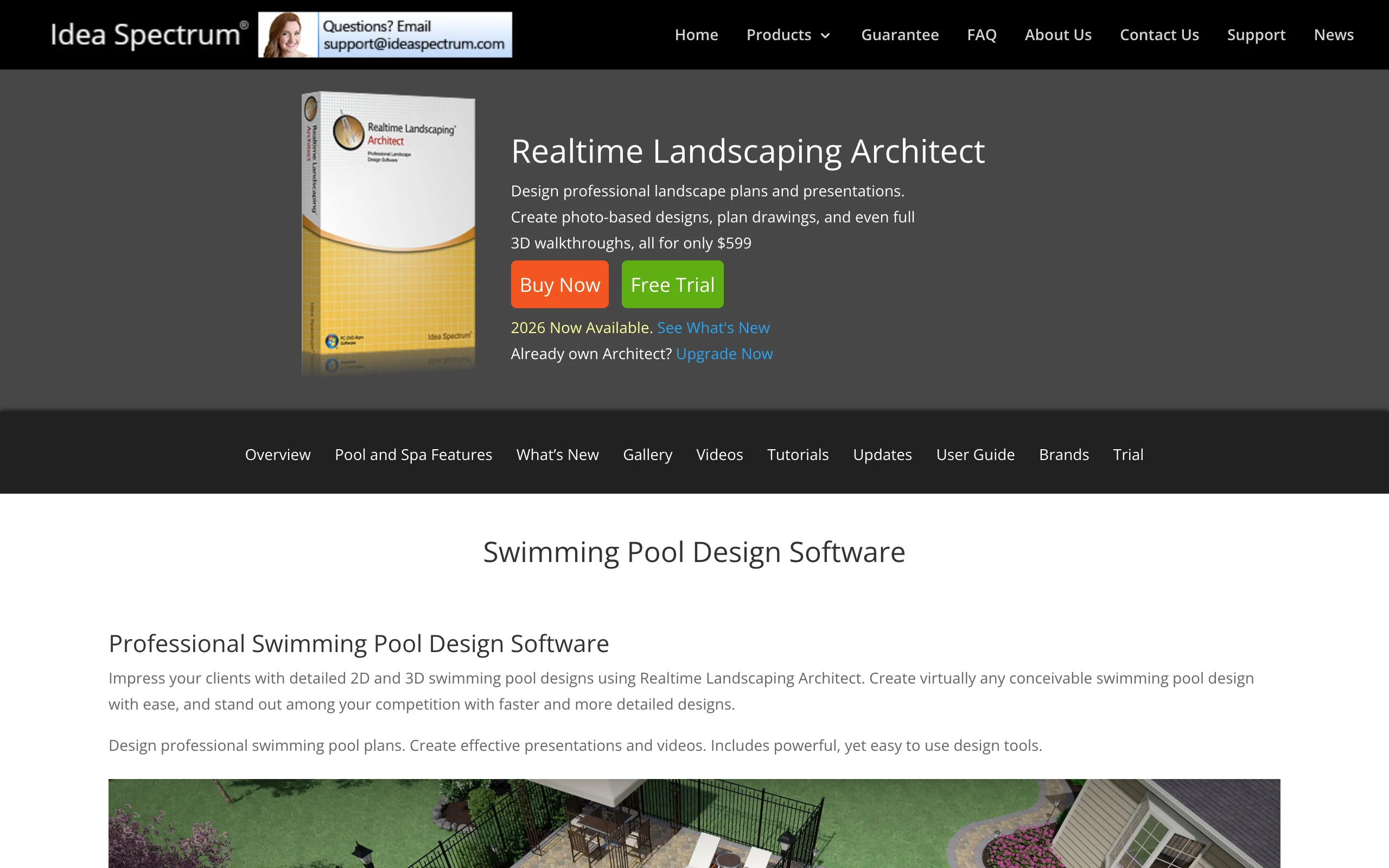
Realtime Landscaping Architect, from Idea Spectrum, is the strongest answer for people who refuse to rent software. It's $599 once, and the pool tools are genuinely deep: above ground and in-ground pools in any freeform shape, multi-level and infinity-edge designs, spas that spill into the pool, and products from real manufacturers like S.R. Smith, Master Tile, and PebbleTec. Water renders with flow, reflections, and ripples, and you can show the design at night with pool and landscape lighting from brands like Kichler.
The 2D side is just as practical: pool plans print in watercolor, colored pencil, or CAD styles, and an automatic material list helps estimate costs. It's Windows 10 or 11 only and $599 upfront is real money, but there's a free trial and no meter running.
Key features
- Freeform in-ground and above ground pools, multi-level and infinity-edge designs
- Spa tools with spillovers, elevated and recessed placement, and pre-built hot tubs
- Real manufacturer products: S.R. Smith, Master Tile, PebbleTec
- 2D pool plans in watercolor, colored pencil, or CAD style, plus 3D walkthroughs and video export
- Automatic project material list for cost estimates
Best for
- Homeowners or small pool businesses who want to own the software outright
- Anyone producing printable pool plans alongside 3D presentations
Pricing
- $599 one-time purchase; free trial available
- Runs on Windows 10 and 11
Pros
- No subscription; the deepest pool toolset you can buy once
- Realistic water and night lighting for a desktop tool at this price
Cons
- Windows only, with an interface that shows its age
- The design shows a modeled yard, not a photo of your actual backyard
6. Planner 5D, best budget app for a rough pool layout
Planner 5D is a general home design app rather than pool software, but it's the cheapest way to block out a pool area in 3D. You draw the yard in 2D, switch to 3D, and place pool objects, loungers, and planting from a catalog of more than 10,000 items. The free tier allows unlimited projects with about half the catalog; Premium unlocks the rest plus renders for $59.99 a year, and a Professional tier at $399.99 a year adds 4K renders and 360-degree walkthroughs.
Treat it as a layout sketchpad. The pool objects are catalog models, not custom shells, and nothing in the app knows about pool engineering. But for testing whether a 12-by-24 pool leaves room for a dining set on the paver patio, it does the job for less than anything else paid here.
Key features
- 2D floor-plan drawing that converts to an editable 3D scene
- 10,000+ item catalog on paid plans, including pools and outdoor furniture
- Renders of the finished scene, up to 4K on the Professional tier
- Web, iOS, Android, and desktop apps with synced projects
Best for
- Budget-minded planners testing pool sizes and placements in the yard layout
- People who already use Planner 5D for interior projects
Pricing
- Free tier with unlimited projects and roughly half the catalog
- Premium: $59.99 per year; Professional: $399.99 per year with 4K renders and walkthroughs
Pros
- Very low cost for full 3D control of the whole outdoor space
- Easy to learn compared to professional design software
Cons
- Pool objects are generic catalog items; no custom pool shapes
- Renders show a stylized scene, not your actual yard
7. SketchUp, best for modeling a custom pool shape yourself
SketchUp Free is the browser version of the modeling tool architects have used for two decades, and it remains free for personal, non-commercial projects. For pools, the pitch is precision: model the exact shell shape you have in mind, set the tanning ledge at 9 inches deep, check that the pool leaves the required setback from the fence, and confirm the equipment pad fits behind the garage. The 3D Warehouse library has ready-made pool, lounger, and equipment models so you don't build every part from scratch, and the free plan includes 10 GB of cloud storage.
The trade is effort. SketchUp has a real learning curve for a one-off project, and the output is a clean shaded model rather than a realistic scene. If you outgrow the free plan, SketchUp Go is $10.75 per month billed annually and Pro is $33.25 per month billed annually.
Key features
- Free browser-based 3D modeling at real-world dimensions
- Any pool shape you can draw, with exact depths, ledges, and clearances
- 3D Warehouse library with ready-made pool and outdoor models
- 10 GB of cloud storage on the free plan
Best for
- DIY planners who want a to-scale pool model to hand a builder or check against setbacks
- Anyone with a custom shape no configurator or catalog offers
Pricing
- SketchUp Free: free for personal, non-commercial use in the browser
- SketchUp Go: $10.75 per month billed annually; Pro: $33.25 per month billed annually
Pros
- Precision none of the other tools here match
- The free plan has no time limit and needs no credit card
Cons
- Steep learning curve for a single project
- A shaded model won't show what the pool looks like in your yard
Pool design software for professionals vs homeowner tools
The two halves of this list solve different problems. Professional 3D pool design software like Pool Studio and Vip3D exists to win contracts: site-accurate drawings and a presentation that gets a client to sign. The subscription only makes sense when clients are paying for the output. Homeowner tools answer an earlier question: whether a pool fits, where it goes, and what style suits the house, which is a job for a photo render, a layout app, or a to-scale model at a tenth of the price. Plenty of projects use both. The homeowner settles the vision, then the builder's software turns it into a buildable plan.
How to choose the best pool design software
1) For pool builders and contractors
The Structure Studios question is really about scope. If you sell pools, Pool Studio at $125 to $147 a month is the default: pool-specific drawing, site data, and presentations that close jobs. If you sell complete outdoor living projects with the house and planting in the frame, Vip3D's extra $50 a month buys one file for everything plus live-updating specs for estimates. If you design around existing pools rather than drawing new ones, VizTerra at $84 to $97 a month covers the decking, patios, and planting. All three come with a 30-day no-card trial, so design one real project before committing. Realtime Landscaping Architect is worth a look if you'd rather pay $599 once than subscribe.
2) For homeowners planning their own pool
Start with the question you're actually stuck on. If it's "would a pool even look right here?", a photo-based render answers it fastest: OutdoorBrite puts a finished pool on your own backyard photo in under a minute, so style debates settle on the real yard, not on Pinterest. If it's "does a pool physically fit?", model the layout: Planner 5D for a cheap rough pass, SketchUp Free when setbacks and dimensions need to be exact. If you want deep pool-specific tools on the desktop, Realtime Landscaping Architect is the most capable thing a homeowner can buy outright. For a closer look at the photo-first options, we compared the best AI pool design tools separately.
3) Match the money to the project
The right spend tracks how long you'll use the tool. A homeowner needs software for the weeks the decision takes: OutdoorBrite's $29 Starter month covers 25 redesigns, enough to test styles and placements, while SketchUp Free and Planner 5D's free tier cost nothing while you sketch. A one-time $599 for Realtime Landscaping Architect makes sense if you'll keep using it. Monthly pro subscriptions only pay off when the software is selling work: one signed pool contract covers years of Pool Studio.
4) Think about what the design has to do next
A design is an instruction to somebody. If the next step is briefing a pool builder, a realistic render of your yard communicates more than a floor plan, and a to-scale SketchUp model beats both when dimensions are tight. If the next step is a permit application or a bid, the professional suites generate the specs and site drawings that process needs. And if the next step is convincing your household, the photo render wins; nobody gets excited about a top-down CAD drawing of their own backyard.
FAQ
What is pool design software?
Software for planning a swimming pool before it's built. The category covers photo-based tools that render a finished pool on an image of your yard, 3D suites where professionals draw custom pool shells and present them to clients, and general modeling apps used to test pool sizes and layouts. Which type fits depends on whether you're deciding, planning, or selling.
What is the best pool design software?
It depends on which side of the table you're on. For homeowners, OutdoorBrite shows a finished pool on a photo of your own backyard fastest. For professional pool builders, Pool Studio is the standard pick, with Vip3D as the step up when the project covers the whole property. For a one-time purchase, Realtime Landscaping Architect has the deepest pool tools you can buy outright.
What is the app that designs pools in your backyard?
Tools that render a pool onto a photo of your actual backyard are the closest match to that idea. OutdoorBrite does exactly this: upload a backyard photo, describe the pool, and it returns realistic concepts on your real yard. An app that can design your yard with AI from one photo is the fastest way to see the finished look; apps like Planner 5D instead have you rebuild the yard in 3D and place a pool in the model.
Is there a free pool design app?
Mostly free tiers rather than full free pool tools. SketchUp Free handles precise 3D pool modeling at no cost for personal use, Planner 5D's free tier covers rough layouts, and the three Structure Studios suites offer 30-day trials with no credit card. What you generally can't get free is a realistic render of a pool on your own yard photo; that's the paid piece.
What do professional pool builders use to design pools?
Most commonly the Structure Studios suites: Pool Studio for dedicated 3D pool design at $147 a month, or Vip3D at $197 a month when the firm designs the full outdoor space. Both build on aerial site imagery with parcel boundaries and present designs as interactive 3D walkthroughs, which is how a lot of larger pool contracts get signed.
Can I design a pool without hiring a designer?
The concept, yes: software gets you to a clear picture of shape, placement, and style. The engineering, no: structural details, plumbing, equipment sizing, and permits need a licensed pool builder. The practical split is to settle the vision yourself on a screen, then hand the builder something concrete to price and engineer.
How much does pool design software cost?
Homeowner tools run from free to about $60 a year: SketchUp Free and Planner 5D's base tier cost nothing, Planner 5D Premium is $59.99 a year, and OutdoorBrite starts at $29 a month for 25 photo-based redesigns. Professional suites are $97 to $197 per user per month, with Structure Studios adding a $95 one-time setup fee. Realtime Landscaping Architect sits between the camps at $599 once.