7 easiest landscape design software for beginners (2026)
Most landscape design software has a steep learning curve that stops beginners before they start. We ranked 7 of the easiest options for 2026 by how little skill they need, how fast you get a first result, and what you pay, so you can pick one and design your yard today.
Most landscape design software is built for people who already know how to design. You open it expecting to picture a new yard, and instead you're learning layers, scale tools, and a plant catalog with ten thousand entries. The learning curve is the real reason so many backyard projects never get past the Pinterest board. If you've never drawn a plan in your life, "powerful" software is the last thing you need.
This guide ranks the easiest landscape design software for beginners, in order, by how little skill it takes to get a result. The test is simple: how fast can a complete beginner go from "I have a yard" to "I can see what it could look like"? Some of these tools render your design automatically from a photo. Some give you a guided drag-and-drop canvas. Some hand the whole thing to a real designer so you do nothing at all. All of them have verified 2026 pricing below. If you want the how-to side of this, our beginner's guide to landscape design walks through planning a yard step by step; this post is about picking the tool.
Easiest landscape design software for beginners: a brief overview
- OutdoorBrite, best for no learning curve at all: upload a photo, pick a style, and get a realistic redesign of your own yard in under a minute. Nothing to learn.
- Planner5D, best for easy drag-and-drop 3D: arrange a room or yard by dragging objects onto a plan, then flip to 3D, without CAD skills.
- iScape, best for easy mobile design: drag plants and hardscape onto a photo of your space right on your phone, with an AR preview.
- Home Outside, best for simple guided design: a friendly, sketch-style app with hand-drawn elements that walks beginners through arranging a yard.
- DreamzAR, best for easy AR redesign: drop 3D objects onto your space and see them at real scale through your phone camera.
- Yardzen, best for done-for-you design with zero skill: real designers turn your photos into a plan, so you don't touch a design tool.
- ShrubHub, best for an affordable done-for-you plan: a designer builds your yard plan online for a flat fee, with you just sharing photos and goals.
| Software | Ease of use | Pricing | Platforms |
|---|---|---|---|
| OutdoorBrite | No learning curve, photo in, design out | From $29/mo (no free plan) | Web (mobile-first) |
| Planner5D | Easy drag-and-drop 3D | Free tier; Premium $4.99/mo yearly | Web, iOS, Android |
| iScape | Easy mobile drag-and-drop | Free tier; Pro $29.99/mo | iOS (Android limited) |
| Home Outside | Simple guided sketch app | Free; add-on bundles to $14.99 | iOS, Android |
| DreamzAR | Easy AR placement | $19.99/mo ($16.60/mo yearly) | iOS, Android, web |
| Yardzen | No skill needed, done for you | From $995 per project | Web |
| ShrubHub | No skill needed, done for you | From $197 per yard (sale) | Web |
1. OutdoorBrite, best for no learning curve at all
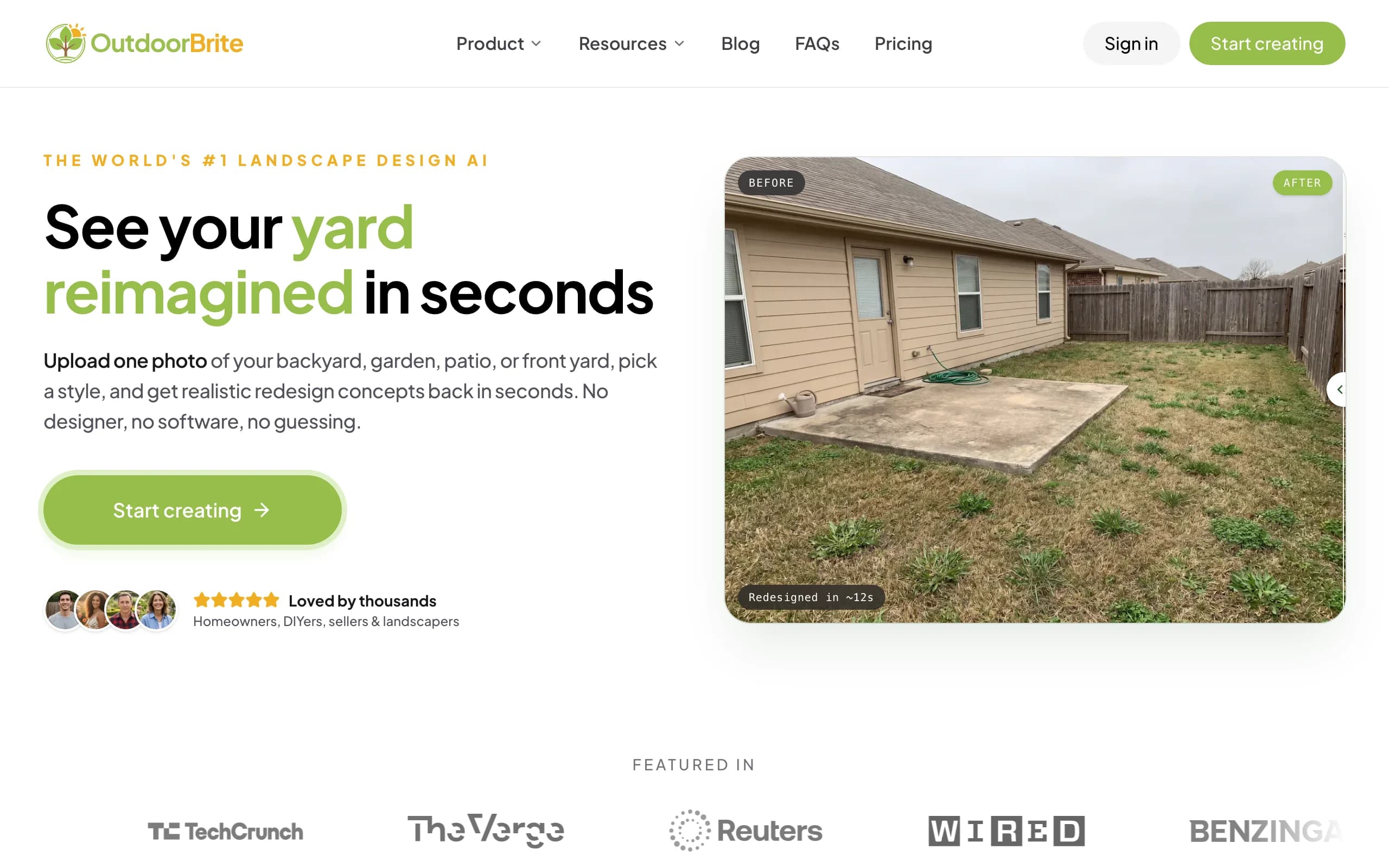
OutdoorBrite is the easiest place to start because there is nothing to learn. You upload a photo of your yard, pick a style (modern, cottage, desert or xeriscape, tropical, Mediterranean), type a few words about what you want, and it generates realistic concepts of your own space in under a minute. There's no canvas to master, no objects to drag, no scale to set. If you can take a photo and tap a style, you can use it, which is exactly what a true beginner needs. You get multiple concepts per upload, so you're comparing real options on your real yard instead of imagining them.
Because it works from your actual photo, the result looks like your yard, not a generic template. The same flow handles backyards, gardens, patios, decks, fences, pergolas, pools, and front yards, and plant choices are aware of your climate and hardiness zone, so the greenery in a concept is something that could actually grow where you live. An in-app AI editor lets you nudge a concept after the fact, swap a material or change the planting, without starting over. It runs in the browser on your phone, so there's no app to install. If you want the bigger picture, the landscape design app and AI landscape design pages cover how the whole thing works.
Key features
- Photo-to-design AI: upload your yard, get realistic concepts in under a minute
- Style presets plus a plain-language prompt, no design skills needed
- Multiple concepts per upload, with an in-app AI editor to refine
- Climate and hardiness-zone-aware plant choices
- Works for backyards, gardens, patios, front yards, and more
- Web-based and mobile-first, nothing to install
Best for
- Beginners who want to see a redesign without learning any software
- DIY homeowners who'll take the concept to a plant and materials list
- Anyone who wants a result in the first minute, not the first week
Pricing
- Paid-only, no free plan and no free trial. 1 credit = 1 design or 1 AI edit.
- Starter $29/mo ($23/mo billed yearly): 25 redesigns/mo, HD output.
- Plus $49/mo ($39/mo yearly): 100 redesigns/mo, sharp 2K output. Most popular.
- Pro $149/mo ($119/mo yearly): 200 redesigns/mo, 4K output, commercial rights. Annual billing saves about 20%; top-up packs never expire.
Pros
- No learning curve at all, the fastest path from photo to design
- Realistic results on your actual yard, not a stock template
- Quick enough to compare several styles in one sitting
- Plant suggestions respect your zone
Cons
- No free tier to test before you commit
- Less manual, piece-by-piece control than a drag-and-drop tool, so if you want to place every plant by hand, a canvas app fits better
2. Planner5D, best for easy drag-and-drop 3D
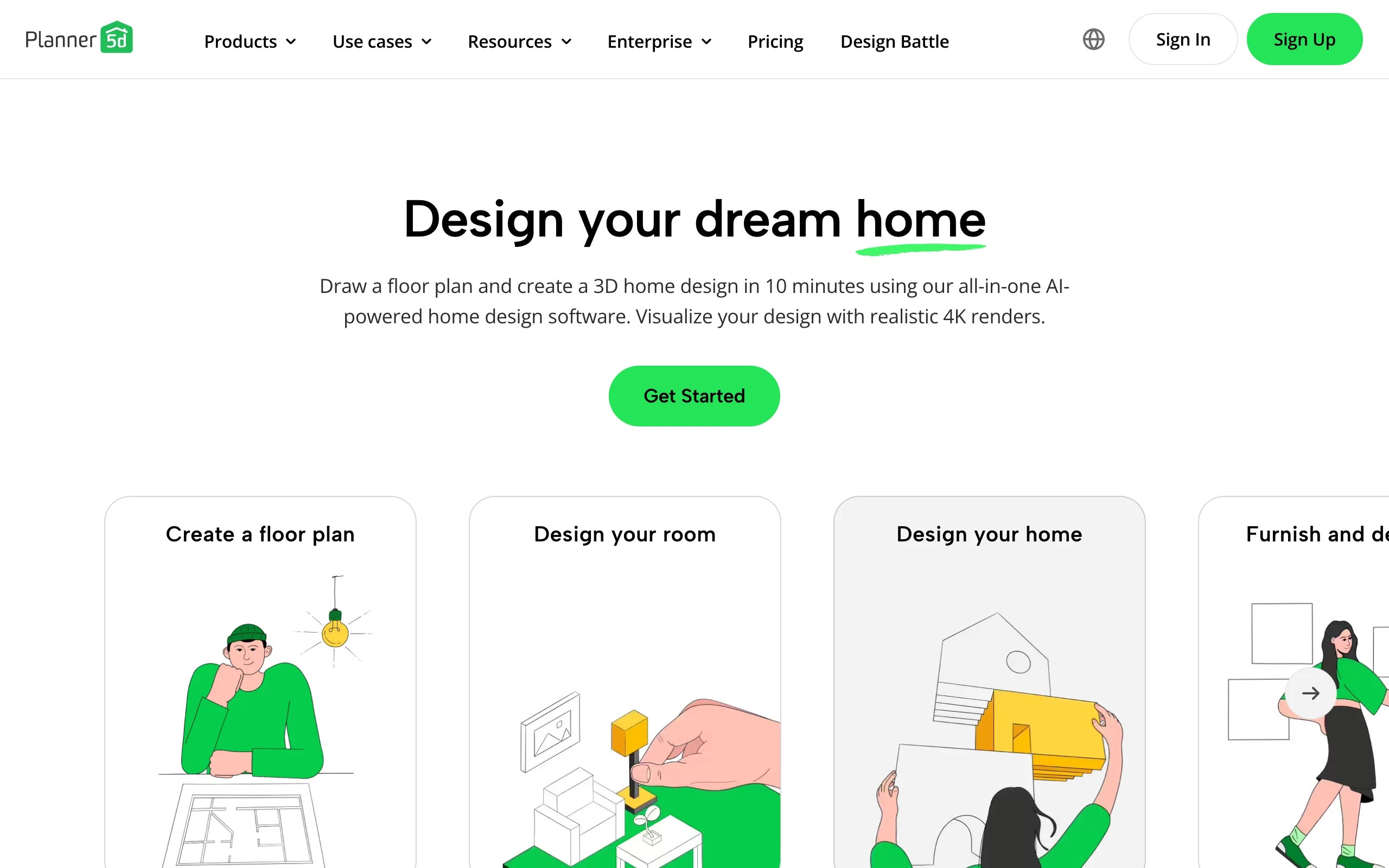
Planner5D is a general home-design app that beginners pick up quickly because the core action is just dragging. You add walls, surfaces, plants, and furniture by dragging them onto a 2D plan, then flip to a 3D view to see it stand up. It avoids the steep parts of CAD: you don't write commands or wrestle with layers, you point and place. For a yard, that means you can lay out a patio, a bed, and some furniture without any design training.
The trade-off against a photo-first AI tool is that you're building a model rather than restyling a picture of your actual yard, so it takes a bit more time and the result is a 3D rendering rather than a photoreal concept. Still, the learning curve is gentle, there's a usable free tier, and Premium is cheap on annual billing. One thing to know: iOS app pricing runs higher than the web prices, so subscribe on the web if you can.
Key features
- Drag-and-drop layout in 2D, viewable in 3D
- Large object catalog for plants, furniture, and surfaces
- No CAD commands or layer management to learn
- Cross-platform: web, iOS, Android
Best for
- Beginners who want to place objects themselves without CAD
- People planning furniture and surface layout before buying
- Anyone who prefers a model-based plan to an AI render
Pricing
- Free plan with unlimited projects and about half the catalog.
- Premium: $4.99/mo billed annually ($59.99/year), or higher month-to-month.
- Professional: $33.33/mo ($399.99/year). iOS app pricing runs higher than web.
Pros
- Gentle learning curve, the action is just dragging
- Free tier to start, cheap Premium on annual billing
- Works across web and mobile
Cons
- You build a model rather than restyle your own photo, so it takes longer
- Output is 3D-model rendering, not photoreal on your actual yard
3. iScape, best for easy mobile design
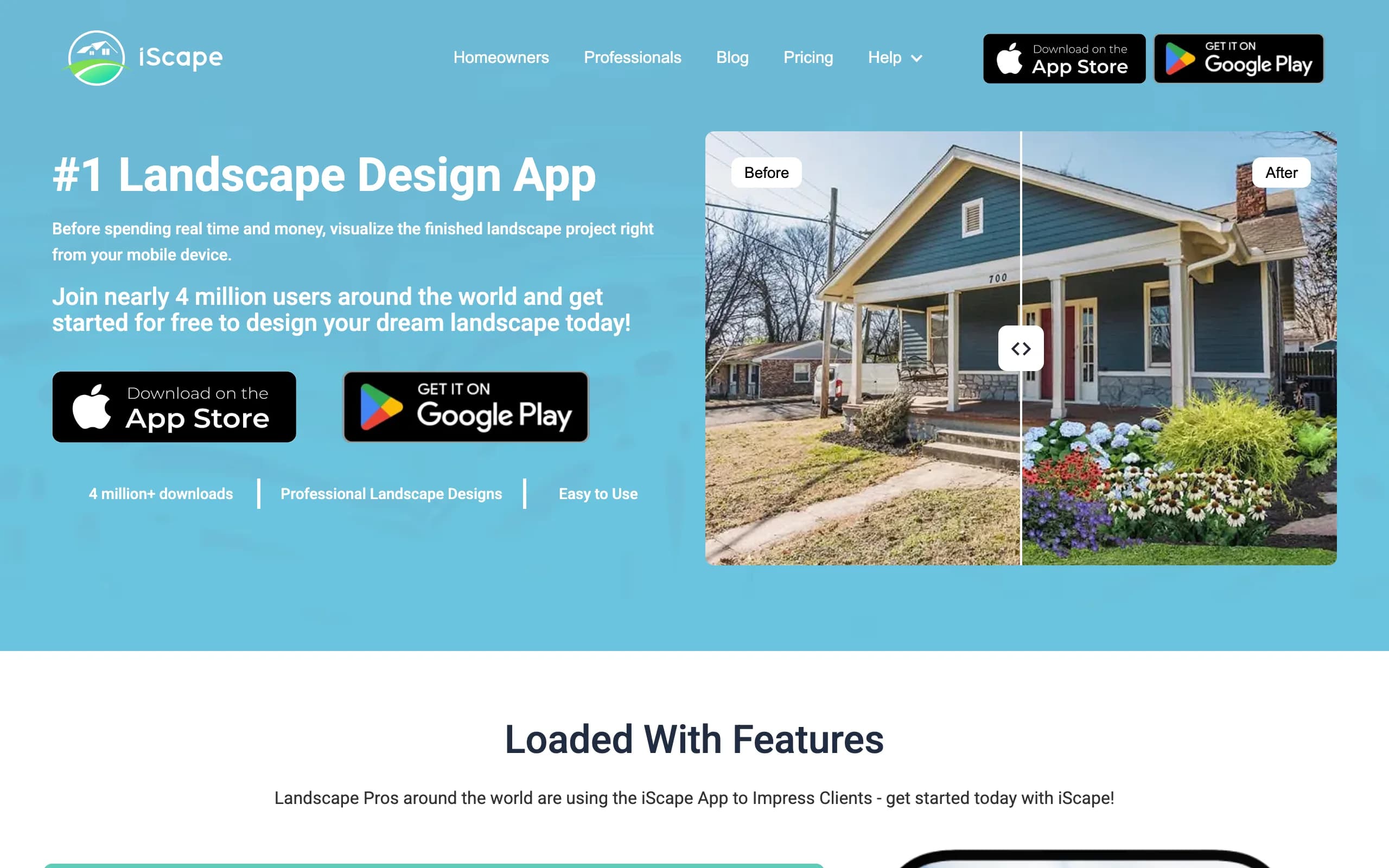
iScape is a phone-first app for beginners who want to design by hand but keep it simple. You start from a photo of your space and drag plants, pavers, and hardscape onto it, then preview the result in augmented reality on-site. It's a manual canvas, but a beginner-friendly one: tap to add an item, drag it where you want, and the AR preview helps you judge scale without measuring anything. For someone who likes hands-on control but doesn't want CAD, it hits a nice middle.
The catches are platform and effort. It's iOS-first with limited Android support, so it's the easy pick mostly if you have an iPhone. And because you're placing every element yourself, a polished scene takes more time than a one-tap AI concept. The free plan lets you try the basics and save a couple of designs; Pro adds the full plant and hardscape library and a proposal tool aimed at pros.
Key features
- Drag plants and hardscape onto a photo, right on your phone
- AR preview to see the design on-site at scale
- Large plant and hardscape library on Pro
- Save a couple of designs on the free plan
Best for
- iPhone beginners who like hands-on placement
- People who want an AR preview without learning measurements
- DIYers comfortable spending a little more time for control
Pricing
- Free plan: limited features, save up to 2 designs.
- Pro: $29.99/mo or $299.99/year (saves about two months).
- Enterprise: contact for multi-license pricing.
Pros
- Free tier to test the workflow
- AR preview makes scale easy to judge
- Simple tap-and-drag, no CAD
Cons
- Manual placement is slower than AI generation
- iOS-first, with limited Android support
4. Home Outside, best for simple guided design
Update (July 2026): Home Outside now focuses on an in-store design service for garden centers and no longer sells its consumer design plans on its own site. The notes below describe the consumer app as it worked; check availability before you plan around it.
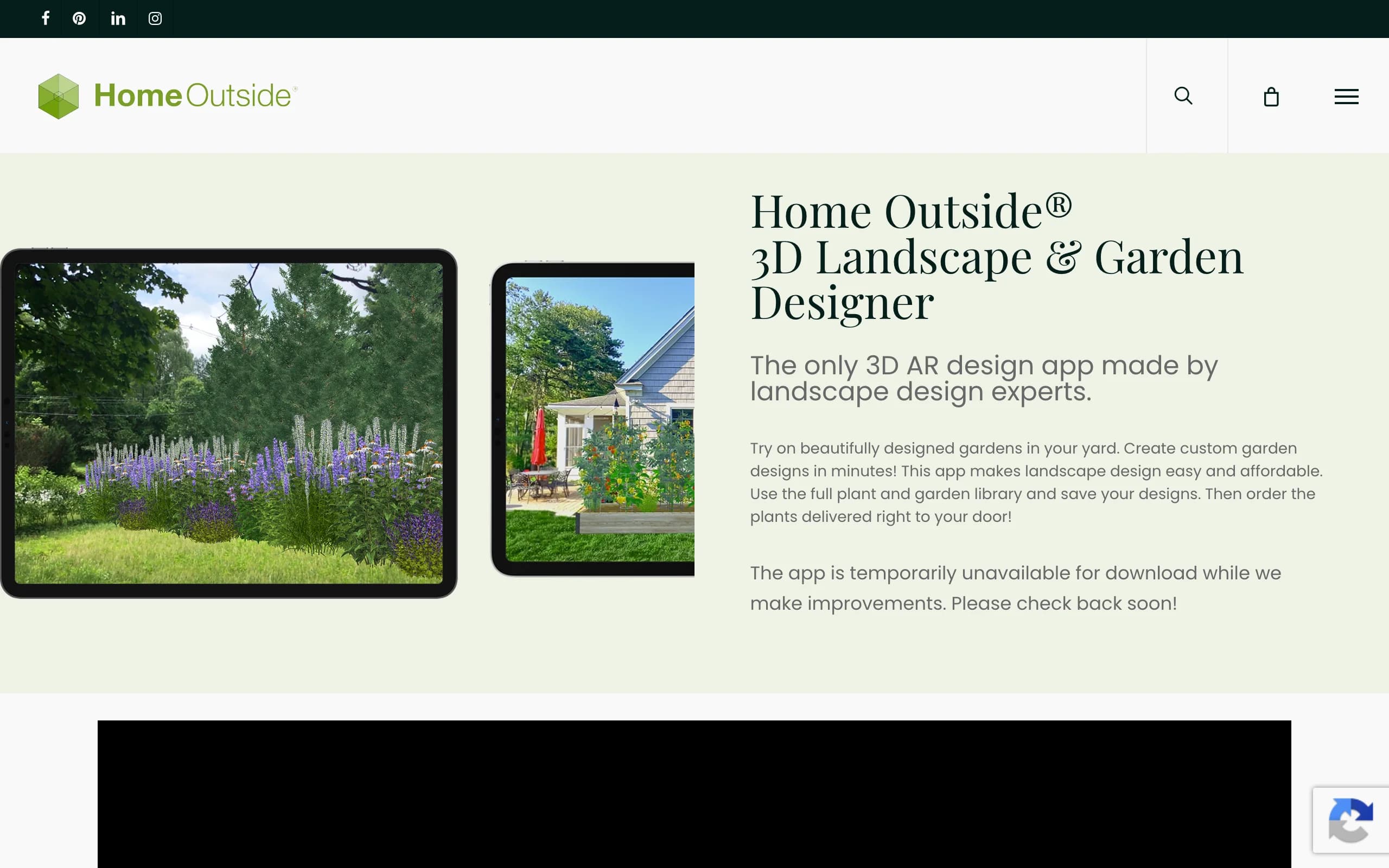
Home Outside is the gentlest hand-drawn option for beginners who find polished 3D apps intimidating. Its Yard Planner app uses a sketch-style canvas with more than 700 hand-drawn elements and 34 palettes, so a yard you design looks friendly and approachable rather than technical. You start from a photo of your property or a map of your lot, then drag in plan-view icons for the house, paths, patios, plants, and furniture. The whole thing is built to feel like sketching, not like running software, which is the point for a nervous first-timer.
It leans simple on purpose, so it trades the photorealism of an AI tool for an easy, illustrative plan view. It runs on iOS and Android, the basic version is free, and a few add-on bundles add freehand shapes, annotation, and extra plant palettes for a small one-time cost. One honest note: the app has been temporarily pulled from the stores while the company makes improvements, so check availability before you rely on it.
Key features
- Sketch-style canvas with 700+ hand-drawn elements and 34 palettes
- Start from a photo or a scaled map of your property
- Plan-view icons for house, paths, plants, and furniture
- Free basic version, with small add-on bundles
Best for
- Beginners who find 3D apps intimidating
- People who like a friendly, sketch-style plan view
- Anyone wanting a simple free starting point on a phone
Pricing
- Free basic version: hardscape, paths, patios, and furniture arranging.
- Add-on bundles: up to $14.99 for freehand shapes, annotation, plant palettes.
- iOS and Android. Check store availability, as the app is being updated.
Pros
- Approachable, illustrative style that's easy for first-timers
- Free to start, cheap one-time add-ons rather than a subscription
- No measurements or CAD required
Cons
- Illustrative plan view, not a photoreal render of your yard
- Availability is interrupted while the app is updated
5. DreamzAR, best for easy AR redesign
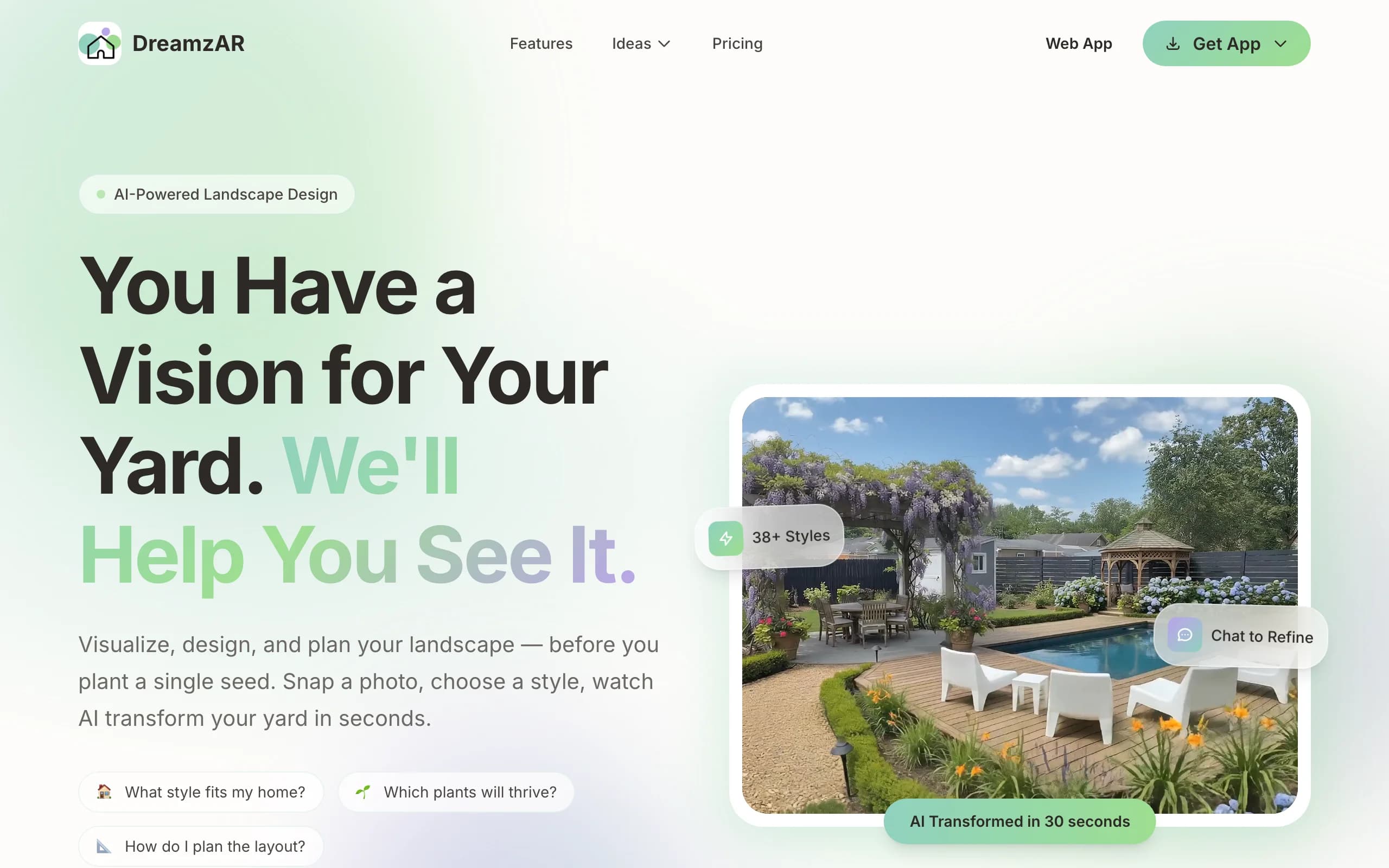
DreamzAR makes augmented reality the easy part. You drop 3D objects (plants, furniture, hardscape) onto your space and then walk around the design in AR, seeing it at real scale through your phone. For a beginner, standing on your patio and watching a pergola or a paver layout appear in place is often more convincing, and easier to judge, than reading a flat plan. It pairs that with AI styling and a chat option you can use to nudge the look in plain words, so you're not hunting through menus.
The ease depends on your phone, though. AR-heavy workflows lean on your camera and lighting, and the experience varies by device, so a great AR session needs a decent phone and a clear day. Placing 3D objects also takes a little more effort than a one-tap AI render. Pricing is a flat subscription with no permanent free plan, though there's a small allowance to try it.
Key features
- AR walk-through of your design at real scale
- 3D object placement for plants, furniture, and hardscape
- AI styling plus chat-based refinement
- Large garden-style and plant library
Best for
- Beginners who want to see the design in their real space
- Phone-first users who find AR easier to read than a plan
- People who value spatial preview over raw speed
Pricing
- $19.99/mo, or $16.60/mo billed annually at $199 (save 17%).
- A small allowance to try it before subscribing.
- Same price across iOS, Android, and web. Cancel anytime.
Pros
- AR puts the design in your real space, easy to judge scale
- Chat refinement makes tweaks approachable for beginners
- One price across all platforms
Cons
- AR quality depends on your phone and lighting
- 3D placement takes more effort than a one-tap render
6. Yardzen, best for done-for-you design with zero skill
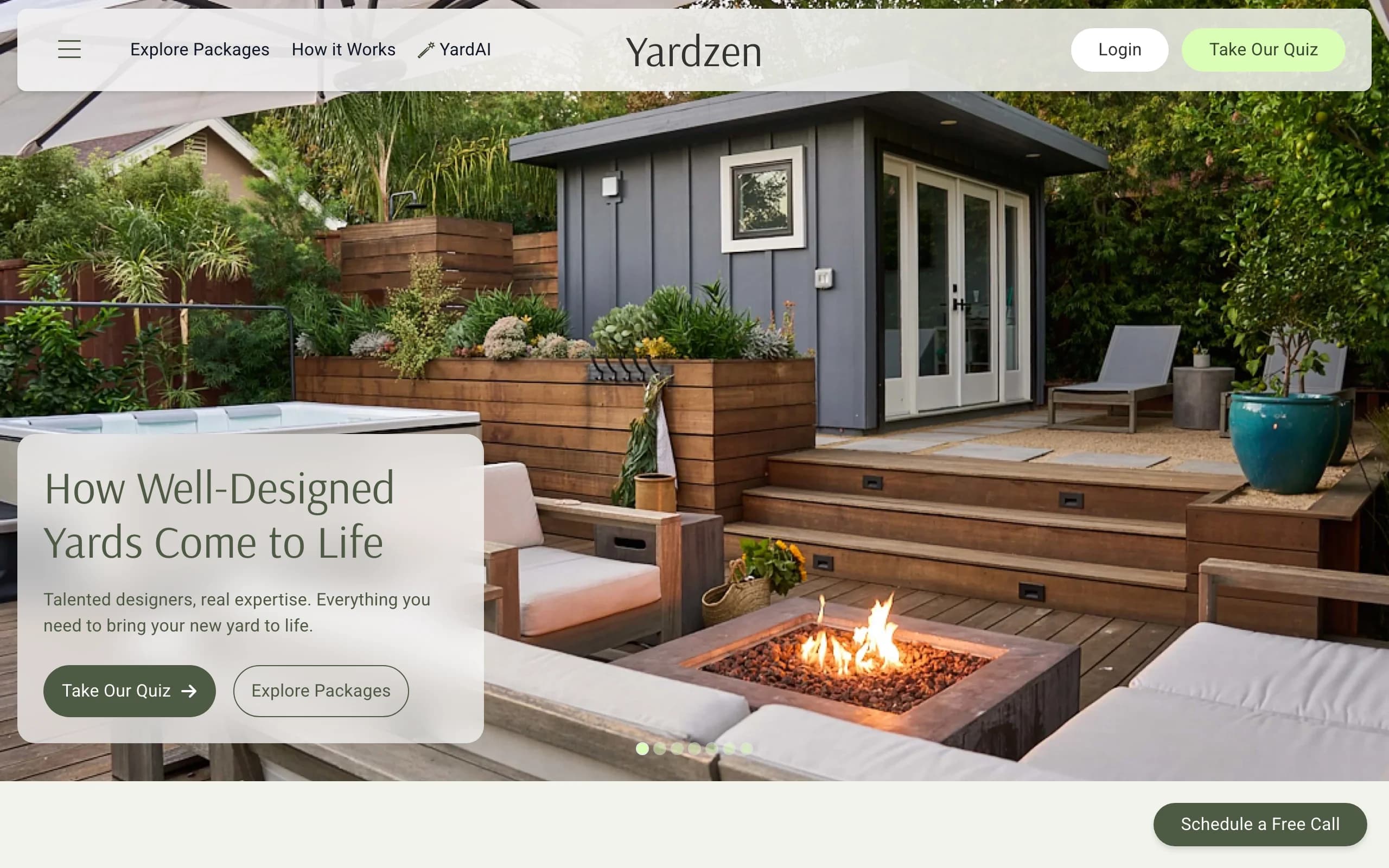
If you want no learning curve because you'd rather not touch a design tool at all, Yardzen is the done-for-you route. You fill out a questionnaire about your space, budget, and taste, upload photos, and real designers build you a custom plan. You get back 2D and 3D renders, plant and material lists, and, on higher tiers, a cost advisor and a path to hiring vetted local contractors. The "ease" here is total: a human does the design, so the only thing a beginner has to do is describe what they want.
The trade-off is time and money. This is a multi-week project with a designer in the loop, not a same-day result you make yourself, and the price reflects a human service rather than software. It's the easy choice when you're past the inspiration phase and want a build-ready document, not when you want to play with a few looks tonight.
Key features
- Custom plan from real designers based on your photos and goals
- 2D and 3D renders of the proposed design
- Plant and material lists you can hand to a contractor
- Cost advisor and contractor matching on higher tiers
Best for
- Beginners who'd rather hand off than learn any tool
- Larger or build-ready projects where a designer earns the fee
- People who want a documented plan, not a quick render
Pricing
- Project-based, one-time fees, not a subscription. No free design tier.
- Packages: Essential $995, Classic $1,395, Signature $1,995, Premium $3,495.
- Higher tiers add revisions, a cost advisor, and full-property scope.
Pros
- Zero skill needed, a real designer does the work
- Build-ready plan with plant and material lists
- Contractor matching shortens the path to execution
Cons
- Expensive next to software, and a multi-week turnaround
- You can't quickly self-test several looks yourself
7. ShrubHub, best for an affordable done-for-you plan
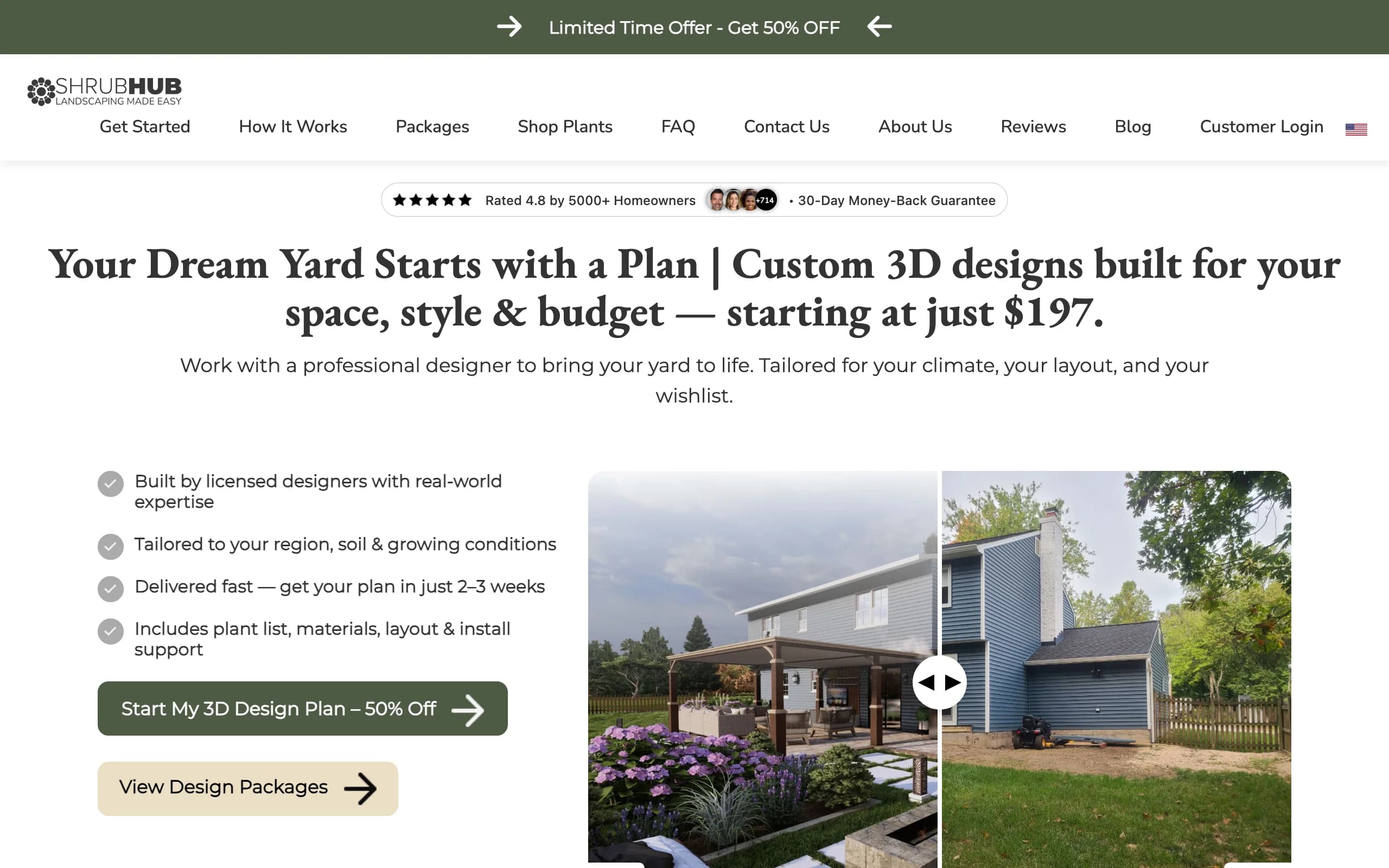
ShrubHub is the budget version of the done-for-you route, which makes it an easy pick for beginners who want a real plan without Yardzen's price. You share photos and goals, a designer builds you a custom 3D plan, and you get a plant and material shopping list plus a connection to local contractors. As with Yardzen, the beginner does almost nothing: describe the yard, then review what comes back. It covers similar ground to a premium studio at a fraction of the cost, with revisions until you're happy.
The catch is the same as any service: a turnaround of a couple of weeks, and you're depending on a designer rather than generating concepts yourself. ShrubHub runs frequent sales, so the headline prices below are sale figures and the regular prices are higher, worth checking when you buy. If you want a documented plan without learning a tool, it's the affordable middle ground.
Key features
- Custom 3D plan built by a designer
- Plant and material shopping list
- Revisions until you approve
- Contractor connections and a money-back guarantee
Best for
- Beginners who want a designed plan on a tight budget
- People who'd rather hand off than DIY
- DIFM buyers heading straight to hiring labor
Pricing
- Flat per-yard fees, frequently on sale. No free design tier.
- Sale pricing: Front Yard $197, Back Yard $237, Both Yards $297, Premium $997.
- Regular prices run higher; confirm the current price at checkout.
Pros
- Far cheaper than a traditional studio for a real plan
- Revisions and a money-back guarantee
- Shopping list and contractor connections aid execution
Cons
- Multi-week turnaround, not instant
- You don't drive the design or self-test quick looks
How to choose the easiest landscape design software for you
1) Do-it-yourself-easy versus done-for-you
The first question is whether you want to make the design or have someone make it. If you want to do it yourself but keep it painless, an AI tool like OutdoorBrite (photo in, design out) or a gentle drag-and-drop app (Planner5D, iScape, Home Outside) fits. If you'd rather not learn anything at all, the services win: ShrubHub for budget, Yardzen when you want a premium designer and contractor matching. Done-for-you removes every learning curve, but you trade speed and cost for it.
2) How fast you get a first result
Ease is partly about time to your first usable picture. AI tools that restyle your own photo (OutdoorBrite) get you there fastest, often inside a minute, with nothing to set up. Drag-and-drop and AR apps (Planner5D, iScape, DreamzAR, Home Outside) take longer because you place elements yourself, though the steps are simple. Services (Yardzen, ShrubHub) are the slowest to a result, since a human designs over days or weeks, even though your own effort is near zero. Decide whether you want a result tonight or are happy to wait for a finished plan.
3) Mobile versus web
If you photograph your yard on a phone and want to design on the spot, a mobile app (iScape, DreamzAR, Home Outside) or a mobile-friendly web tool (OutdoorBrite) suits you. If you'd rather work on a bigger screen, a web tool (Planner5D on web, OutdoorBrite, the service portals) is easier to navigate. Check platform support before you commit: iScape is iOS-first, Home Outside is on iOS and Android but currently being updated, and Planner5D's iOS price runs higher than its web price.
4) How much control you actually want
More control usually means more to learn. If you want to place every plant and paver yourself, a manual canvas (iScape, Planner5D, Home Outside) gives you that, at the cost of time. If you mostly want to see a finished look and react to it, an AI tool (OutdoorBrite) or a service (Yardzen, ShrubHub) gets you a polished result without the fiddly work. For most beginners, seeing a realistic concept first and refining from there is the easier path than building one element at a time.
FAQ
What is the easiest landscape design software for beginners? For a true beginner, the easiest is an AI tool that works from a photo, because there's nothing to learn. OutdoorBrite lets you upload a photo of your yard, pick a style, and get a realistic redesign in under a minute, with no canvas, layers, or measurements. Drag-and-drop apps like Planner5D and iScape are also beginner-friendly, but they ask you to place elements yourself, which takes more time.
Is there free easy landscape software for beginners? Yes, a few. Planner5D has a free tier with unlimited projects and about half the catalog, iScape has a free plan that saves a couple of designs, and Home Outside's basic app is free with small paid add-ons. Free tiers usually cap saves, resolution, or features, so they're best for testing rather than finishing a full project. OutdoorBrite is paid-only, with no free plan.
Do I need design skills to use these tools? No. The whole point of this list is that none of them require design training. AI tools like OutdoorBrite need only a photo and a style choice. Drag-and-drop apps need you to point and place, not run CAD commands. And done-for-you services like Yardzen and ShrubHub need nothing from you but photos and a description of what you want, since a real designer does the work.
What is the easiest app to design my yard? On a phone, the easiest experiences are OutdoorBrite (mobile web, photo to design in a minute), iScape (tap-and-drag with an AR preview on iPhone), Home Outside (a friendly sketch-style app), and DreamzAR (AR placement at real scale). If you want the result handed to you, the ShrubHub and Yardzen apps and sites let a designer do it. Match the app to whether you want to make the design or receive it.
Can a beginner design a yard without any experience? Yes. A beginner can upload a photo to an AI tool and get a realistic concept on the first try, then take it to a plant and materials list to build. For the planning side, a beginner's guide covers how to set goals, read your yard's sun and soil, and phase the work. Pair an easy tool with that guide and you have both the picture and the plan.
How fast can I get my first design? It depends on the type of tool. A photo-first AI tool like OutdoorBrite returns concepts in under a minute. A drag-and-drop or AR app takes longer, anywhere from a few minutes to an evening, depending on how much you place by hand. A design service takes days to weeks, because a person is doing the work, though your own time is minimal. If speed matters most, start with the AI tool.
Is an easy AI design realistic enough to build from? A good AI concept is realistic enough to choose a style, decide direction, and brief a contractor, but it's a concept, not an engineering drawing. For the actual build, pair the render with a plant and material list and a contractor's measurements. Services like Yardzen and ShrubHub deliver documented plans; an AI landscape design app gets you to that conversation faster.
Which is easier for a beginner, an app or a design service? A design service is technically the easiest, since you don't touch a tool, but it's the slowest and most expensive. An AI app is the easiest of the do-it-yourself options, fast and free of any learning curve, while still letting you see options on your own yard. If you want to be hands-off and have a budget, go with a service; if you want a quick result you can iterate on, go with an AI app.
Do these tools suggest plants that survive my climate? Some do, many don't. OutdoorBrite makes plant choices aware of your climate and hardiness zone, so the greenery in a concept could realistically grow where you live. Home Outside limits its plant library to certain hardiness zones, and general design apps often don't tailor planting at all, so check any plant suggestions against your local conditions before buying.
New to all of this? Read the planning side first, then try a realistic redesign of your own yard at outdoorbrite.com.