7 best landscape architecture software in 2026
Which CAD and BIM tools do landscape architects actually run in 2026? We compare seven, from Vectorworks Landmark to Land F/X to Lumion, with real prices, education licenses, and where each one fits in a documentation workflow.
Landscape architects live in two deliverables: the drawing set a contractor builds from, and the visual a client approves. The best landscape architecture software has to serve at least one of those jobs well, and no single program does both, which is why most firms run a stack of two or three tools rather than one.
This guide ranks seven programs on merit for a practicing landscape architect or a student heading into the profession: BIM, CAD, 3D modeling, rendering, and site analysis. For each one you get verified 2026 pricing (these tools cost real money, so exact figures matter), education licensing where it exists, and an honest read on where it fits in a documentation workflow.
One scope note before we start: this is the professional CAD and BIM tier. If you're a homeowner or a design-build owner who wants concepts rather than construction documents, our landscape design software roundup covers that tier instead.
Best landscape architecture software: a quick overview
- Vectorworks Landmark: Best all-in-one BIM for landscape architects. Site modeling, plant data, irrigation, and documentation in one program, and the closest thing the profession has to an industry standard.
- Land F/X: Best planting and irrigation documentation. An AutoCAD plugin that automates plant schedules, labeling, and irrigation calculations.
- AutoCAD: Best 2D drafting base layer. Still the lingua franca of consultant coordination, and the platform Land F/X runs on.
- Rhino + Lands Design: Best freeform 3D modeling. NURBS terrain, parametric grading, and a landscape toolkit on top, at a one-time price.
- SketchUp Pro: Best fast 3D massing and client models. The quickest route from plan to a 3D model a client understands.
- Lumion: Best rendering and animation. Turns your Vectorworks, Rhino, or SketchUp model into photoreal stills and flythroughs in real time.
- QGIS: Best site analysis on a zero budget. Free, open-source GIS for inventory, slope, hydrology, and context mapping before design starts.
| Software | Best for | Pricing | Platforms |
|---|---|---|---|
| Vectorworks Landmark | All-in-one landscape BIM and documentation | $153/month or $1,530/year; free student license | Windows, Mac |
| Land F/X | Planting and irrigation docs inside AutoCAD | Planting F/X $695/year; Irrigation F/X $995/year | Windows (AutoCAD or F/X CAD) |
| AutoCAD | 2D drafting and consultant coordination | About $2,095/year; free for students | Windows, Mac, web |
| Rhino + Lands Design | Freeform 3D terrain and site modeling | Rhino $995 + Lands Design $795, one-time; education $195 + $95 | Windows, Mac |
| SketchUp Pro | Fast 3D massing and client models | Pro $399/year; Studio $819/year; education about $55/year | Web, Windows, Mac, iPad |
| Lumion | Real-time rendering and animation | Pro $1,149/year; free student license | Windows |
| QGIS | Site analysis and mapping | Free, open source | Windows, Mac, Linux |
1. Vectorworks Landmark, best all-in-one BIM for landscape architects
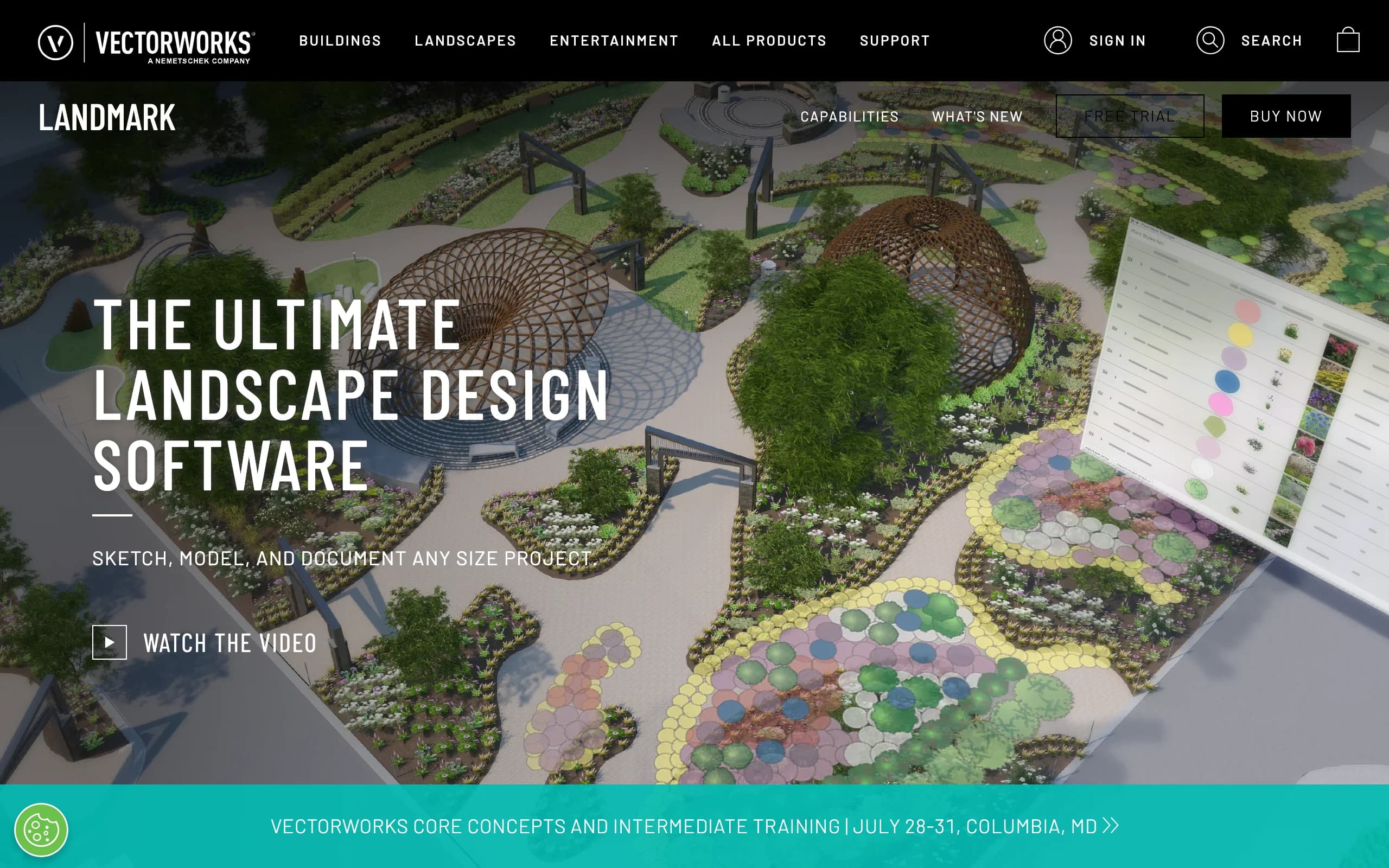
Vectorworks Landmark is the program most landscape architecture offices standardize on, and the one most university programs teach. It covers the whole arc of a project in one file: site modeling from survey data, planting plans backed by a plant database, hardscaping and grading, irrigation design, and the annotated sheet set at the end. Because it's real BIM, a change to the site model updates the schedules, worksheets, and sheets that reference it, which is the entire argument for BIM over flat drafting.
It also plays reasonably well with others: survey and GIS data in, IFC to architects on Revit, DWG out to consultants in AutoCAD. The cost is the learning curve. Landmark rewards structured, object-based drafting and punishes users who treat it like a sketchpad.
Key features
- Site modeling from survey points, contours, or GIS data
- Plant objects tied to a database, with auto-generating plant schedules
- Grading, drainage, and cut-and-fill calculations
- Irrigation design tools with hydraulic calculations
- IFC, DWG, and shapefile exchange for consultant coordination
- Documentation: sheet layers, worksheets, title blocks
Best for
- Firms that want design through documentation in one program instead of a plugin stack
- Landscape architects coordinating with architects and engineers on BIM projects
- Students, since the full Design Suite is free with an education license
Pricing
- $153 per month, or $1,530 per year, subscription only
- Free educational license for enrolled students and educators; the student2PRO program then gives recent graduates 40 percent off their first professional year
- Runs natively on Windows and Mac
Pros
- The most complete landscape-specific toolset in one program
- BIM associativity: schedules and sheets update with the model
- Mac support, which most of this list can't offer
Cons
- Real learning curve; expect weeks, not days, to get productive
- Subscription only, with no perpetual option since 2024
- Rendering is serviceable but most firms still pair it with Lumion or Twinmotion
2. Land F/X, best planting and irrigation documentation
Land F/X is not a standalone program. It's a plugin that runs inside AutoCAD (or the company's bundled F/X CAD) and automates the parts of production work that eat weeks: plant callouts, schedules, quantity takeoffs, and irrigation layout with hydraulic calculations. Place a plant once and the schedule, the symbol, and the label stay synchronized. Change a valve size and the drip irrigation calculations rerun.
The split into two products matters for budgeting: Planting F/X covers planting plans and details, Irrigation F/X covers irrigation design, and offices that do both buy both. Support has a strong reputation, which counts for a lot when a deadline meets a plugin conflict.
Key features
- Plant placement with synchronized labels, symbols, and schedules
- Quantity takeoffs and cost estimates from the drawing
- Irrigation layout with pipe sizing and hydraulic calculations
- Detail library management across the office
- Runs inside AutoCAD and Civil 3D, or on F/X CAD ($775/year) if you don't own AutoCAD
Best for
- Production-heavy offices that issue planting and irrigation sheets weekly
- Irrigation designers who need defensible hydraulic calcs, not just symbols
- Firms already committed to the AutoCAD ecosystem
Pricing
- Planting F/X: $695 per year; Irrigation F/X: $995 per year (prices effective January 1, 2026)
- Detail F/X: $295 per year; F/X CAD, the bundled CAD platform, holds at $775 per year
- 15-day free trial
Pros
- Saves genuine production hours on every planting and irrigation sheet
- The irrigation module has no real competitor at this depth
- Well-regarded, fast support
Cons
- Requires AutoCAD or F/X CAD underneath, so the true cost is plugin plus platform
- Windows workflow only
- 2D documentation focus; you'll model and render elsewhere
3. AutoCAD, best 2D drafting base layer
AutoCAD needs little introduction: DWG is still the format civil engineers, architects, and surveyors exchange by default. For a landscape architect it's rarely the whole workflow anymore, but it's often the base layer, the place where the survey lands, the sheets get plotted, and Land F/X does its work.
On its own it knows nothing about plants, grading, or irrigation. You're buying line work, layouts, and compatibility, and that's the honest case for it: no other program here removes as much coordination friction, because everyone can open your files.
Key features
- Industry-standard 2D drafting and annotation
- Native DWG, the de facto exchange format for consultant teams
- Sheet set management and plotting
- Runs on Windows, Mac, and in the browser
- Platform for landscape plugins, Land F/X first among them
Best for
- Offices whose consultants and clients require DWG deliverables
- Anyone planning to run Land F/X, which needs a CAD host
- Students building the drafting fluency job postings still ask for
Pricing
- About $2,095 per year for a single subscription; monthly billing runs around $255. Autodesk adjusts list prices by region, so confirm at checkout
- Free one-year educational access for students and educators, renewable while enrolled
- No perpetual license; Autodesk retired one-time purchases years ago
Pros
- Everyone can open your files, which is worth more than it sounds
- Deep pool of drafters, standards, and training material
- The Mac and web versions cover the basics away from a workstation
Cons
- Zero landscape intelligence out of the box
- Expensive for what is, alone, a 2D drafting tool
- Subscription cost climbs most years
4. Rhino + Lands Design, best freeform 3D site modeling
Rhino is a NURBS modeler, which in practice means it handles the geometry landscape sites actually have: curved walls, warped ramps, sculpted terrain, a retaining wall that follows a spiral path. Lands Design adds the landscape layer: terrain from contours or point clouds, plant species with growth and seasonal representation, irrigation, and 2D plan output from the 3D model. Grasshopper, Rhino's node-based scripting environment, is the bonus, powering parametric planting grids and the computational work that wins competitions.
The pricing model is the outlier here, in a good way. Both licenses are one-time purchases, so a Rhino plus Lands Design seat costs $1,790 once, less than a single year of some subscriptions on this list.

Key features
- NURBS modeling for complex curves, surfaces, and terrain
- Lands Design: plant database, terrain tools, irrigation, and plan documentation
- Grasshopper for parametric and computational design
- Point cloud and mesh import for scanned sites
- One-time licenses that never expire
Best for
- Designers whose work is formally complex: sculpted topography, curved structures, non-rectilinear plazas
- Competition and academic work that leans on Grasshopper
- Students, at $195 for Rhino and $95 for Lands Design, both permanent
Pricing
- Rhino 8: $995 one-time; upgrades from older versions $595
- Lands Design plugin: $795 one-time; the RhinoLands bundle with Rhino included is $1,790 one-time or $1,250 per year
- Education: Rhino $195, Lands Design about $95, both perpetual and valid after graduation
Pros
- One-time pricing; the seat you buy in school stays licensed
- Handles geometry that defeats BIM programs
- Grasshopper is a career skill in its own right
Cons
- Documentation is weaker than Vectorworks or AutoCAD; many firms model in Rhino and draft elsewhere
- Lands Design's plant database trails Vectorworks' in depth
- No built-in photoreal renderer worth shipping; budget for Lumion or similar
For the concept phase
A drawing set closes out a project, but it rarely opens one. Plenty of firms now pair their CAD suite with a fast AI visual: photograph the client's actual property at the first site visit, generate a few styled concepts with an AI landscape design tool, and let the client react to their own yard instead of a precedent board. Alignment happens before documentation starts, which is exactly the order you want.
OutdoorBrite plans start at $29 per month and include commercial usage rights on paid plans, so the renders can go straight into a proposal. Honest scope: these are concept visuals, not construction documents. The CAD tools above still do the documenting.
5. SketchUp Pro, best fast 3D massing and client models
SketchUp occupies a specific slot in a landscape architect's stack: the fastest way to get a design off the plan and into a 3D model a client can walk around. Push-pull modeling is quick to learn, the 3D Warehouse supplies site furniture and context buildings for free, and LayOut, bundled with Pro, produces respectable 2D sheets from the model. Many small studios run entire projects in SketchUp plus a rendering engine and never miss BIM.
The limits are structural: no plant database with growth data, no grading intelligence, no irrigation, and heavy models slow down noticeably. It's a modeler you adapt to landscape work, not landscape software.

Key features
- Fast push-pull 3D modeling with exact dimensions
- LayOut for 2D documentation from the model (Pro and up)
- 3D Warehouse of free components: furniture, trees, context
- Large extension ecosystem, including terrain and rendering plugins
- Runs on web, Windows, Mac, and iPad
Best for
- Small studios that sell with 3D models rather than sheet sets
- Design-build firms that need a buildable model fast
- Students and educators, at roughly $55 per year for the education Studio bundle
Pricing
- Go: $129 per year (web and iPad); Pro: $399 per year; Studio: $819 per year
- Education license about $55 per year for students and faculty, not valid for commercial work
- Free web version for personal, non-commercial projects
Pros
- Shortest learning curve of any 3D tool here
- Cheap relative to the BIM tier, with a strong education deal
- Models flow cleanly into Lumion and other renderers
Cons
- No landscape intelligence: plants are static components, terrain tools are basic
- Large site models get slow
- LayOut documentation suits small projects better than 40-sheet sets
6. Lumion, best landscape architecture rendering software
Lumion is where the model becomes the pitch. It links live to SketchUp, Rhino, Vectorworks, Revit, and Archicad, so design changes update the render scene, and it outputs photoreal stills, panoramas, and flythroughs in real time rather than overnight. For landscape work the content library is the draw: over a thousand plant and tree species with seasonal states, plus terrain, water, and sky tools that make exterior scenes read as places.
Two costs to plan for. The subscription, and the hardware: Lumion is Windows-only and leans hard on the GPU, so a serious graphics card is part of the real price.

Key features
- Real-time rendering: stills, panoramas, and animations
- LiveSync plugins for SketchUp, Rhino, Revit, Archicad, and Vectorworks
- Plant library with 1,000+ species and seasonal variation
- Terrain, water, weather, and lighting tools tuned for exteriors
- Lumion View, a lighter ray-tracing plugin tier inside SketchUp and Revit
Best for
- Firms that win work in the visualization, not the drawing set
- Landscape architects who need seasonal planting views clients understand
- Students, since the full version is free with academic verification
Pricing
- Pro: $1,149 per year; Studio: about $1,499 per year; the lighter View tier starts at $229 per year
- 3-year commitments save roughly 20 percent
- Free, fully functional student license after academic verification
Pros
- Fastest route from model to client-ready visual on this list
- Exterior and planting content depth that generic renderers lack
- Free for students, which is rare at this quality level
Cons
- Windows only, and it wants a $2,000+ GPU workstation to run well
- Renders nothing on its own; it needs a modeling tool upstream
- Subscription plus hardware makes it the priciest line item for a small studio
7. QGIS, best site analysis on a zero budget
QGIS is free, open-source GIS, and it has quietly joined the landscape architecture toolkit for the phase before design: site inventory and analysis. Load public parcel, contour, soil, and hydrology data, run slope and aspect analyses, map watersheds, and export georeferenced base maps that drop into Vectorworks or AutoCAD. The design decisions that follow get better when the analysis under them is real.
The trade-off is polish and support. QGIS is community-built, documentation is uneven, and nobody answers a support line. But the price is zero and the license is genuinely open.
Key features
- Full GIS: vector, raster, and terrain analysis
- Slope, aspect, viewshed, and hydrology tools for site analysis
- Imports public data: parcels, contours, soils, aerial imagery
- Georeferenced exports to DWG and image formats for CAD basemaps
- Huge plugin ecosystem, all free
Best for
- Site inventory and analysis before design starts
- Planning-scale work: corridors, campuses, municipal projects
- Students and small offices with no GIS budget
Pricing
- Free and open source, for commercial use included
- No license tiers; optional paid support exists through third-party providers
Pros
- Costs nothing and does real analytical work
- Handles planning-scale data no CAD program should be asked to
- Cross-platform: Windows, Mac, Linux
Cons
- Steeper interface than any commercial tool here
- No design or documentation tools; it's analysis, not drafting
- Community support only
How to choose the best landscape architecture software for your workflow
1) Pick your documentation backbone first
Everything else attaches to the program that produces your sheet set, and there are really two camps: Vectorworks Landmark, where model and documents live in one BIM file, or AutoCAD plus Land F/X, where flat drafting gets landscape intelligence from the plugin. Landmark wins on integration and Mac support; the AutoCAD stack wins on consultant compatibility. Changing backbones later is painful, so decide this one deliberately.
2) Match the 3D tool to the work you actually do
If your projects are rectilinear and schedule-driven, Landmark's built-in modeling may be all you need. Formally complex work points to Rhino + Lands Design. Fast client models on small projects point to SketchUp. Buying all three is common in larger offices; solo practitioners should pick one and get fluent.
3) Budget the whole stack, not the sticker
A working seat rarely costs one subscription. A typical AutoCAD-camp setup in 2026 runs about $2,095 for AutoCAD, $695 to $1,690 for Land F/X modules, and $1,149 for Lumion: roughly $4,000 to $5,000 a year before hardware. The Vectorworks camp is $1,530 plus rendering. The one-time Rhino route is the outlier at $1,790 total. Students should use the education pricing shamelessly: free Vectorworks, free AutoCAD, free Lumion, $195 Rhino, $55 SketchUp.
4) Keep concept and documentation tools separate
The mistake is asking one program to do both. CAD is slow at the "what if it looked like this" conversation, and concept tools can't produce a grading plan. Run the phases with different tools: analysis in QGIS, client alignment with quick visuals, design development and documentation in your backbone, final imagery in Lumion. If you're not producing stamped documents at all, you're likely in the prosumer tier, and the tools in our design-software guide will fit better than anything here.
FAQ
What software do most landscape architects use?
Job postings point to the same core: AutoCAD for drafting, Vectorworks Landmark for landscape-specific BIM, Land F/X for planting and irrigation production, SketchUp or Rhino for modeling, and Lumion or Twinmotion for rendering. Most offices run two or three of these together, not one.
What is the best landscape architecture software for students?
Start with whatever your program teaches, then collect the education licenses while you can: Vectorworks and AutoCAD are free for enrolled students, Lumion is free with academic verification, SketchUp's education Studio runs about $55 per year, and Rhino's $195 student license is permanent, so it survives graduation. Learning one BIM tool, one modeler, and one renderer covers most job postings.
Is there free landscape architecture software?
QGIS is genuinely free and handles site analysis and mapping at a professional level. Beyond that, free access mostly means education licenses (Vectorworks, AutoCAD, Lumion) or personal-use tiers like SketchUp Free that exclude commercial work. There is no free program that produces a professional construction document set.
What is the best landscape architecture rendering software?
Lumion leads for landscape work specifically because of its plant library, seasonal states, and terrain tools, with Twinmotion as the main alternative. Both render in real time from a linked design model. For quick concept imagery on a real property before any modeling exists, an AI tool can turn a photo into a landscape design in under a minute, though that output is a concept visual, not a render of your model.
Do landscape architects use AutoCAD or Revit?
AutoCAD, far more often. Revit is architecture-first and its site tools are thin, so landscape architects on Revit projects usually coordinate through IFC or DWG from Landmark or AutoCAD instead of working natively in Revit. Some large multidisciplinary firms are the exception.
Can I run this software on a Mac?
Partially. Vectorworks Landmark, Rhino, SketchUp, and QGIS run natively on Mac; AutoCAD has a Mac version, though Land F/X does not support it. Lumion is Windows-only apart from the lighter View plugin for SketchUp on Apple Silicon. Mac-based designers tend to land on the Landmark or Rhino camps; our Mac roundup covers that setup in more detail, and our Windows roundup does the same from the PC side.
Is Vectorworks Landmark worth it over AutoCAD for a small office?
If you produce full document sets and don't depend on DWG-native consultants daily, usually yes: one $1,530 subscription replaces AutoCAD plus parts of the plugin stack, and the BIM associativity cuts revision time. If your work is production drafting inside a DWG pipeline with heavy irrigation documentation, AutoCAD plus Land F/X remains the stronger fit.