7 best landscaping software for PC in 2026
Windows is where the serious landscaping suites live, but most of them cost hundreds and take weeks to learn. We compared 7 landscaping tools that run on a PC in 2026, from a $599 one-time 3D suite to a browser tool that needs no install, with verified pricing for each.
Shopping for landscaping software on a PC is the opposite problem from shopping on a Mac. On Windows, everything runs. The heavyweight suites that Mac owners can never install, the photo imaging tools contractors have used for decades, the one-time-purchase 3D programs with walkthrough videos: they were all built for Windows first. The question is not "will it run," it is "which kind of tool do I actually need."
This guide sorts the field into 7 picks that work on a Windows PC in 2026, with verified pricing and a plain note on what each one is for. Two are Windows-only desktop suites you install (Realtime Landscaping and PRO Landscape), two are cheap or free desktop planners, and the rest run in a browser or offer a Windows app, so they work on any PC without touching your system requirements. If you are on macOS instead, we keep a separate guide to landscape design software for Mac.
Best landscaping software for PC: a brief overview
- OutdoorBrite, best overall on any PC: upload a photo of your yard in Chrome or Edge, pick a style, and get realistic AI concepts in under a minute, with nothing to install.
- Realtime Landscaping, best Windows-native 3D walkthroughs: a one-time-purchase desktop suite that turns your design into a full 3D scene you can walk through, Windows only.
- PRO Landscape, best professional Windows suite: the contractor standard for photo imaging, landscape CAD, and one-click proposals, sold as a subscription.
- DreamPlan, best cheap Windows desktop planner: a $40 to $50 one-time home design program with landscaping, deck, and pool tools, free for non-commercial use.
- Sweet Home 3D, best free open-source desktop tool: a genuinely free, install-and-keep planner for laying out a plot to scale, with a huge free model library.
- SketchUp, best for precise 3D modeling on PC: the standard 3D modeler, and on Windows you can go all the way to the Studio tier with photoreal rendering.
- Planner5D, best budget pick with a Windows app: draw your yard to scale in 2D and 3D for $4.99 a month on annual billing, with a Windows desktop app plus web.
| Software | Key strength | Pricing | Windows story |
|---|---|---|---|
| OutdoorBrite | Realistic AI concepts from your own photo, fast | From $29/mo (no free plan) | Web, any PC browser |
| Realtime Landscaping | Native 3D walkthroughs, one-time purchase | Plus $149, Pro $279, Architect $599 once | Windows 10/11 only |
| PRO Landscape | Pro photo imaging, CAD, and proposals | $75/mo billed annually | Windows desktop + tablet app |
| DreamPlan (NCH) | Cheap desktop planning with landscaping tools | Free for home use; Home $40, Plus $50 once | Windows 7 to 11 (also Mac) |
| Sweet Home 3D | Free open-source desktop planner | Free (GPL) | Windows, plus Mac/Linux/web |
| SketchUp | Precise 3D modeling, full tiers on PC | Go $129/yr, Pro $399/yr, Studio $819/yr | Pro on desktop; Studio Windows-only |
| Planner5D | To-scale 2D/3D layout on a budget | Free tier; Premium $4.99/mo yearly | Windows app + web, mobile |
1. OutdoorBrite, best overall on any PC
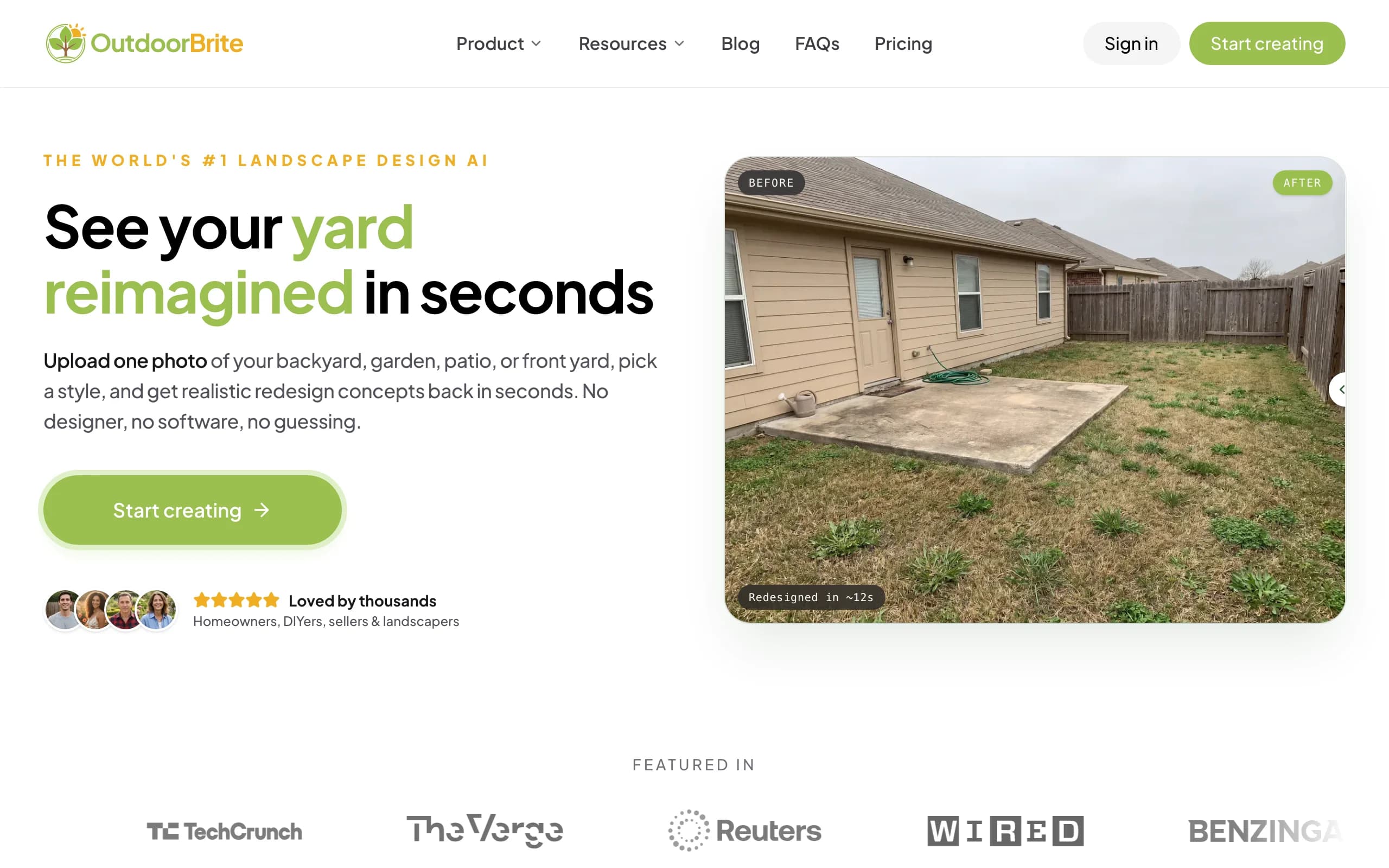
OutdoorBrite is a web-based landscaping tool that runs in any PC browser, Chrome, Edge, or Firefox, with nothing to download or install. You open it, upload a photo of your yard, pick a style (modern, cottage, desert or xeriscape, tropical, Mediterranean), describe what you want in plain words, and it generates realistic concepts in under a minute. You get multiple concepts per upload, so you compare real options on your actual yard instead of squinting at someone else's Pinterest board. An in-app AI editor lets you refine a concept after the fact: swap a material, change the planting, push the layout one way or the other.
It is the best pick for most PC owners because it skips the two costs the Windows desktop suites carry: the learning curve and the hardware. Realtime Landscaping and PRO Landscape can produce precise, documented plans, but you build them element by element, and heavy 3D wants a decent graphics card. OutdoorBrite does the work in the cloud, so a five-year-old office laptop handles it the same as a gaming rig. The same flow covers backyards, gardens, patios, decks, fences, pergolas, pools, and front yards, and plant choices account for your climate and hardiness zone. Paid plans include full commercial rights, which matters if you are a landscaper using the render as your on-site pitch. The landscape design app page covers how the tool works across the whole yard.
Key features
- Runs in any PC browser, nothing to install, no GPU requirements
- Photo-to-design AI: upload your yard, get realistic concepts in under a minute
- Style presets plus a plain-language prompt to direct the look
- Multiple concepts per upload, with an in-app AI editor to refine
- Climate and hardiness-zone-aware plant choices
- Works for backyards, gardens, patios, decks, pergolas, pools, front yards
- Save, share, and full commercial rights on paid plans
Best for
- PC owners who want a realistic redesign without learning a desktop suite
- DIY users who will take the concept to a plant and materials list
- Landscapers and contractors using the render as a closing tool on-site
Pricing
- Paid-only, no free plan and no free trial. 1 credit = 1 design or 1 AI edit.
- Starter $29/mo ($23/mo billed yearly): 25 redesigns/mo, HD output.
- Plus $49/mo ($39/mo yearly): 100 redesigns/mo, sharp 2K output. Most popular.
- Pro $149/mo ($119/mo yearly): 200 redesigns/mo, 4K output, agency and commercial rights. Annual billing saves about 20%; top-up packs never expire.
Pros
- No install and no hardware demands: works on any PC through the browser
- Realistic results on your actual yard photo, not a generic 3D scene
- Fast enough to compare several styles in one sitting
- Editor lets you refine instead of restarting from scratch
Cons
- No free tier to test before you commit
- Web app, so it needs an internet connection and does not work offline
2. Realtime Landscaping, best Windows-native 3D walkthroughs
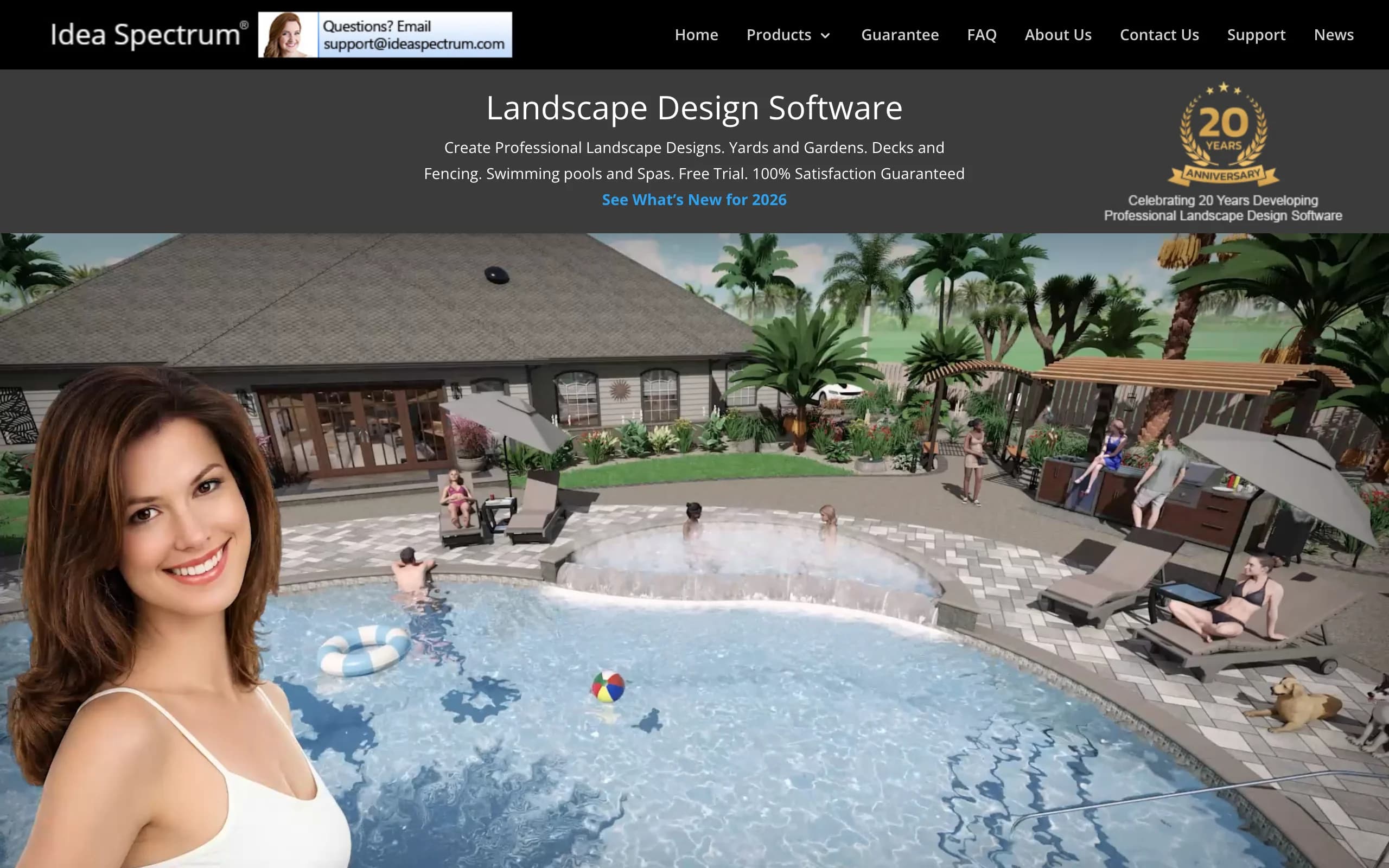
Realtime Landscaping, from Idea Spectrum, is the classic Windows-only landscaping suite, and its 3D is still the reason people buy it. You design a yard in 2D or directly in 3D, then walk through the finished scene in real time or record a video of it, which is a persuasive way to show a spouse or a client what a finished project feels like. The library covers plants, hardscaping, decks, fences, water features, and pools, and you can also design over a photo of your property. It runs on 64-bit Windows 10 and 11 only, with no Mac version, which is exactly why it belongs in a PC guide.
The lineup is a one-time purchase with no subscription: Plus at $149 for homeowners, Pro at $279 with more objects and features like sprinkler design, and Architect at $599, which adds CAD-style plan drawings for professionals. Upgrades to future versions are optional and discounted. The trade-off is that you build everything yourself. It is a modeling suite, not a photo restyler, so expect an evening or two before your first presentable design, and the visual style is realistic 3D rendering rather than a photograph of your actual yard.
Key features
- Real-time 3D walkthroughs and video recording of your design
- Design in 2D, 3D, or over a photo of your property
- Large libraries: plants, decks, fences, pools, water features
- Sprinkler design on Pro; CAD-style plan drawings on Architect
- One-time purchase, no subscription; free trial with a watermark
Best for
- Homeowners who want to walk through the design before building it
- Windows users who prefer owning software to renting it
- Deck, pool, and structure-heavy projects that benefit from full 3D
Pricing
- Plus $149, Pro $279, Architect $599. All one-time purchases.
- No subscription; version upgrades are optional and usually discounted.
- Windows 64-bit 10 and 11 only. No Mac version.
Pros
- The 3D walkthrough is genuinely useful for selling a project
- One-time pricing is rare in 2026 and ages well over multiple projects
- Deep object libraries for a homeowner-priced suite
Cons
- Windows-only, and you build the model yourself
- Renders are 3D scenes, not photoreal restyles of your own yard
3. PRO Landscape, best professional Windows suite
PRO Landscape, from Drafix Software, has been the working contractor's design suite for over 30 years, and it is built around winning jobs rather than doodling ideas. The photo imaging module drops new plantings, pavers, and landscape lighting onto a photo of the client's property, the CAD module produces accurate planting and hardscape plans, and the proposal tool turns the design into a priced customer proposal in one click. An image library of over 19,000 plants and materials backs all of it, and a companion app puts presentations on an iPad or Android tablet while the heavy design work stays on your Windows desktop.
Pricing moved from the old one-time license (previously around $1,895) to a subscription: PRO Landscape+ runs $75 a month billed annually, with free training webinars and technical support included. That number only makes sense if design work brings you revenue. For a contractor who closes even one extra job a year off a better presentation, it pays for itself; for a homeowner planning a single backyard, it is far more tool than the project needs. This is the suite you graduate to when the renders you show clients are the renders that get you paid.

Key features
- Photo imaging: redesign directly on the client's property photo
- Landscape-specific CAD for planting and hardscape plans
- Night and holiday lighting design
- One-click priced customer proposals
- 19,000+ image library, tablet companion app, free training and support
Best for
- Landscape contractors and design-build firms on Windows
- Pros who need a proposal and a plan, not just a picture
- Businesses that present designs to clients for a living
Pricing
- PRO Landscape+ subscription: $75/mo billed annually.
- Includes free online training webinars and technical support.
- Windows desktop software with an iPad/Android companion app.
Pros
- Covers the full sales cycle: photo, plan, lighting, proposal
- Decades of refinement and a huge landscape-specific library
- Training and support are included, not an upsell
Cons
- Priced for professionals, hard to justify for one home project
- Windows desktop only for the full program, with a real learning curve
4. DreamPlan, best cheap Windows desktop planner
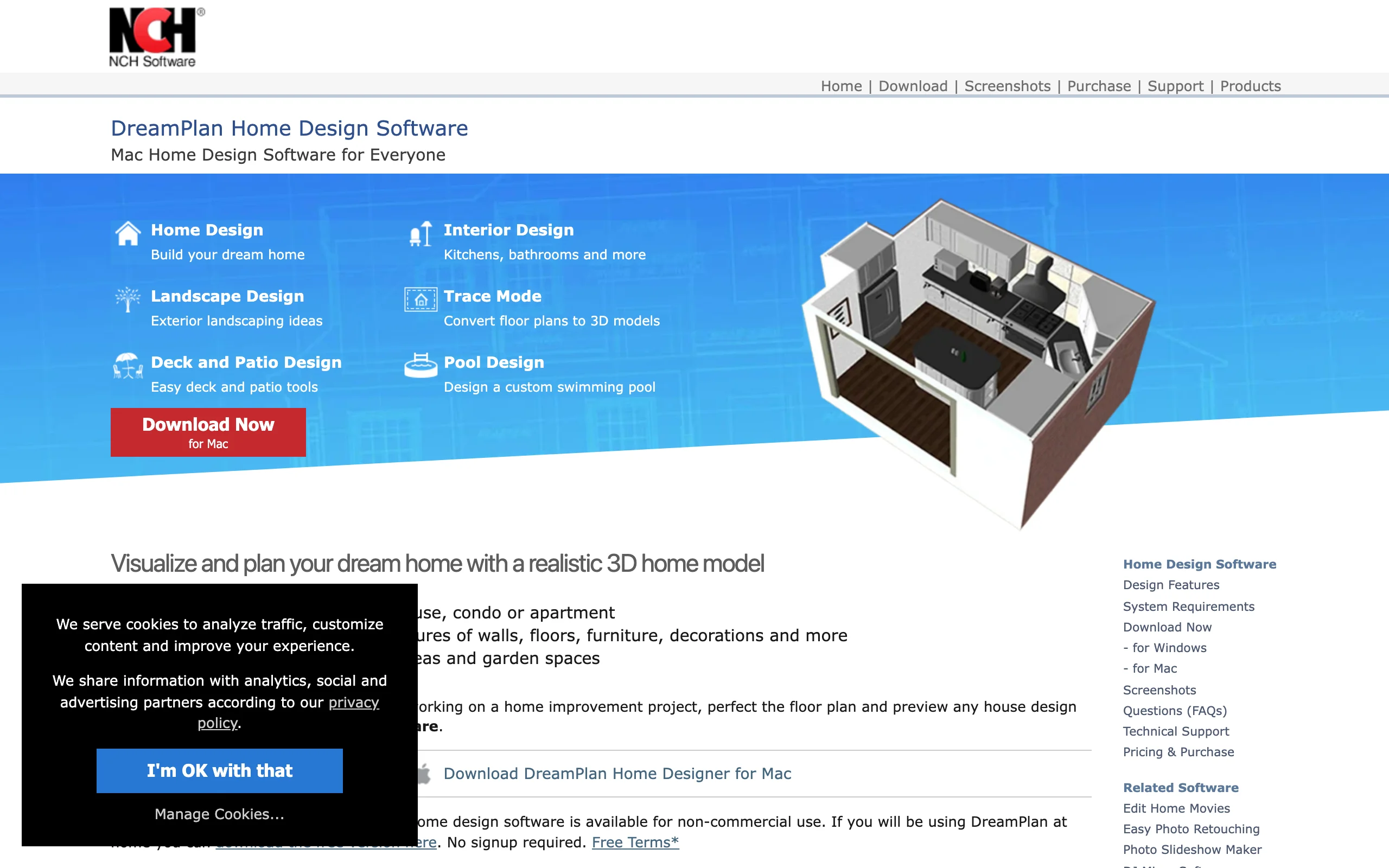
DreamPlan, from NCH Software, is the budget desktop option: a full home design program with a real landscaping side, at a price closer to a garden hose than to design software. You reshape terrain, add trees, shrubs, and flower beds, and lay out decks, patios, and pools, switching between 3D, 2D blueprint, and 2D rendered views. If the deck is the whole project, dedicated free deck design software goes deeper than a general planner does. It runs on Windows 7 through 11, so it works on old machines that newer suites refuse, and there is a free version for non-commercial home use, which makes it the cheapest way to try desktop landscape planning on a PC.
Paid licensing stays cheap: the Home edition is about $40 one-time, and the Plus edition with a commercial license is about $50, with NCH discounts appearing regularly. The honest trade-off is visual quality. DreamPlan's 3D style is simple and slightly cartoon-like, useful for layout and planning but nowhere near a photoreal result, and the object libraries are thinner than Realtime Landscaping's. Treat it as a sketching tool for arranging a yard to scale, not a presentation tool for selling the finished look.
Key features
- Landscaping, deck, patio, and pool design with terrain reshaping
- 3D, 2D blueprint, and 2D rendered views of the same plan
- Free version for non-commercial home use
- Runs on Windows 7 through 11, light hardware requirements
Best for
- Homeowners on a tight budget who want a desktop planner
- Older PCs that cannot run heavier 3D suites
- Whole-property plans where the house and yard are designed together
Pricing
- Free for non-commercial home use.
- Home edition about $40 one-time; Plus edition with commercial license about $50.
- A quarterly subscription option exists at a few dollars a month. Also available on Mac.
Pros
- Genuinely cheap, with a usable free version
- Covers house and yard in one program
- Runs on nearly any Windows machine
Cons
- Simple, dated 3D visuals, far from photoreal
- Smaller plant and object libraries than the dedicated suites
5. Sweet Home 3D, best free open-source desktop tool
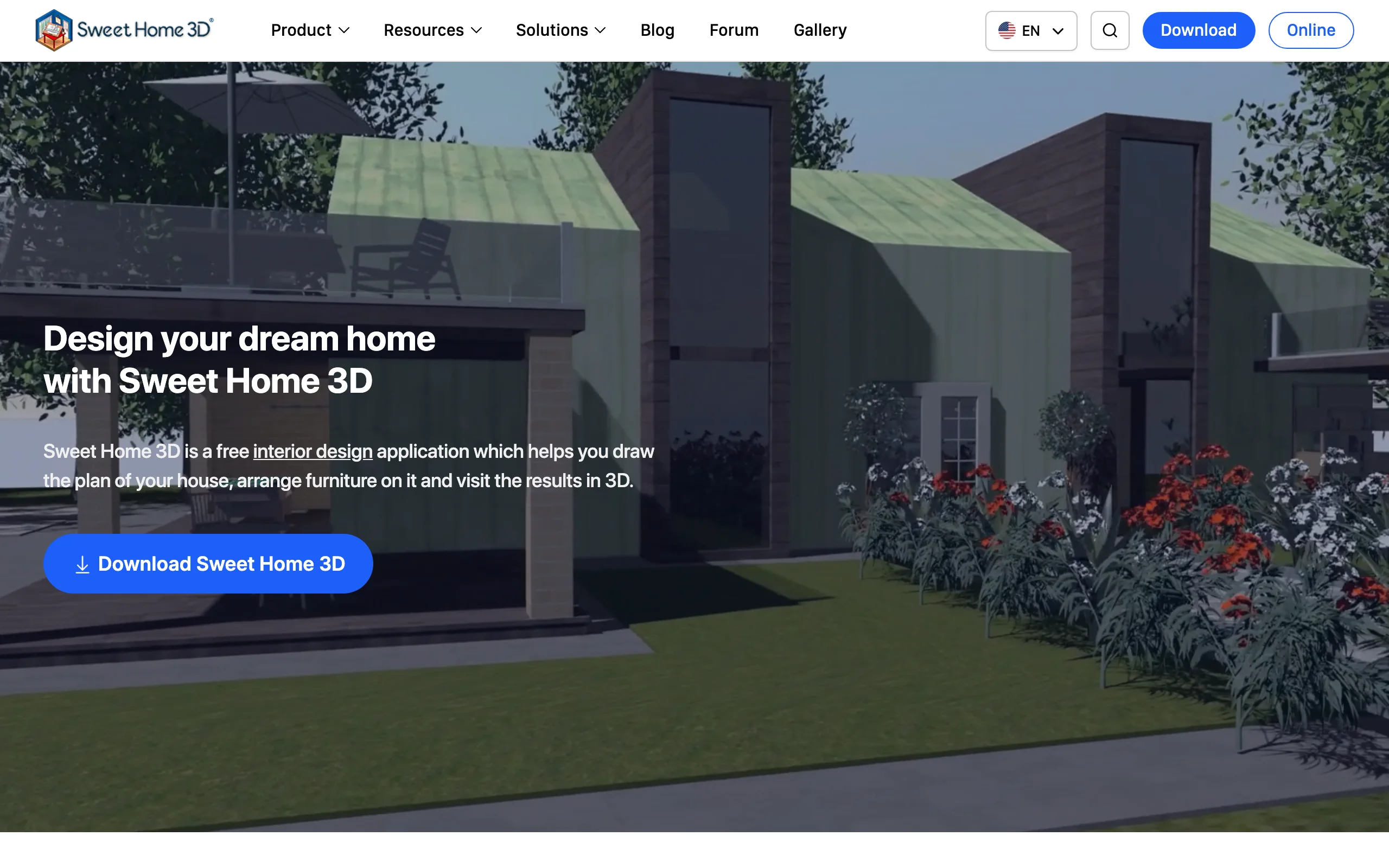
Sweet Home 3D is free in the full sense: open source under the GPL, no trial clock, no locked features, no account. You install it on Windows (or run it in a browser), draw your plot to scale, and arrange objects from a library of more than 10,000 free models, then generate 3D photo and video renderings of the result. For a PC owner who wants to own a planning tool outright and pay nothing, it is the honest answer, and its community has kept it maintained for nearly two decades.
The catch for landscaping specifically is that it is an interior design program first. The outdoor categories cover trees, plants, and garden furniture well enough to lay out a yard, a paver patio, or a fence line to scale, but there are no terrain sculpting tools, no irrigation or lighting design, and no landscape-specific plant data. It shines when your project is "figure out what fits where" rather than "show me the finished planting design." Pair it with idea images or an AI render for the visual side and it earns its spot at $0.
Key features
- Completely free and open source, no feature locks
- To-scale 2D plans with a live 3D view
- 10,000+ free models and 400 textures included
- Photo and video renderings of the finished plan
- Desktop app for Windows plus a browser version
Best for
- Budget-zero planning of plots, patios, and layouts to scale
- PC owners who want software they install once and keep
- Simple yard arrangement where measurements matter more than looks
Pricing
- Free, open source (GPL), on Windows, Mac, Linux, and in the browser.
- Optional paid app-store versions exist, but the desktop download costs nothing.
Pros
- Truly free forever, not a limited trial
- Big free model library and solid to-scale drawing
- Light enough for any Windows PC
Cons
- Interior-first: no terrain, irrigation, or landscape-specific tools
- Rendered output looks like a model, not a real yard
6. SketchUp, best for precise 3D modeling on PC
SketchUp is the most widely used 3D modeler in design work, and the PC is where you get all of it. The Pro plan ($399 a year) installs the full desktop modeler on Windows, and the Studio tier ($819 a year), which adds photoreal V-Ray rendering and point-cloud scan tools, is Windows-only. Mac users literally cannot buy their way into Studio's desktop features, so if you have ever wanted the top tier of SketchUp, your PC is the machine that runs it. For landscape work, that means modeling terrain, retaining walls, decks, and pergolas with exact dimensions, backed by a large plugin ecosystem of landscape tools and plant libraries.
The trade-off is the same as it has always been: SketchUp models geometry, it does not restyle your photo. You are building a scene from measurements, and while the learning curve is friendlier than true CAD, it is still a modeling program that rewards hours invested. Choose it when precision is the point, a deck that must clear a window sill, a wall on a slope, a pergola you will actually hand to a builder, and the visual polish can come later through Studio's rendering.

Key features
- Full desktop 3D modeler on Windows with the Pro plan
- Studio tier (Windows-only) adds V-Ray photoreal rendering and scan tools
- Precise terrain, hardscape, and structure modeling
- Large plugin ecosystem for landscape tools and plant libraries
- 2D documentation through the LayOut companion app
Best for
- Designers who need exact dimensions on structures and grades
- PC users who want the Studio tier Macs cannot run
- Deck, pergola, and retaining-wall projects headed to a builder
Pricing
- Go $129/year: web and iPad only, no desktop modeler.
- Pro $399/year: the full Windows desktop modeler plus LayOut.
- Studio $819/year: adds V-Ray rendering and scan tools, Windows-only.
Pros
- Precise 3D control over every element
- The complete product line runs on Windows, including Studio
- Mature plugin ecosystem for landscape work
Cons
- You build the model yourself, with a real learning curve
- Subscription pricing adds up next to one-time suites like Realtime Landscaping
7. Planner5D, best budget pick with a Windows app
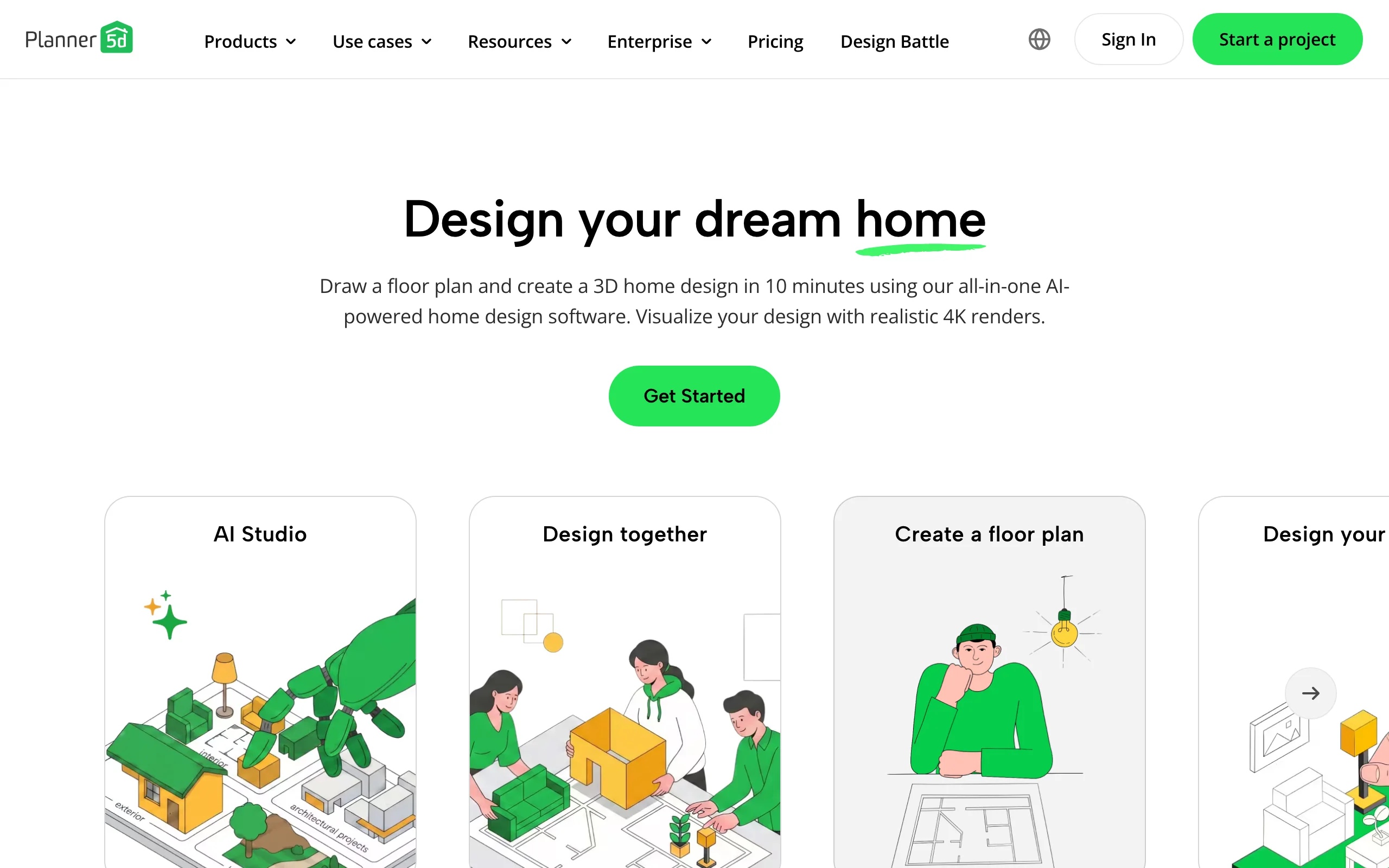
Planner5D is a general home and outdoor design app that covers yards well when layout and measurements are the goal. You draw your space to scale in 2D, arrange surfaces, plants, and structures from a catalog of more than 10,000 objects, and flip to 3D to judge proportions. On a PC you can run it in the browser or install the Windows desktop app, and the same account syncs to iOS, Android, and Mac, which makes it the practical pick if you start planning at a desk and keep tweaking on your phone in the yard.
It is also one of the cheapest paid tools here. The free tier opens the editor with about half the catalog, and Premium runs $4.99 a month billed annually (about $59.99 a year) for the full catalog and standard renders, with a Professional tier at $399.99 a year for 4K renders and CAD export. The limits are the familiar ones for this category: output is 3D-model rendering rather than a photoreal restyle of your actual yard, and the catalog leans interior, so the landscaping depth trails the dedicated Windows suites.
Key features
- Draw your yard to scale in 2D, view and adjust in 3D
- Windows desktop app plus browser, iOS, Android, and Mac
- 10,000+ item catalog with cloud sync across devices
- Free tier to try the editor before paying
Best for
- DIYers who want accurate measurements before buying materials
- People who plan on a PC and refine on a phone
- Budget-conscious users who still want a paid tool's catalog
Pricing
- Free tier with about half the catalog.
- Premium $4.99/mo billed annually ($59.99/year); higher month-to-month.
- Professional $33.33/mo billed annually ($399.99/year) for 4K renders and CAD export.
Pros
- Cheap annual pricing and a real free tier
- Works as a native Windows app and in the browser
- Easy learning curve next to the desktop suites
Cons
- 3D-model output, not photoreal AI on your own photo
- Catalog and tools lean interior, lighter on landscaping specifics
How to choose the best landscaping software for your PC
1) Install a suite or run it in the browser
This is the first fork on Windows. The desktop suites (Realtime Landscaping, PRO Landscape, DreamPlan, Sweet Home 3D, SketchUp Pro) install on your machine, work offline, and put every file under your control, but they tie you to that PC and, for the 3D-heavy ones, to its graphics card. The browser tools (OutdoorBrite, Planner5D's web version) need no install and run the same on a work laptop, a home desktop, or a five-year-old machine. If your PC is older or shared, lean browser. If you want offline work and one-time ownership, lean desktop.
2) Photo restyle, 3D model, or documented plan
Decide what the output needs to be. If you want to see your own yard restyled realistically, an AI photo tool like OutdoorBrite is the only category that does that directly. If you want to walk through a scene or check what fits where, the 3D modelers (Realtime Landscaping, SketchUp, Planner5D, DreamPlan) build a scene from scratch. If the output must be a documented, priced plan a client signs off on, that is PRO Landscape territory. Plenty of pros use two: an AI render to align the client in minutes, then a suite to document the winning direction.
3) One-time purchase or subscription
Windows is the last place one-time pricing survives, so use it if it fits. Realtime Landscaping ($149 to $599 once) and DreamPlan (about $40 to $50 once) age well if you will use the software across years of projects, and Sweet Home 3D is free outright. Subscriptions (OutdoorBrite from $29/mo, SketchUp from $399/yr, PRO Landscape at $75/mo annually) make sense while you are actively designing, and stop costing you when you stop. For a single project, a month or two of a subscription is usually cheaper than a suite; for a hobby you revisit every season, owning wins.
4) How much learning you will actually tolerate
Be honest here, because this decides whether the software gets used or abandoned. PRO Landscape and SketchUp reward serious time investment; Realtime Landscaping takes an evening or two; DreamPlan, Sweet Home 3D, and Planner5D are gentler but still hands-on. OutdoorBrite is the only pick with effectively no learning curve: upload a photo, pick a style like modern, and react to concepts. If past design software has ended up unused on your machine, that pattern is the strongest signal to pick the tool that asks the least of you.
FAQ
What is the best free landscaping software for PC? Sweet Home 3D is the best fully free option: open source, no locked features, and a big free model library, though it is interior-first and light on landscaping tools. DreamPlan's free version for non-commercial home use is the best free dedicated planner, and Planner5D's free tier opens its editor with a reduced catalog. Free tiers are good for testing a workflow; most people who finish a real project end up on a paid tool. Our guide to the best free landscape design software goes deeper.
Does OutdoorBrite work on a Windows PC? Yes. OutdoorBrite is browser-based, so it runs in Chrome, Edge, or Firefox on any Windows PC with nothing to download. Because the AI runs in the cloud, there are no GPU or RAM requirements, and an older laptop generates concepts at the same speed as a new desktop. You need an internet connection, and there is no offline mode.
What is the best 3D landscaping software for PC? For homeowner 3D, Realtime Landscaping is the strongest pick: real-time walkthroughs, video recording, and deep libraries as a one-time purchase. For precision modeling, SketchUp Pro (with the Windows-only Studio tier for photoreal rendering) is the standard. If you want a 3D-quality result without building a model, OutdoorBrite generates realistic concepts from a photo instead, which for many projects replaces the reason people wanted 3D in the first place.
What is the best landscaping software for PC beginners? OutdoorBrite has the shortest path from zero to a usable design: upload a photo, pick a style, get concepts in under a minute. Among desktop programs, DreamPlan and Planner5D are the gentlest, and Sweet Home 3D is approachable if you just need a to-scale layout. Save Realtime Landscaping Architect, SketchUp, and PRO Landscape for when you are ready to invest real learning time.
What is the best professional landscaping software for Windows? PRO Landscape is the established professional suite: photo imaging on client photos, landscape CAD, lighting design, and one-click proposals for $75 a month billed annually. Realtime Landscaping Architect ($599 once) is a strong lower-cost alternative for plan drawings and 3D presentations. Many contractors also keep an AI tool like OutdoorBrite in the truck, since a realistic concept generated on-site while the client watches is often what starts the sale.
Which landscaping software is Windows-only? Realtime Landscaping (all editions) runs only on 64-bit Windows 10 and 11, with no Mac version. PRO Landscape's full desktop program is Windows software, with tablets covered by a companion app. SketchUp's Studio tier features are Windows-only too, even though Pro runs on both platforms. That concentration of exclusives is the honest reason a PC is the better machine for heavyweight landscaping suites.
Do I need a powerful PC to run landscaping software? Only for the 3D-heavy desktop suites. Realtime Landscaping and SketchUp benefit from a dedicated graphics card and extra RAM, and render times drop on faster machines. DreamPlan and Sweet Home 3D run happily on old hardware, and the browser tools (OutdoorBrite, Planner5D web) shift the work to the cloud, so nearly any PC from the last decade is enough.
Can AI design my yard from a photo on a PC? Yes. OutdoorBrite takes one photo of your yard and returns realistic restyled concepts in under a minute, in a normal PC browser. A clear, well-lit photo of the space produces the most usable results. You can compare modern, cottage, desert, and tropical looks on your own yard, then refine the best concept in the AI editor before committing to a direction.
Platform aside, if you are still weighing categories, our guide to the best landscape design software compares tools across every operating system, or you can start with a photo of your own yard at outdoorbrite.com.